



Live attendance
See who is in, late or missing right now
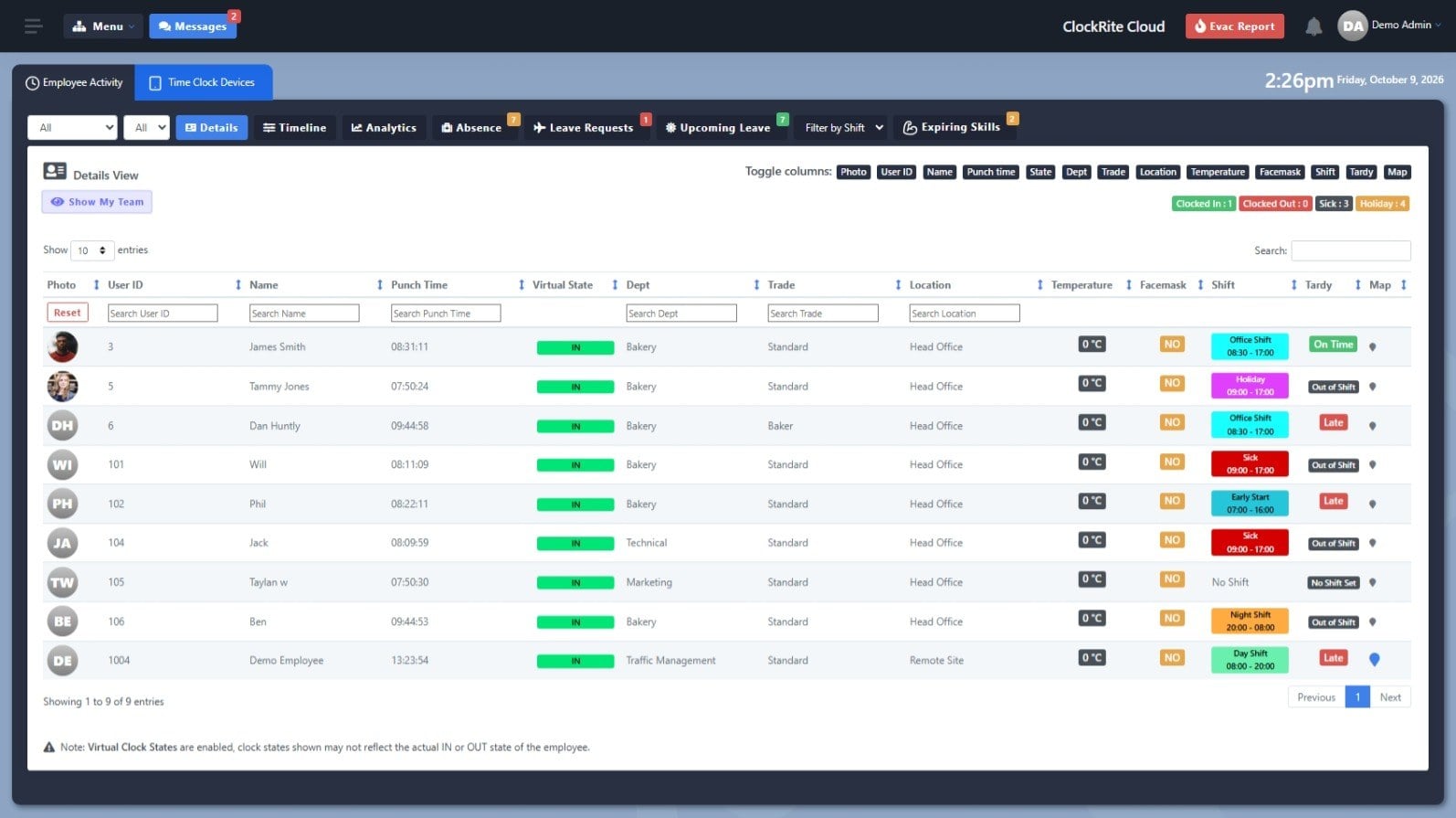
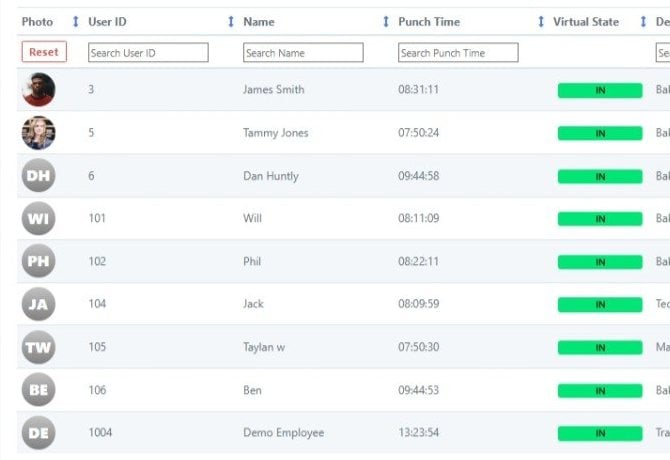
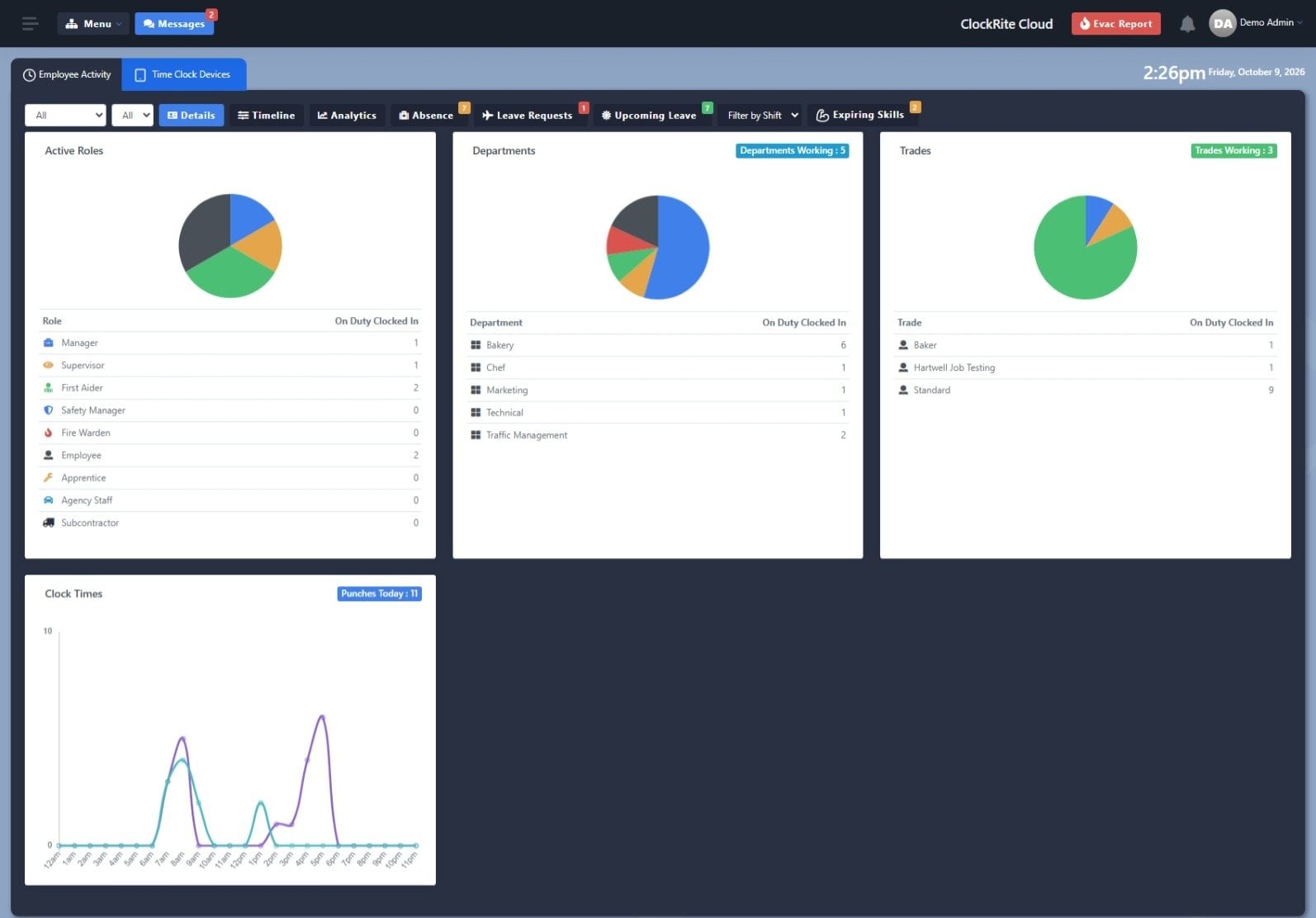
The ClockRite Cloud dashboard updates as people clock in. Each clocking shows the time, department, location and shift, so problems show up on the day, not on payday.
Who is in right now
Counts of who is clocked in, clocked out, off sick or on holiday sit at the top of the dashboard.
Late starts flagged
Each clocking is checked against the person’s shift, so late arrivals are marked as they happen.
Where they clocked in
The location and a map pin are kept with each clocking, and geofencing keeps phone clockings to the places you set.
Clocking methods
Five ways to clock in
Every method sends clockings to the same ClockRite Cloud account, so each site or team can use the one that suits it.

MFA
Multi-factor clocking: staff confirm who they are two ways at once, such as face and fingerprint. The strongest proof of who clocked in.
Facial Recognition
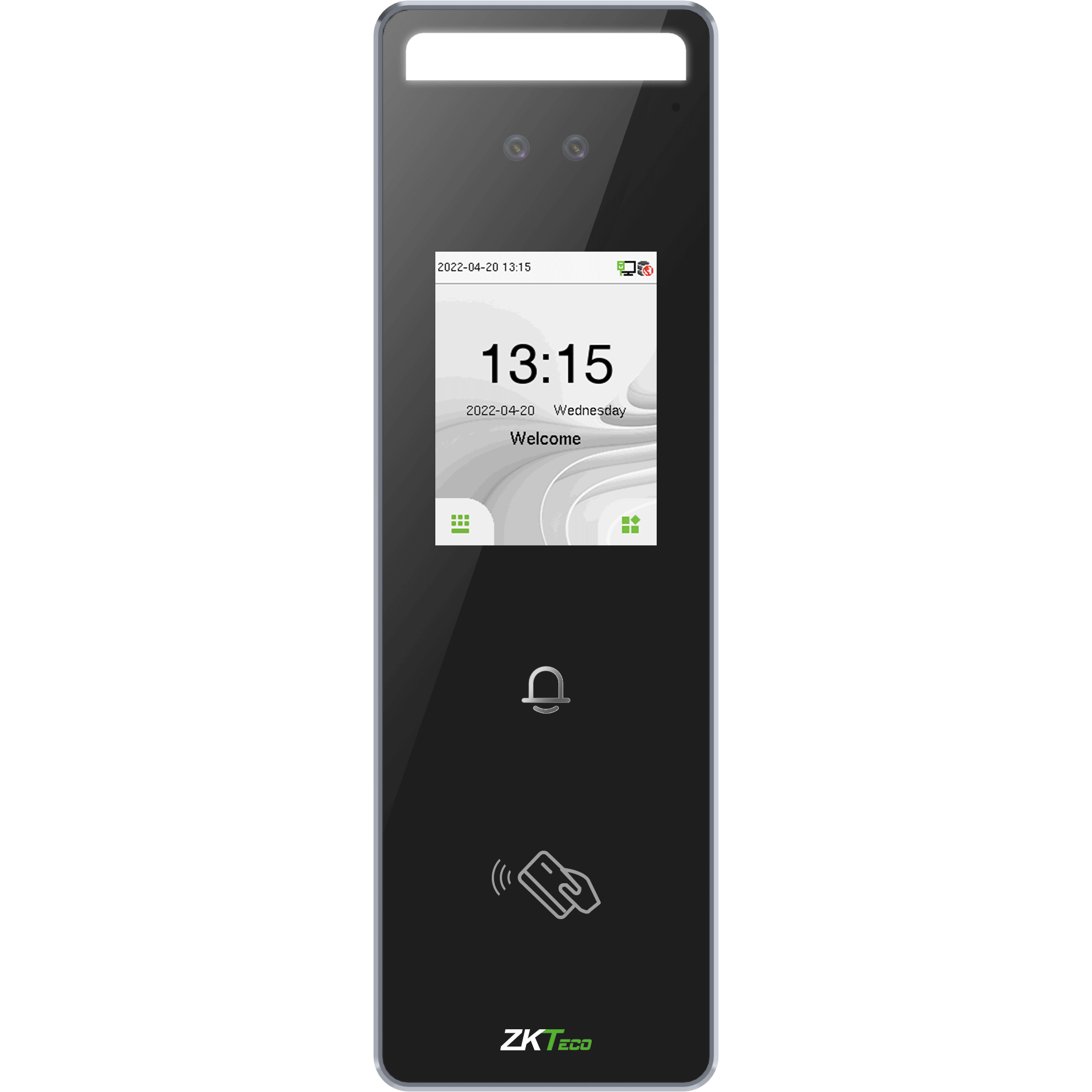
Staff look at the terminal to clock in. Nothing to touch or carry, and nobody can clock in for a colleague.
Fingerprint
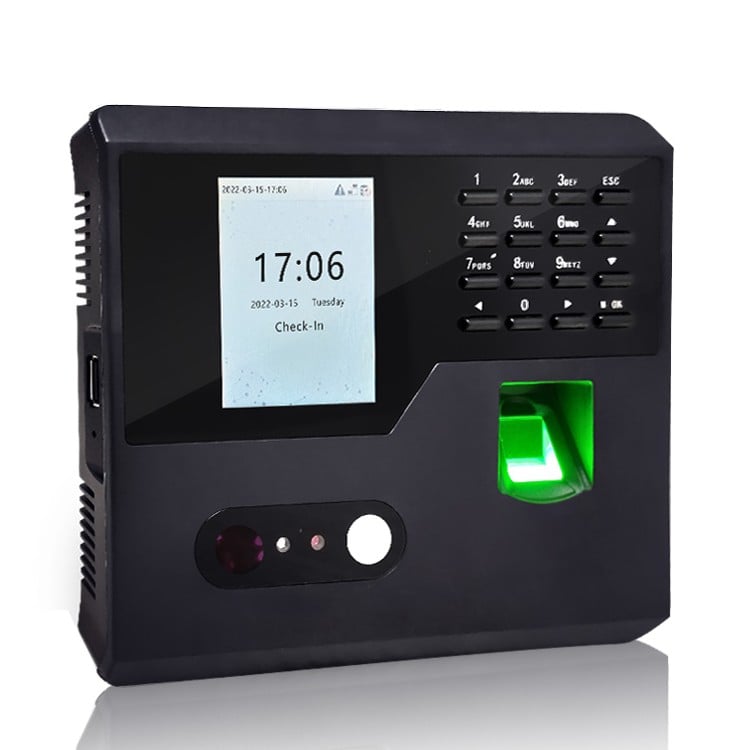
A quick fingerprint scan confirms who is clocking in, so staff cannot clock in for each other.
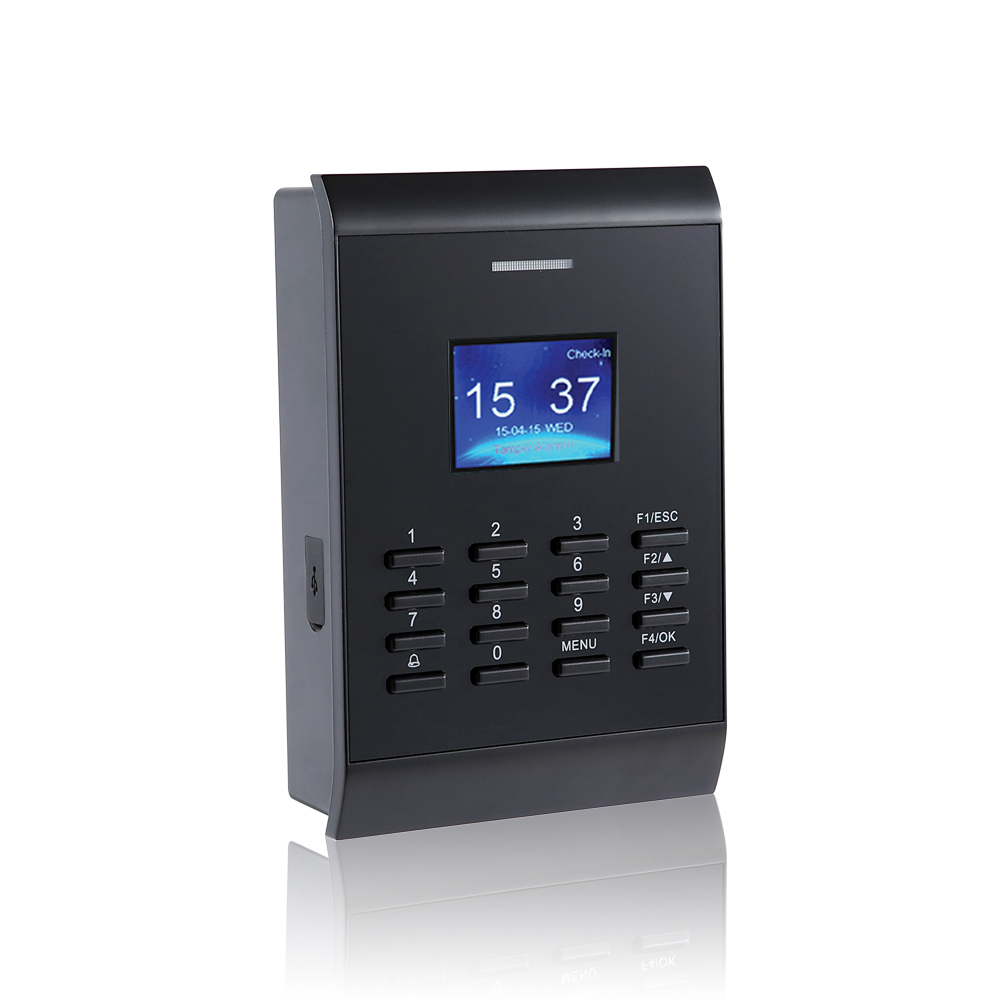
RFID card/tag
Staff tap a card or key fob on the reader. Quick at busy shift changes and simple for everyone to use.

Mobile app
Staff clock in from their own phone, with their location recorded and geofencing to set where they can clock in. Made for mobile and remote teams.
How it works
From the first clocking to payday
Set your shift rules once. From then on ClockRite works out the hours as people clock in, and your job is to check the exceptions and approve the week.
1
Set up your shifts
Create shift patterns with start and finish times and the rules for breaks, rounding and overtime. Clone a shift to make a similar one in seconds.
2
Staff clock in
At a terminal, on their phone or in a web browser. Every clocking goes straight to ClockRite Cloud and shows on the dashboard.
3
The rules do the maths
Clock times are rounded, breaks deducted and overtime worked out against each person’s shift. Late starts and missed clockings are flagged.
4
Check the timesheet
Run the timesheet that suits your team, look over the flagged days and fix any missing clockings before payday.
5
Approve and export
Approve the hours for payroll and export them, split into the pay codes your payroll uses.
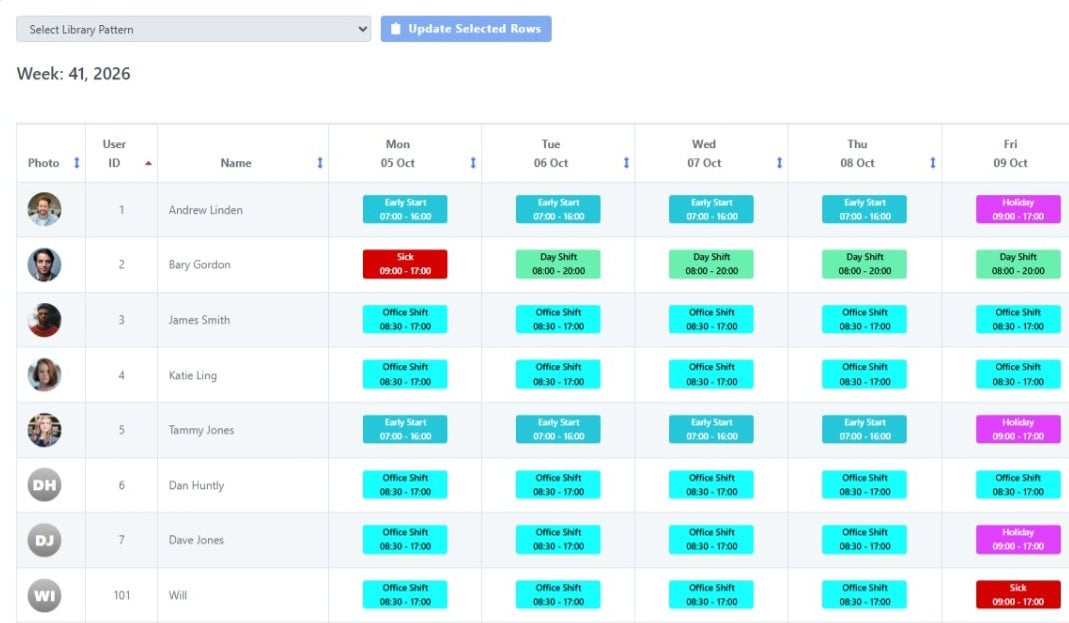
Shift patterns
Fixed hours, rotating weeks or a rota
Assign shifts the way your people work. Staff on regular hours get a fixed pattern, rotating teams switch pattern automatically each week, and the rota handles anything that changes from day to day.
Analytics
Spot the patterns behind the hours
Analytics shows who is on duty by role, department and trade, and when people clock in through the day. A Tardy Report can land in your inbox every day, so lateness never waits for the end of the month.
Timesheets
A timesheet for every kind of team
Start with a timesheet that needs no setup, or let your shift patterns do the work. Pick the report that matches how you pay.
Standard timesheet
No setup needed
Easy to read and ready straight away. Choose one break deduction and a weekly overtime target when you run it.
Advanced timesheet
A lot on one page
A compact report with rounding for in and out times, time spent at each location, or daily totals only.
Shift pattern timesheet
Our most complete report
Each person’s shift rules handle breaks, rounding, overtime, night shifts and pay rates, ready to approve and export for payroll.
| Feature | Standard | Advanced | Shift pattern |
|---|---|---|---|
| Setup | None | None | Shifts assigned to staff |
| Break deduction | One for the whole report | One for the whole report | Up to three per shift |
| Overtime | Weekly target | Not included | Daily or weekly, set per shift |
| Rounding | Exact clock times | In and out set separately | Advanced rounding per shift |
| Clockings per day | Up to 16 | Up to 4 | Up to 8 |
| Night shifts | Limited | No | Yes |
| Snap to shift start and finish | No | No | Yes |
| Extras | Ignore clocked breaks | Time per location, daily totals | Time bands, cash adjustments, gross pay, payroll export |
Paper or digital
Still adding up timesheets by hand?
Paper timesheets rely on honesty, memory and someone with a calculator. Here is what changes when ClockRite records the hours.
| Area | Without a system | With ClockRite |
|---|---|---|
| Accuracy | Hours written up later, from memory | Recorded to the minute, with odd clockings flagged straight away |
| Clocking in | Anyone can sign in for a colleague | Face, fingerprint, card or phone, so people clock in for themselves |
| Adding up hours | Someone totals every sheet by hand | Hours, breaks, overtime and lateness worked out for you |
| Lateness and missed clockings | Spotted only if someone notices | Flagged on the dashboard and in a daily Tardy Report |
| Finding records | Search through folders and filing cabinets | Filter by date, department or person in a few clicks |
| Security | Paper gets lost, damaged or changed | Stored digitally, behind logins and permissions |
| Payroll | Hours typed into payroll all over again | Approved hours exported, ready for payroll |
| Support | Nobody supports a paper timesheet | A UK team on hand when you need help |
Who uses it
Time tracking for every kind of shift
Day shifts, night shifts, rotating weeks or teams out on the road. If your people clock in, ClockRite can work out their hours.
Manufacturing
Shift patterns, night shifts and overtime worked out for every production team.
Construction
Site teams clock in on their phones, with geofencing around each site and the location kept for every clocking.
Logistics and warehousing
Rotating weekly shifts switch automatically, so drivers and pickers are paid for the hours they work.
Care
Day shifts and night shifts that run past midnight, with every carer’s hours on one timesheet.
Retail
Every store’s staff in one account, with late starts flagged on the day.
Hospitality
Rotas that change every week, with breaks deducted automatically.
It works just as well in offices, schools and multi-site groups.
Why ClockRite
Time and attendance is what we do
ClockRite has helped UK businesses record time and attendance since 1999, and more than 5000 businesses trust us today. You get the software, the clocking terminals and a UK team to help you set up your shifts and support you afterwards.
5000+
Businesses trust ClockRite
55+ years
Combined experience of our current team
Since 1999
Helping UK businesses with time and attendance
UK Hosted
Your data is hosted on AWS servers in the UK
5 ways
To clock in, all feeding one account
8+ timesheet layouts
From no setup to full payroll rules
FAQs
Time tracking questions
Can’t see yours? Call our sales team on 01246 948451 or email [email protected].
Do we have to set up shift patterns?
No. The Standard and Advanced timesheets work straight from your clockings with no setup. Shift patterns are worth adding when you want late starts flagged, overtime worked out per shift, or night shifts that run past midnight. Start simple and add more rules once you have some clockings in the system.
Which ways can staff clock in?
Five: multi-factor (MFA) terminals, facial recognition, fingerprint, RFID card or key fob, and the mobile app. Staff can also clock in from a web browser. Every method feeds the same ClockRite Cloud account, so you can use different methods at different sites.
What if the internet goes down?
Staff can keep clocking in and out at the clocking terminals while they are offline. The terminal keeps the clockings and sends them to ClockRite Cloud as soon as the connection is back, so no hours are lost.
Can staff clock in on their phones?
Yes. Staff clock in and out from the app on their own phone, and the location is kept with each clocking. Geofencing lets you set the areas where staff can clock in by phone, such as your sites.
Can it handle night shifts that go past midnight?
Yes. Mark the shift as running over midnight and it uses the clock out from the next day, so the whole shift lands on one timesheet.
How does rounding work?
Choose a rounding direction and block size for clock times, and add a grace period that rounds the other way. You can also round overtime on its own, without changing the clock times on the timesheet.
Can breaks be deducted automatically?
Yes. Each shift can have up to three break deductions, each one taken once someone has worked a set length of time. If staff clock out for breaks, you can choose to ignore those clockings and use only the first and last clocking of the day.
How is overtime worked out?
Overtime is set on each shift. Hours over the shift’s working hours count as overtime, or you can use weekly overtime. A shift can also treat every hour as standard or every hour as overtime, and a time band can pay hours in a set part of the day at their own rate.
What happens when staff arrive early or leave late?
You decide. Time worked before the shift starts can be ignored, and a late clock out window gives staff time to clock out before overtime begins. On the shift pattern timesheet, early clock ins and late clock outs can snap back to the shift times.
Our shifts rotate every week. Can ClockRite cope?
Yes. Set up a weekly pattern for each week of the rotation and Auto Switch moves staff on to the next one each week, in a loop. For one-off changes, a shift on the rota overrides the usual pattern for that day, and sickness or holiday can be set there too.
How do we see who is late?
The dashboard marks each clocking as on time or late against the person’s shift. You can also have a Tardy Report emailed every day, at the time and to the address you choose.
How do the hours get into payroll?
Give each rate on a shift its own pay reference code, run the shift pattern timesheet, and approve it for payroll. The hours then export in a format ready for Sage, and reports can be exported to CSV or Excel for other payroll software.
Where is our data hosted?
On Amazon Web Services (AWS) servers in London, in the UK. Read our GDPR FAQ for more.