



UK workforce management since 1999
Know who’s working.
Pay them right.
ClockRite Cloud brings clocking, rotas, holidays, fire roll call and HR records into one live system, so you can control labour costs, pay people accurately and see every site at a glance. Set up and supported by our team in Chesterfield.
UK hosted · 12 months UK support included · Proudly employee owned

Trusted by teams in logistics, manufacturing, care, the public sector and construction




What you get
Visibility and control, not just clocking
Workforce management is how a business records who worked and when, plans shifts, handles holidays and absence, keeps people safe on site and keeps the records for each employee. Run it in one system and you get five things that spreadsheets cannot give you.
Labour cost control
Spot lateness, early finishes and unplanned overtime before they reach the wage bill.
Payroll accuracy
Hours come from real clockings, with breaks, overtime and undertime worked out against your rules.
Accountability
Face and fingerprint clocking confirms who clocked in, and late reports show patterns without chasing.
Compliance
Fire roll call, visitor sign-in, accident and disciplinary logs, expiry dates and an audit log.
Real-time visibility
See who is in, late, absent or on leave right now, by site, department and role.
The platform
Everything your workforce runs on, in one place
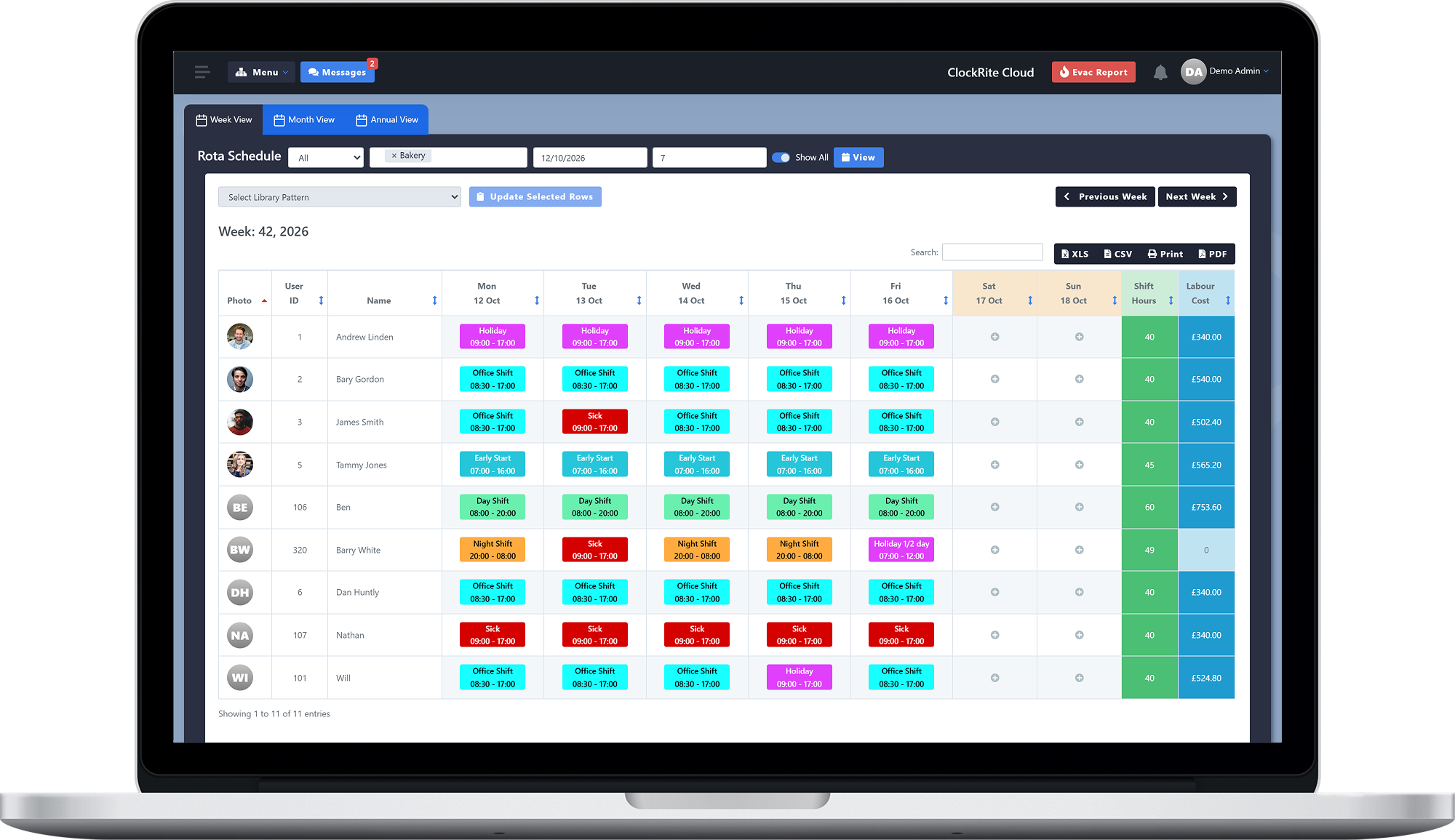
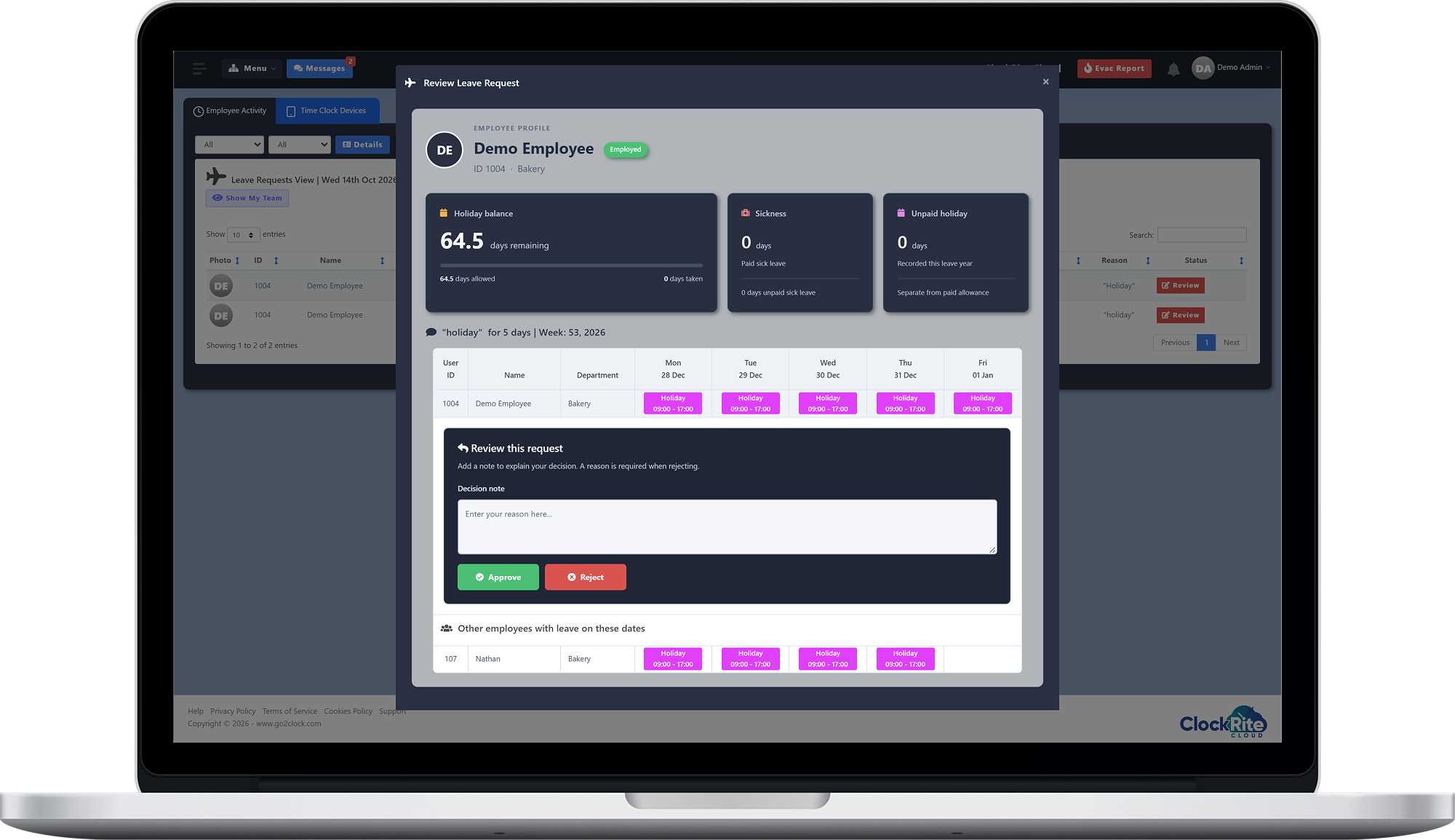
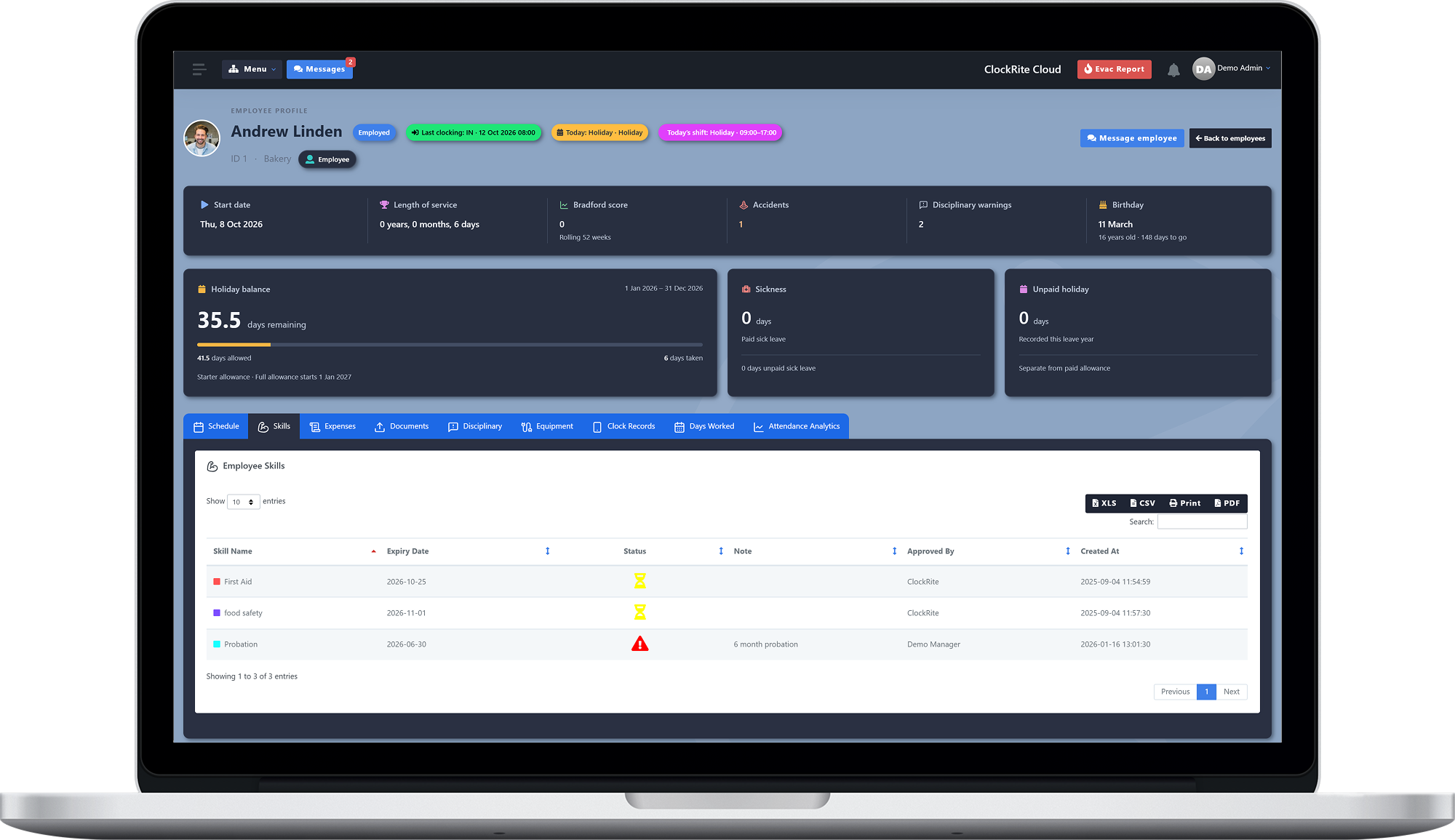
Every module shares the same employee records, so information is entered once and every report agrees with payroll.
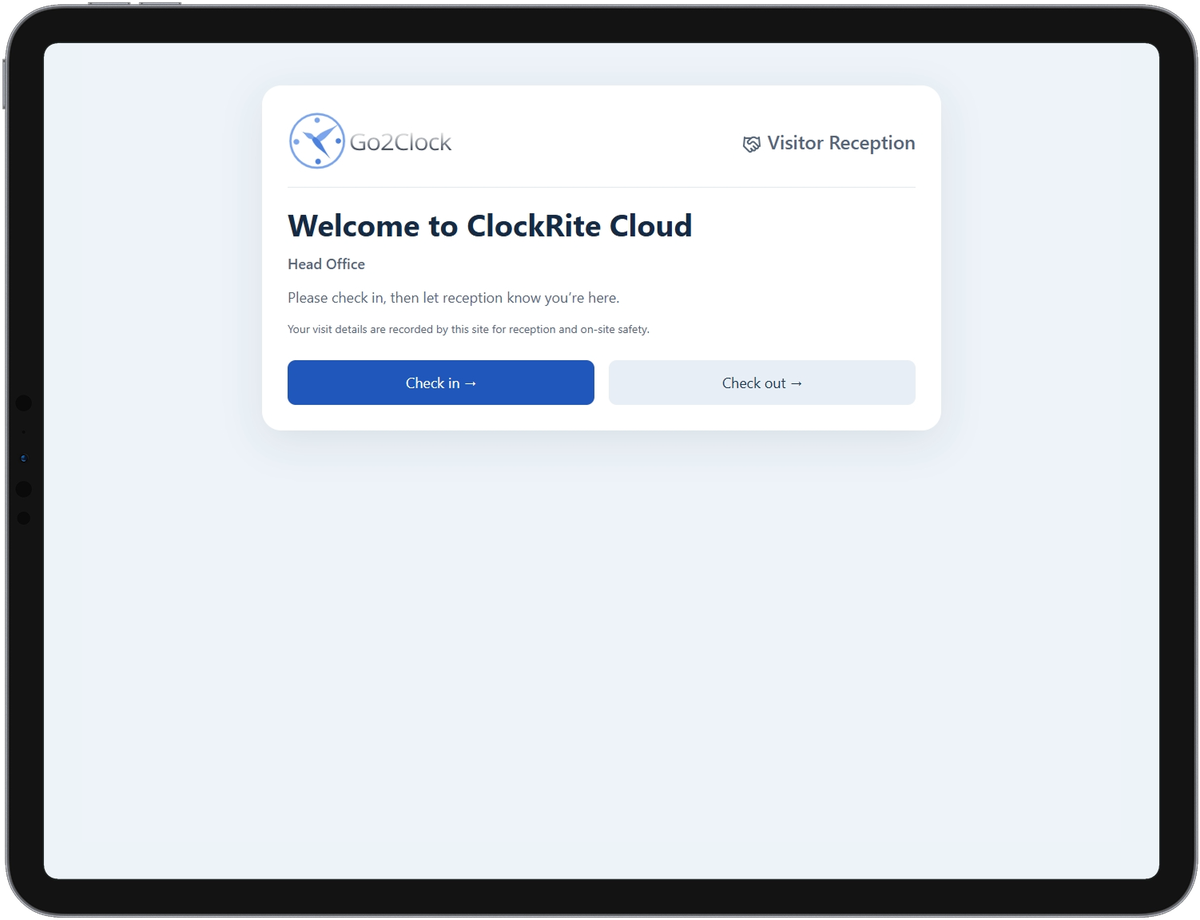
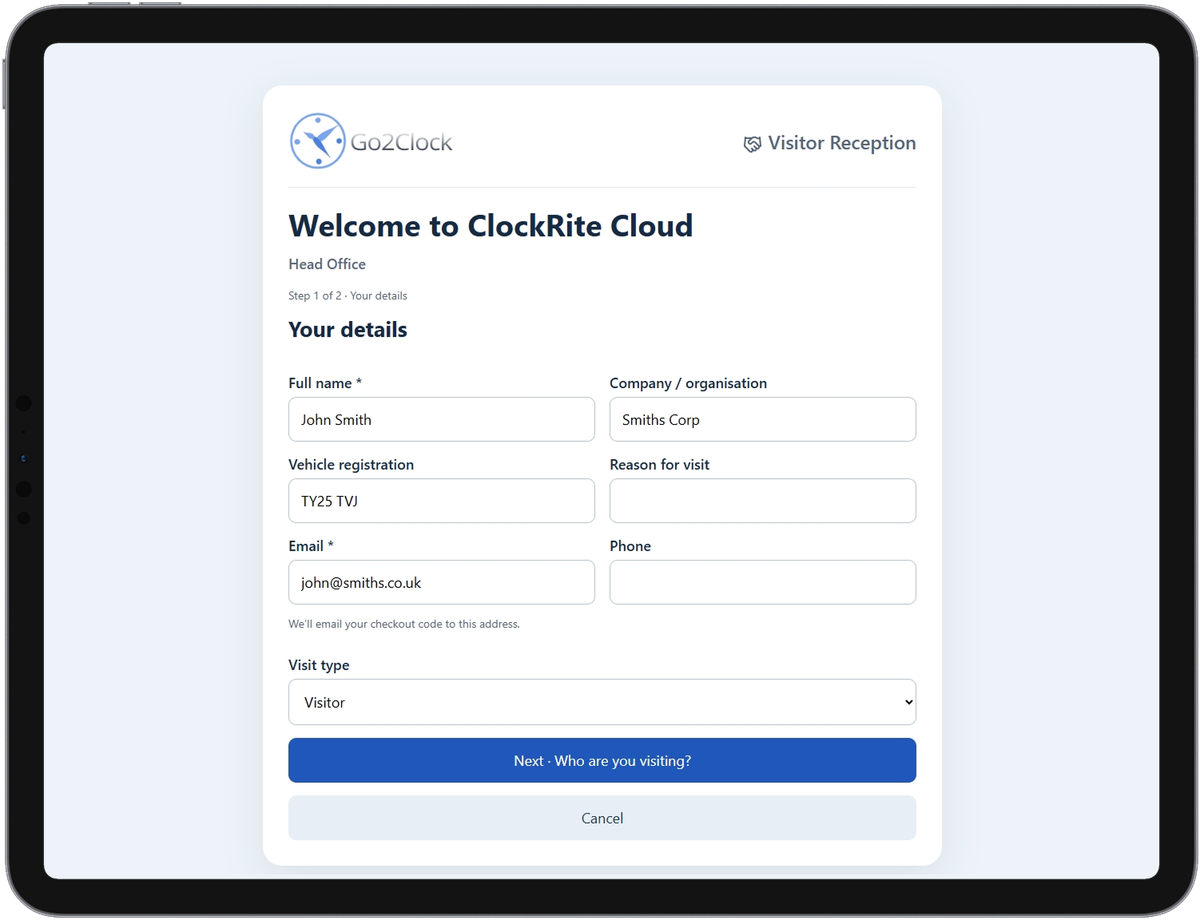
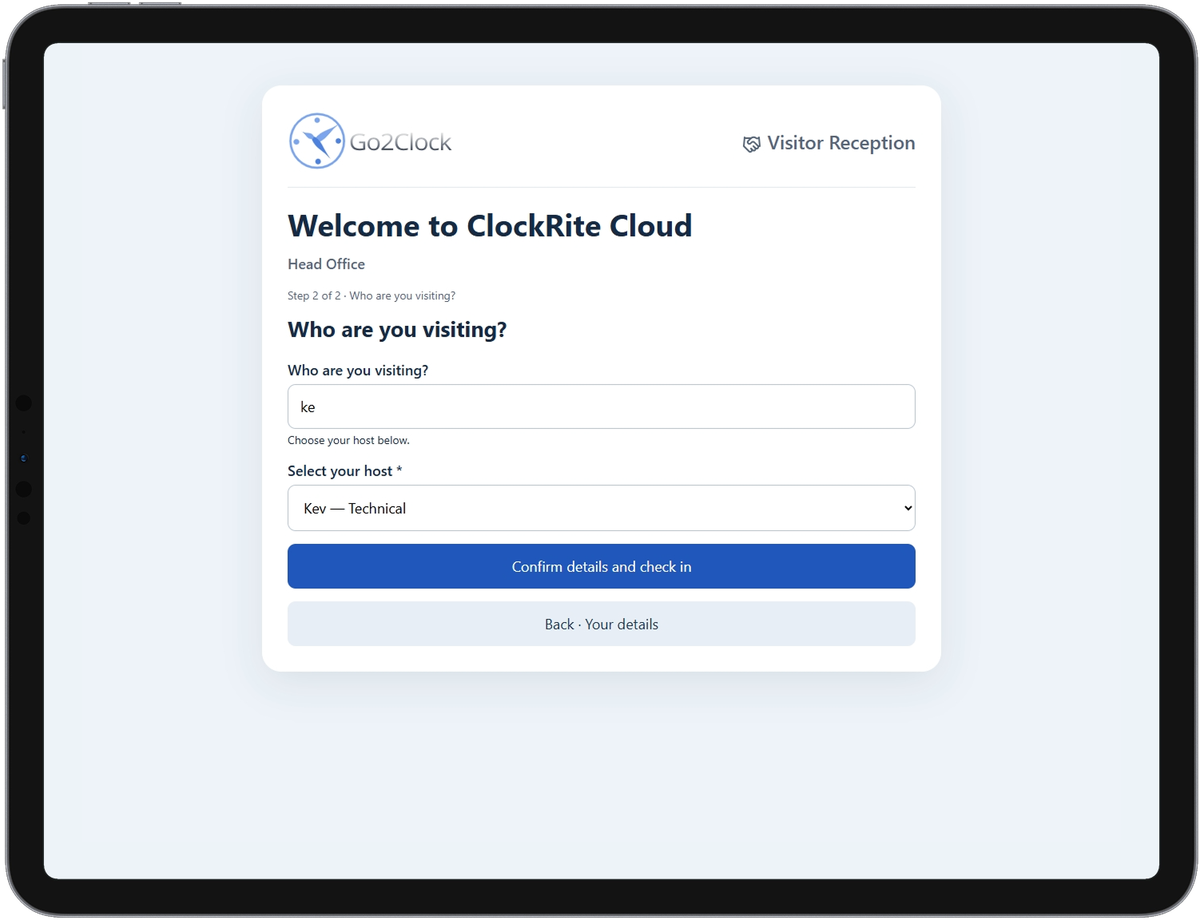
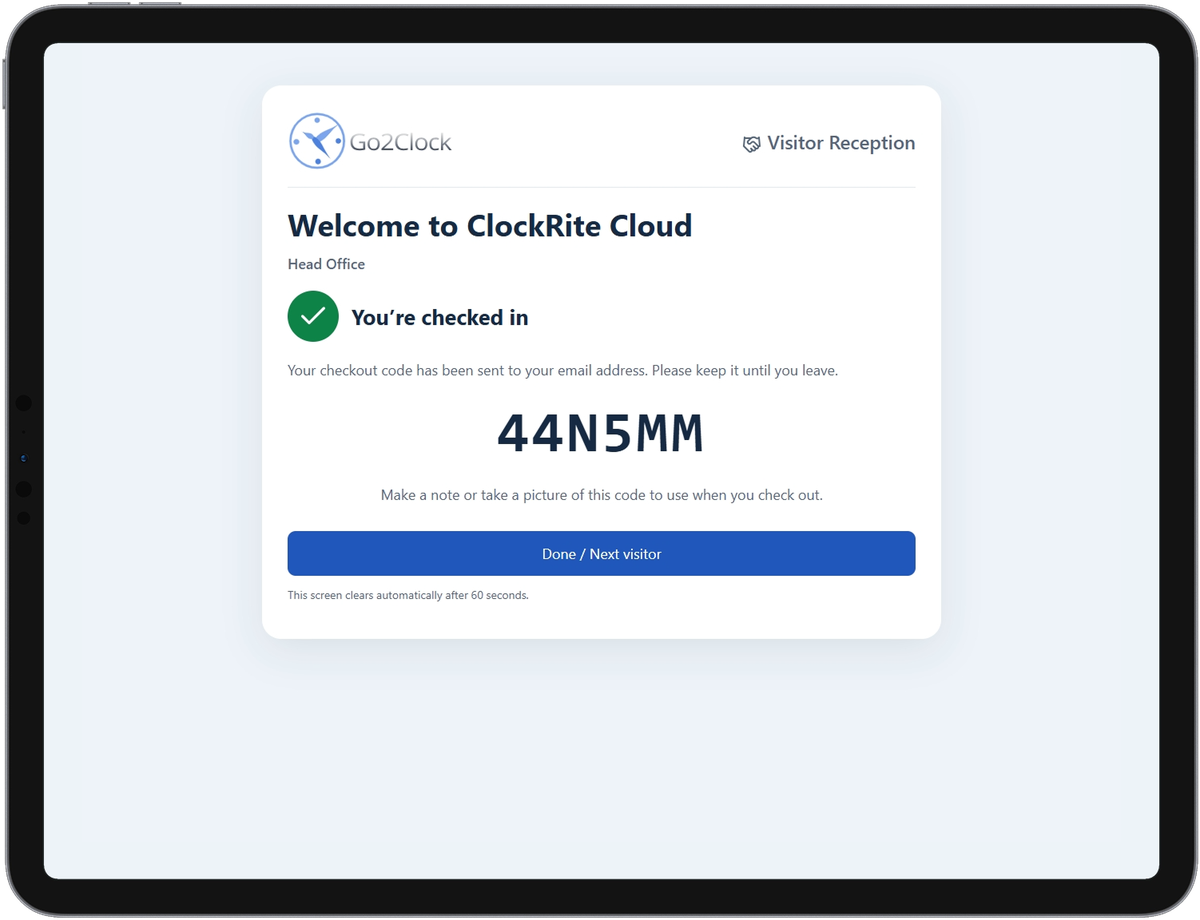
06 · Visitor Management
Visitors sign themselves in
A tablet kiosk at reception, with every visitor on the fire roll call until they leave.
Who it helps
Built for the people who run attendance every week
Administrators get their time back, directors get labour costs they can act on, and employees get a fair, simple way to clock in and book time off.
Administrators
HR, payroll, office and site managers
Directors
Owners and senior managers
Employees
Everyone who clocks in
- JBJordan Blake08:04 · Despatch · Site AIn
- SMSophie Mills08:12 · Office · 12 min lateLate
- KOKemi Okafor07:56 · Care team · Site BIn
- RLRyan LeeHoliday · back MondayLeave
- HWHannah Ward07:49 · Workshop · Site AIn
Real-time visibility
See who is in, right now
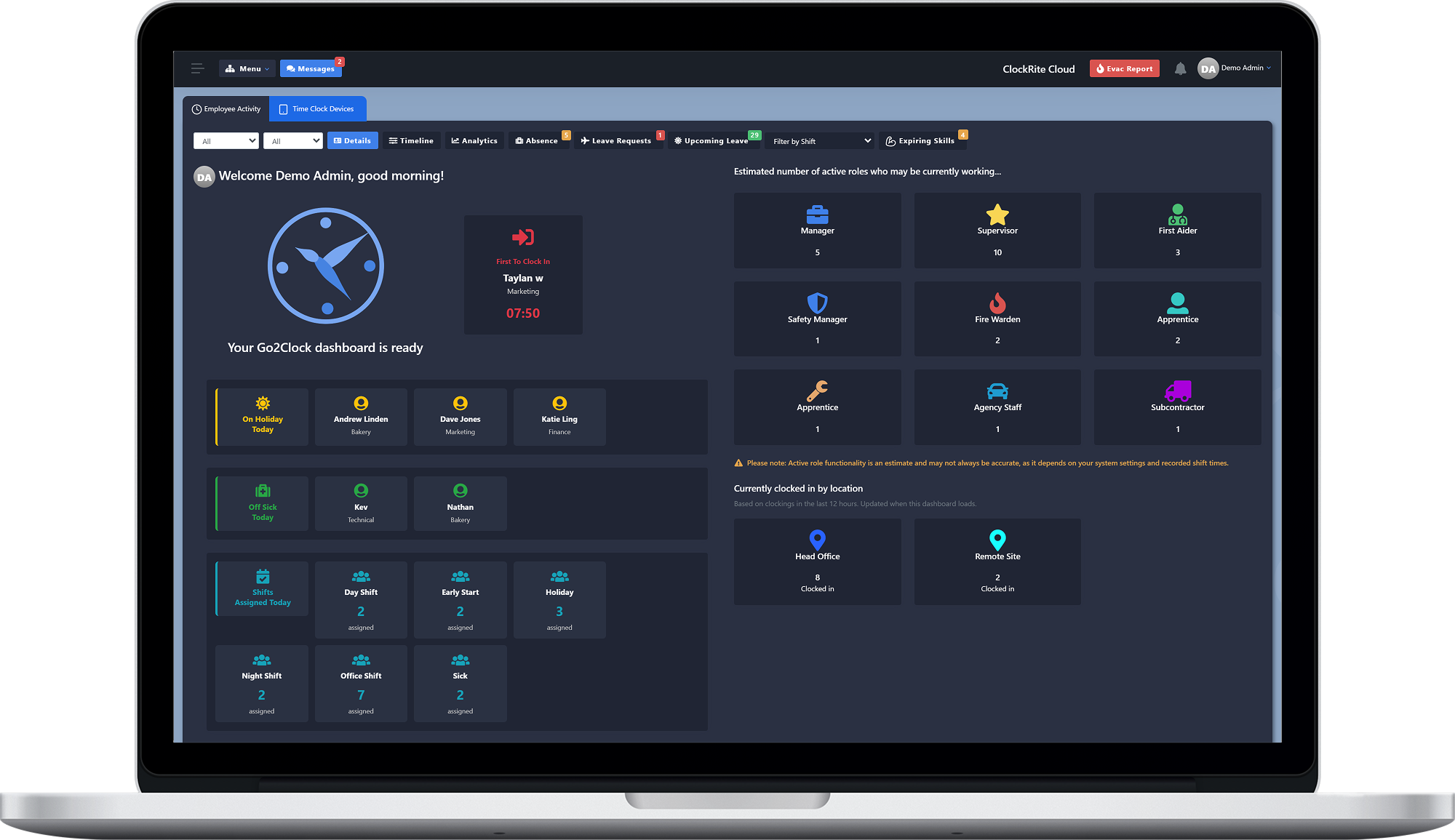
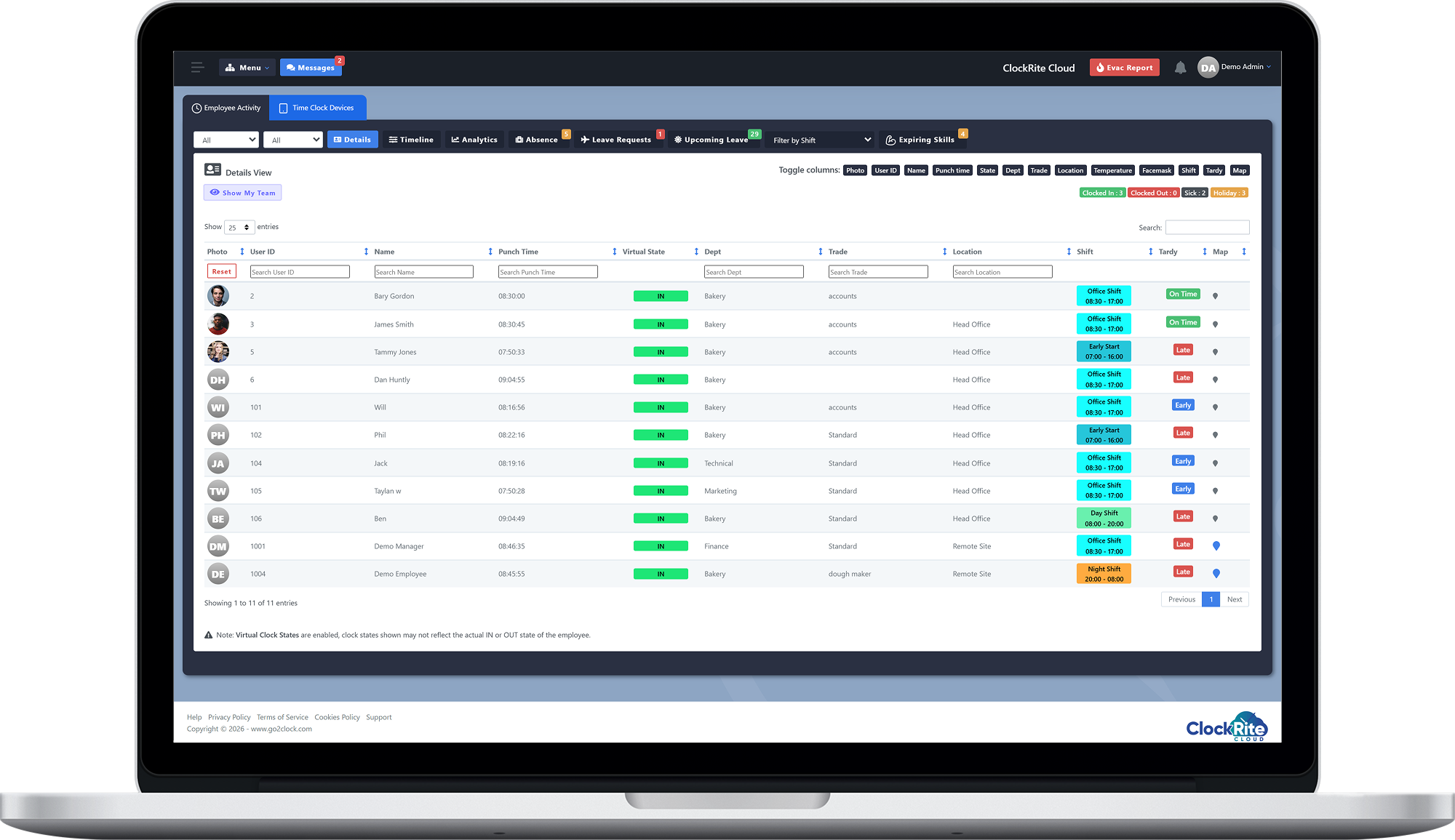
The live dashboard shows who has clocked in by site, department, role and trade. Lateness, missed clockings and leave are flagged so you can deal with them first.
Safety and compliance
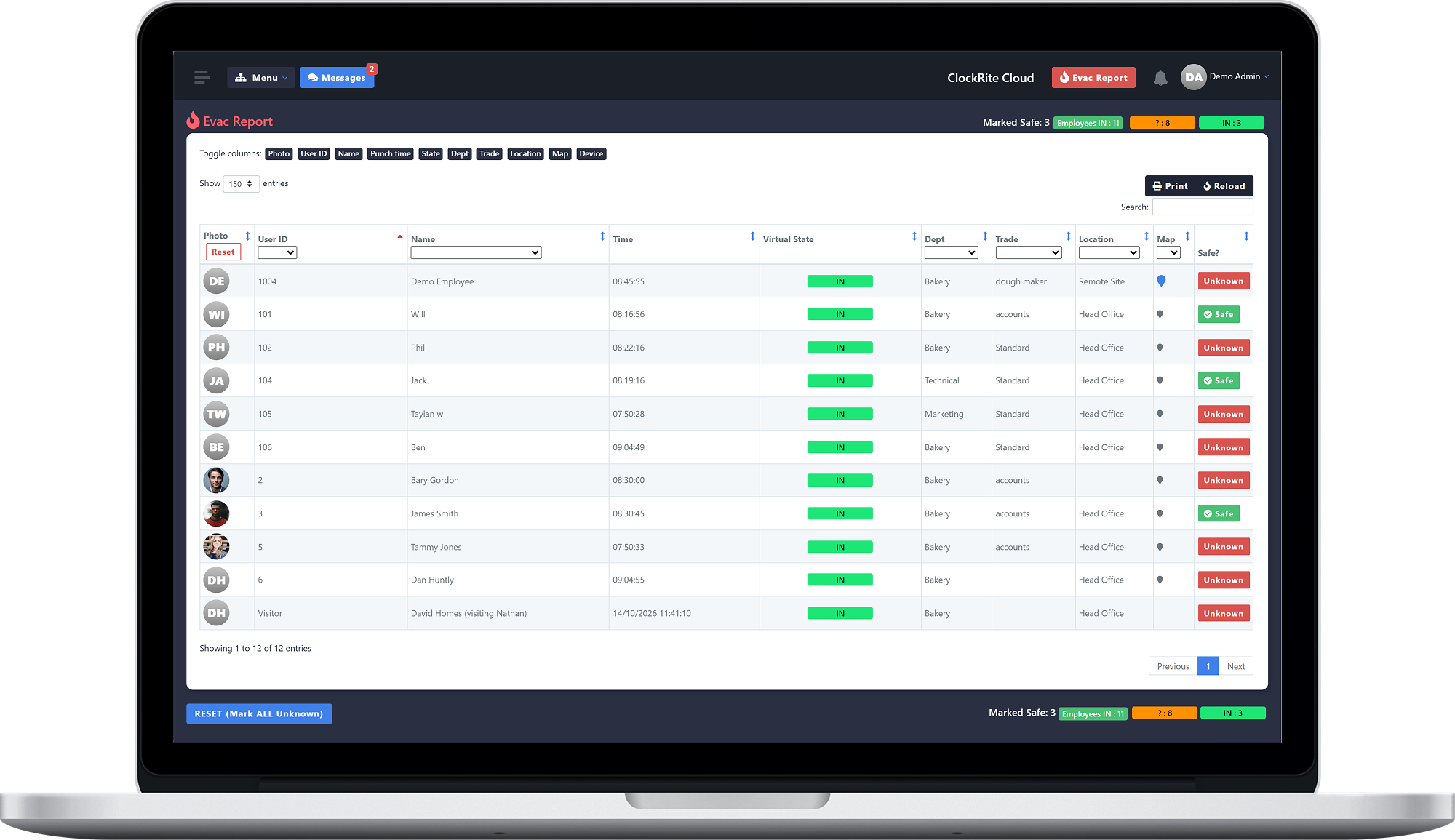
Account for everyone when the alarm sounds
When the alarm goes, fire marshals open a live list of every employee and visitor on site and mark people safe at the muster point.
- Jordan BlakeDespatchNot yet
- Kemi OkaforCare teamNot yet
- Sophie MillsOfficeNot yet
- Alex GrantVisitor · host S. MillsNot yet
- Hannah WardWorkshopNot yet
- Mo AhmedWarehouseNot yet
- Agency workerAdmin punchNot yet
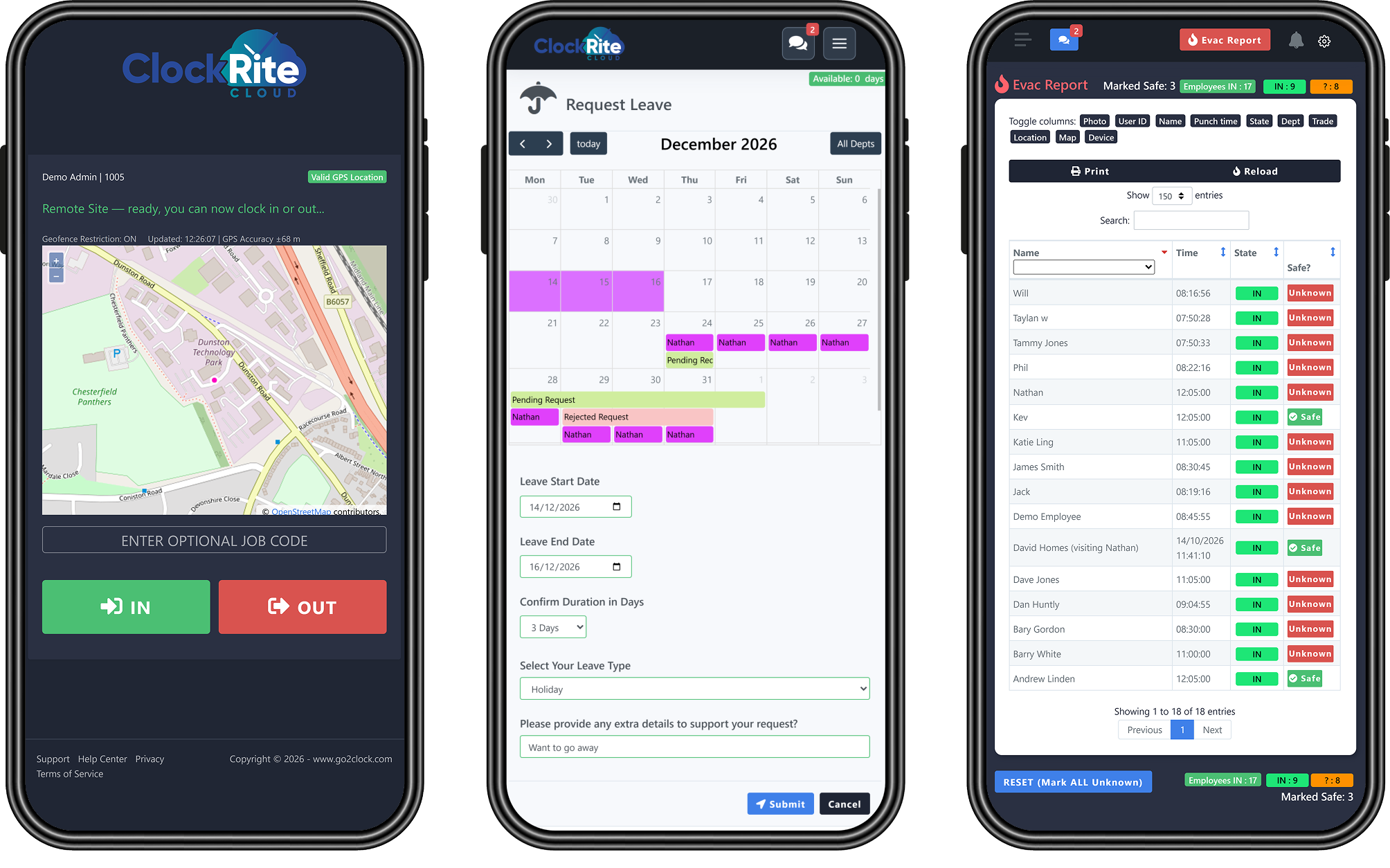
Mobile
Clock in from anywhere, on any phone
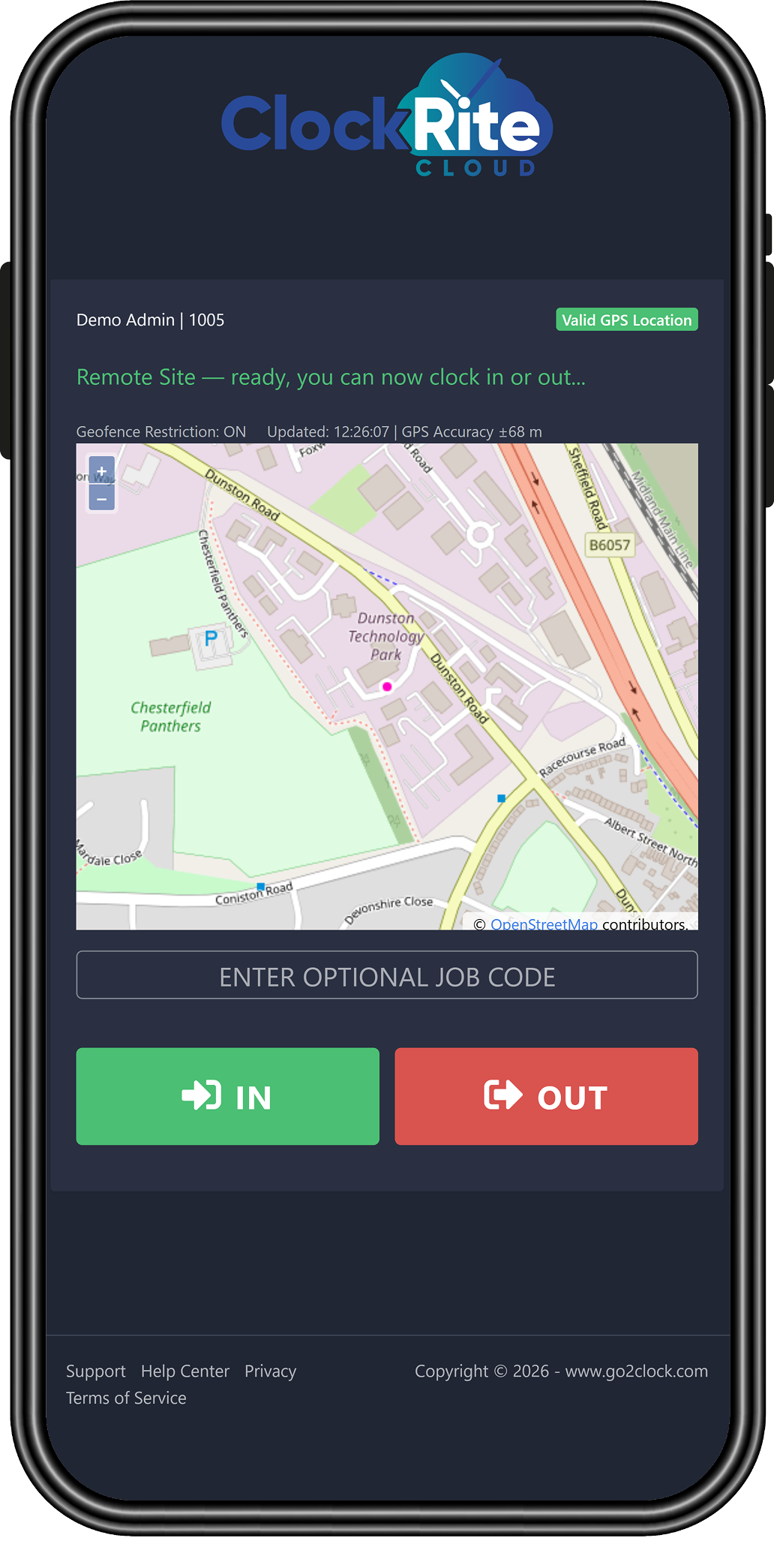
Staff on the road or between sites clock in from their own phone, with their location recorded. They can also request holiday and check their hours.
Labour cost
What is it costing you now?
A few minutes here and an hour there add up every week. Put in your own figures to see what lateness and manual timesheets cost your business.
What is lateness costing you?
Set your headcount, how late people usually are and what you pay them.
£0 per week
About £0 a year
ClockRite flags late arrivals for you and spots patterns, such as late 3 times in 2 weeks, so they can be dealt with early.
What is manual payroll costing you?
Set how long your team spends collecting and checking hours each week, and what that time costs.
£0 per week
About £0 a year
ClockRite builds timesheets from real clockings, with breaks and overtime worked out, and connects to Sage HR, People HR and other systems through the REST API.
Example figures only. Weekly totals assume a five-day week and yearly totals assume 48 working weeks.
Before and after
Separate spreadsheets, or one connected system?
Here is what changes when attendance, rotas, leave, safety and staff records run through ClockRite Cloud.
| Area | Without a system | With ClockRite |
|---|---|---|
| Timesheets | Timesheets added up by hand and typed into payroll | Hours, breaks and overtime worked out from real clockings |
| Clocking in | Anyone can sign in for a colleague | Face and fingerprint recognition confirm who clocked in |
| Rotas | A spreadsheet rota nobody checks against attendance | Late, missing and unplanned hours flagged against the rota |
| Holidays | Paper forms, a wall planner and balances worked out by hand | Requests from a phone, clashes shown, balances always current |
| Fire safety | A signing-in book that may be out of date | A live roll call of staff and visitors on every site |
| Visitors | A paper visitor book at reception | Kiosk sign-in, with the host emailed on arrival |
| Staff records | Certificates and documents in files and inboxes | Skills, documents and HR logs against each person, with expiry dates |
| Payroll | Hours added up and typed into payroll by hand | Hours, breaks and overtime ready for payroll |
Your partner
A workforce management partner, not just software
ClockRite has designed, sold and supported workforce systems from Chesterfield since 1999. We recommend what fits your business, help you set it up and stay on the end of the phone afterwards.
1
Tell us how you work
Your sites, shifts, holiday rules and payroll. We recommend the modules and terminals that fit, not one package for everyone.
2
See it working
We show you ClockRite Cloud with the screens and reports your team would use every week.
3
Get set up
Hardware comes with free UK delivery for self-installation, and our team offers optional setup and training.
4
Stay supported
12 months of UK support is included, with remote help from people who know your system.
5,000+
Businesses trust ClockRite
55+ years
Combined experience of our current team
Since 1999
Helping UK businesses with time and attendance
UK based
Support team and UK hosted software
4.8
Average rating on Google reviews
Clocking methods
Five ways to clock in
Every method sends clockings to the same ClockRite Cloud account, so each site or team can use the one that suits it.
MFA
Multi-factor clocking: staff confirm who they are two ways at once, such as face and fingerprint. The strongest proof of who clocked in.
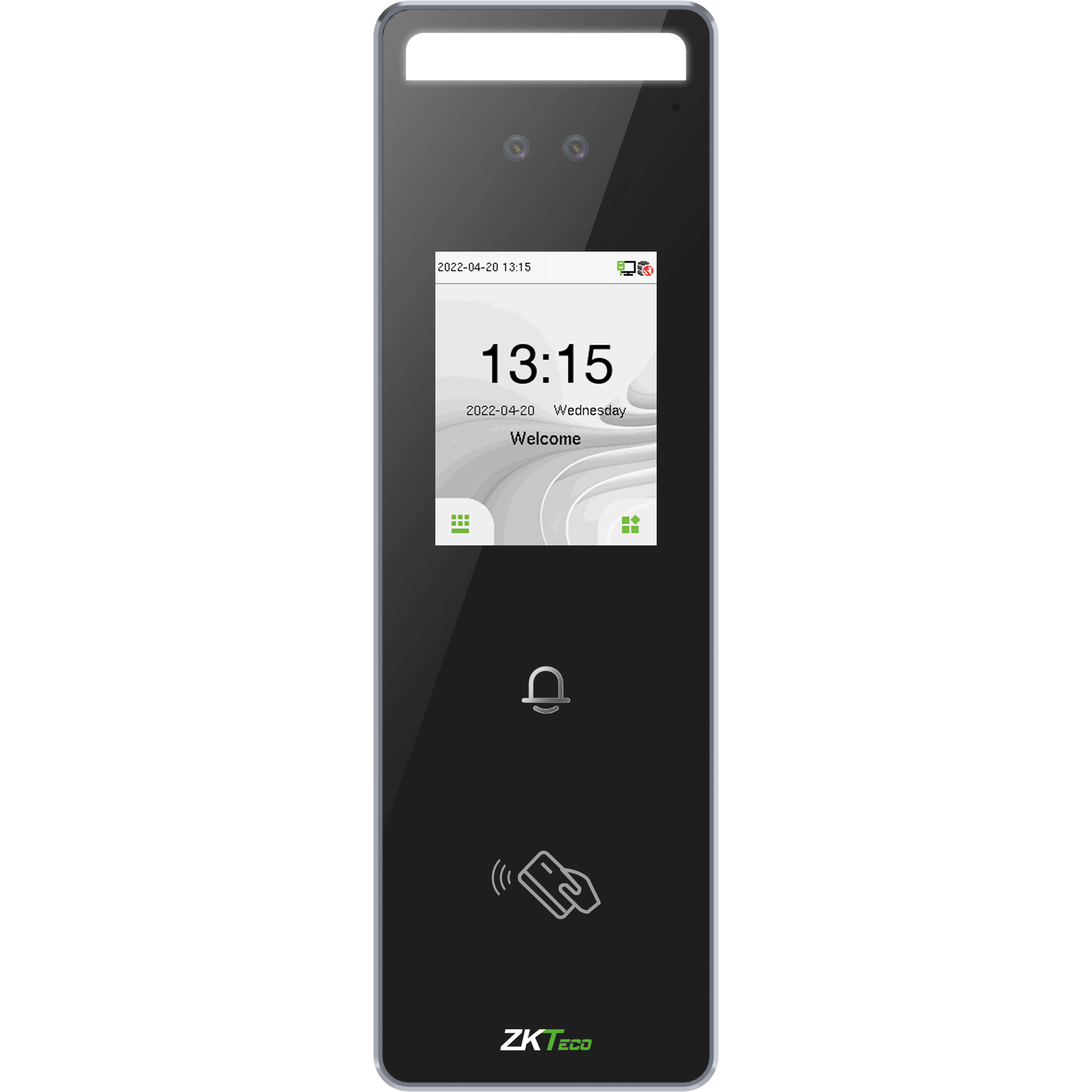
Facial Recognition
Staff look at the terminal to clock in. Nothing to touch or carry, and nobody can clock in for a colleague.
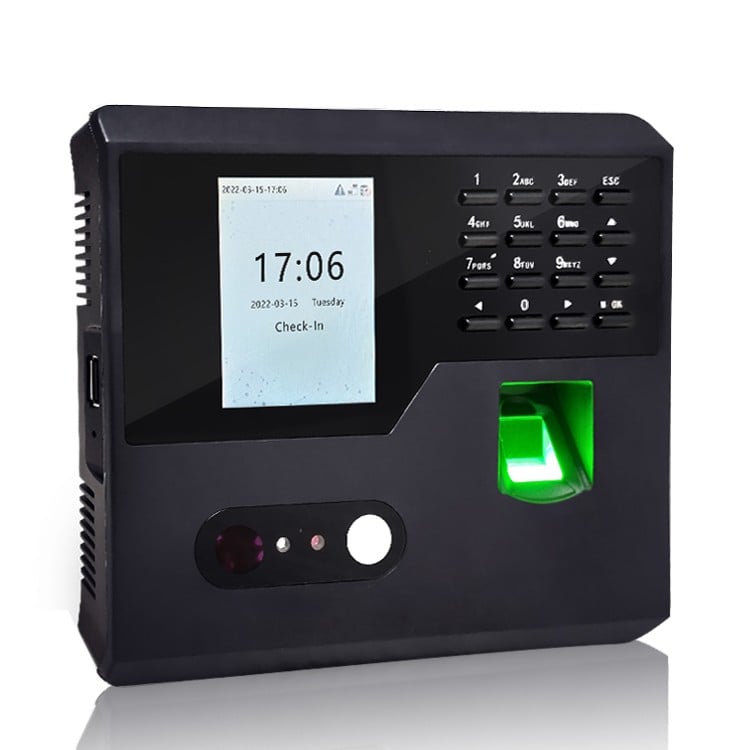
Fingerprint
A quick fingerprint scan confirms who is clocking in, so staff cannot clock in for each other.
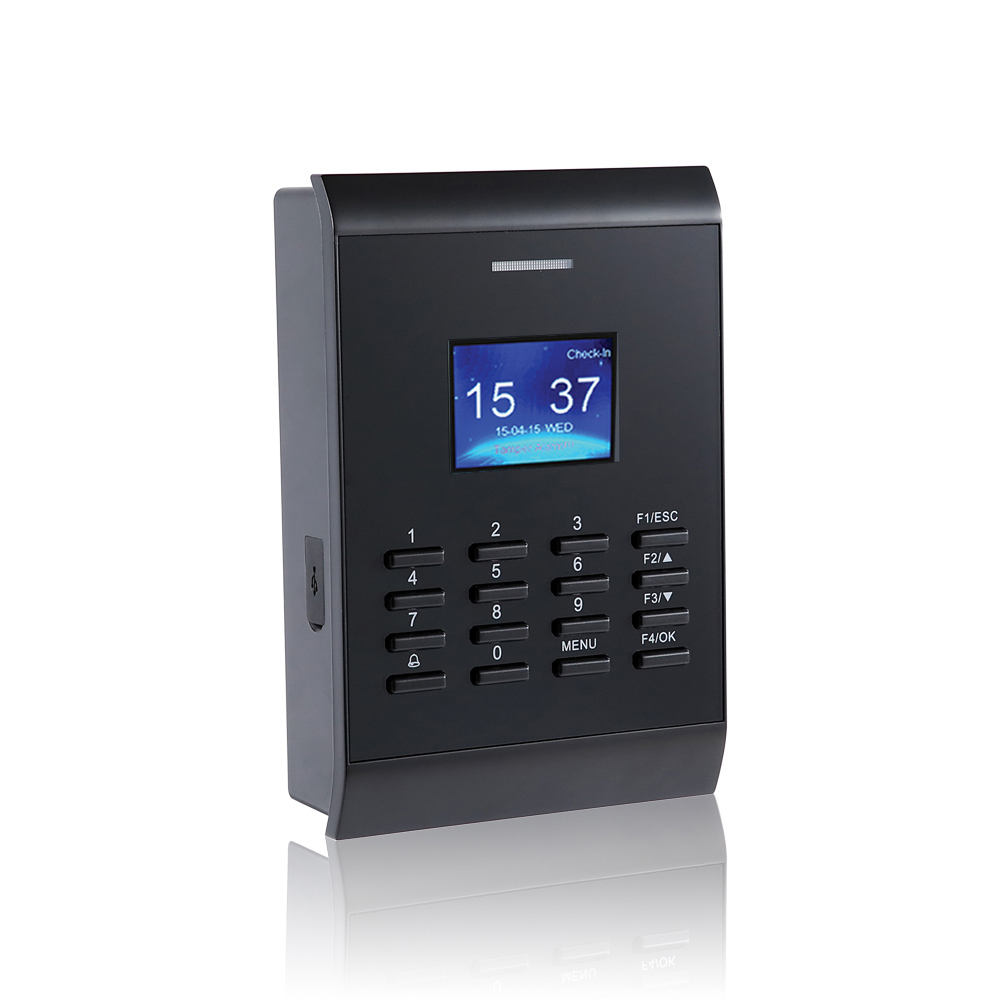
RFID card/tag
Staff tap a card or key fob on the reader. Quick at busy shift changes and simple for everyone to use.
Mobile app
Staff clock in from their own phone, with their location recorded. Made for mobile, remote and multi-site teams.
FAQs
Questions we are often asked
Can’t see yours? Call our sales team on 01246 948451 or email [email protected].
What does ClockRite do?
We help UK businesses record who is working and when, and turn that into accurate pay, controlled labour costs and safer sites. We supply the clocking terminals, the ClockRite Cloud software and the support to run them.
What size of business is ClockRite for?
ClockRite Cloud works for a single site with around ten staff, larger businesses with hundreds of employees and multi-site groups.
Do we need clocking machines?
Not always. Staff can clock in from a phone or browser, with location clocking and geofencing. Face, fingerprint and card terminals suit fixed entrances, and many businesses use a mix of both.
Does it work with our payroll and HR software?
ClockRite Cloud builds timesheets with hours, breaks and overtime worked out, ready for payroll. It connects to Sage HR and People HR, and the REST API shares employees, clockings, timesheets and schedules with other systems.
Where is our data kept?
ClockRite Cloud data is hosted in the UK. Read our GDPR FAQ for more.
What happens after we buy?
Our systems come with 12 months of UK support as standard, including remote support. Optional setup and training is available if you would like our team to get you running.
I am already a customer. How do I get help?
Visit our Customer Support page, call the support team on 01246 267715 or email [email protected]. We are open 8:30 to 17:00.
Do we have to use every module?
No. Many businesses start with time tracking and add scheduling, absence and leave, fire roll call, visitor management or HR records when they are ready. Every module uses the same employee records, so nothing is entered twice.
How do we stop people clocking in for each other?
Face and fingerprint terminals confirm who is clocking in, so only the employee can clock themselves in. Phone clocking records where each clocking was made, and geofencing keeps it to your sites.