



The schedule planner
Every shift, hour and pound in one view
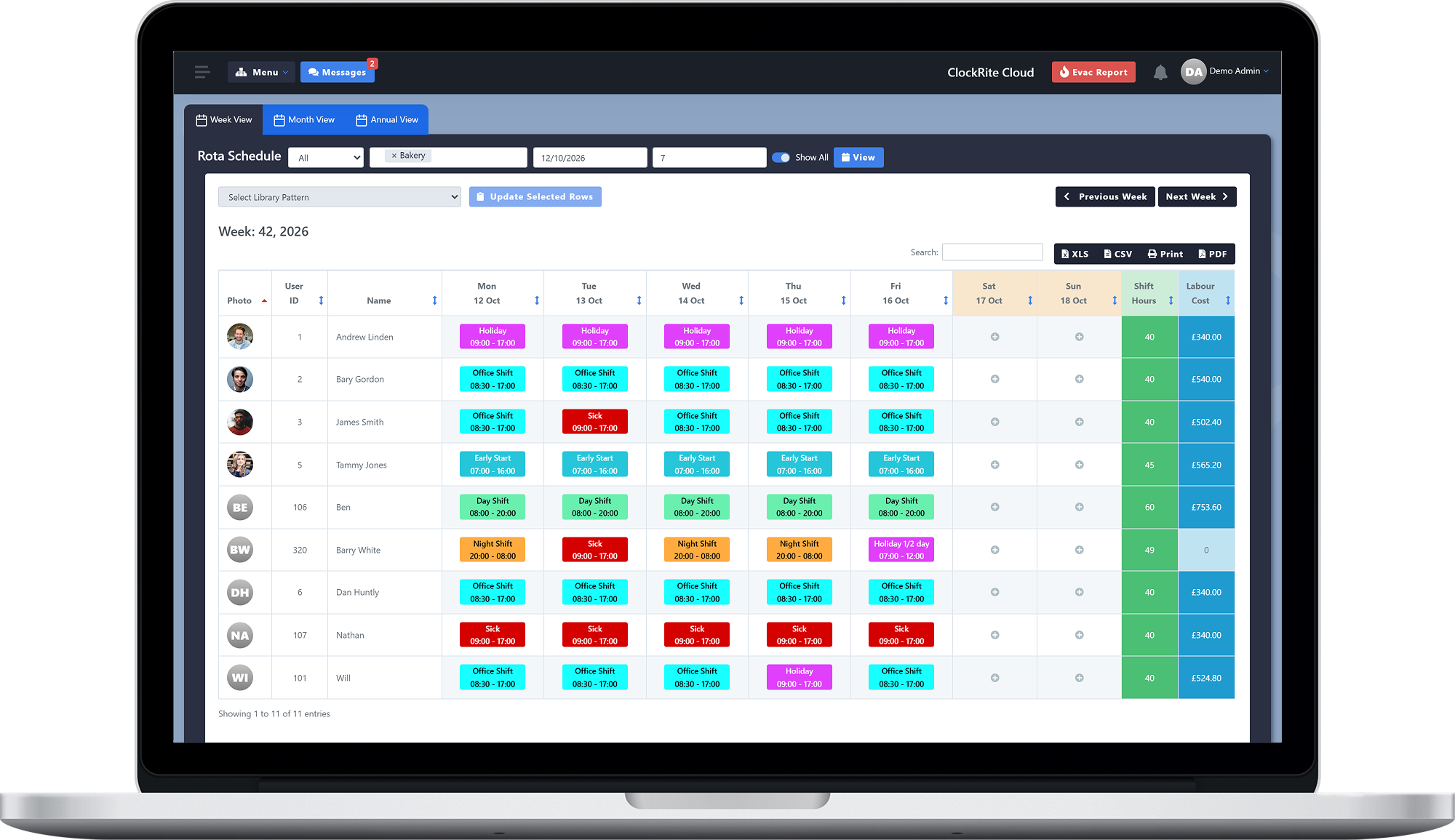
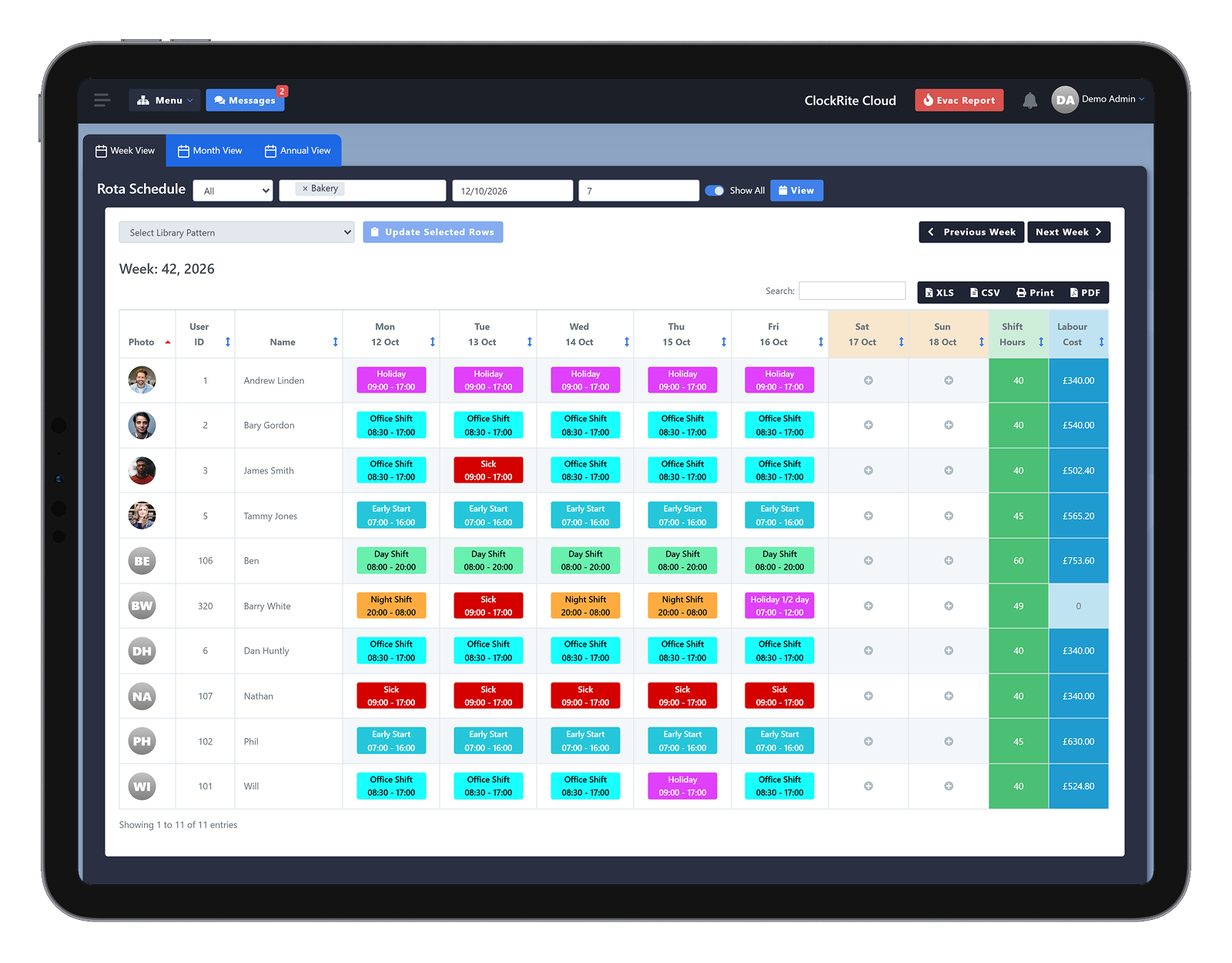
The Schedule Planner shows your whole team’s week at a glance. Pick a site or department, apply a week template to the people you choose, and see each person’s shift hours and labour cost add up as you plan.
Week, month and annual views
Plan this week in detail, or step back to see the month or the whole year for a team.
Hours and labour cost per person
Shift hours and labour cost sit next to every employee, so you know what a rota costs before anyone clocks in.
Download the rota as XLS, CSV or PDF, or print it for the staff room.
Why plan in ClockRite
Less admin, fewer gaps, a rota you can trust
Spend less time on rotas, make fewer scheduling mistakes and make sure the right people are in place when they are needed.
Save time
Assign shifts in a few clicks from premade week templates, and let Auto Switch rotate patterns for you each week.
Greater control
See staffing across every team and location in one central view of every shift.
Smarter labour planning
See scheduled hours and staffing costs while you plan, so resources go where they are needed and budgets stay on track.
Stay compliant
Plan shifts around working rules and contracted hours, with breaks and overtime built into every shift.
How it works
From a blank week to a working rota
Set your shifts and templates up once and most weeks plan themselves. You only step in for the changes.
1
Create your shifts
Add each shift with its times, breaks, overtime and pay rules. Clone one to make the next.
2
Build week templates
Group shifts into seven-day templates such as Earlies, Lates or Nights, and link them with Auto Switch if your teams rotate.
3
Assign them to people
Give staff a fixed template, an Auto Switch rotation, or plan day by day on the rota. A shift on the rota overrides the usual pattern for one-off changes.
4
Check hours and cost
The planner totals each person’s shift hours and labour cost for the week, so you can adjust before the week starts.
5
Staff see their own schedule in the ClockRite web app on their phone. When plans change, message one person, a department or everyone.
6
Compare the plan with reality
Clockings are matched to each shift, so late starts, missed shifts and extra hours show up straight away.
Teams and sites
The right people in the right places
Manage shifts for individuals, departments and locations from one central platform, and change the plan whenever the business needs to.
01 · Teams and sites
Individual shift control
Build a schedule for one employee by giving them a shift, a week template or a rotation. Change it whenever you need to, and the rest of their plan stays as it is.
02 · Teams and sites
Plan by department
Filter the planner to one department and apply a week template to everyone you select at once. Managers with limited access see only the departments and staff they look after.
03 · Teams and sites
Every location in one account
Plan each site from the same planner and see who is working where. Wherever staff clock in, their clockings are matched to the shift you planned.
Labour cost
Plan working hours with greater confidence
See scheduled hours and labour cost before shifts begin. Plan staffing around your budget, put people where they are needed and cut hours you don’t need, without leaving shifts short.
Leave and cover
Plan cover around holidays
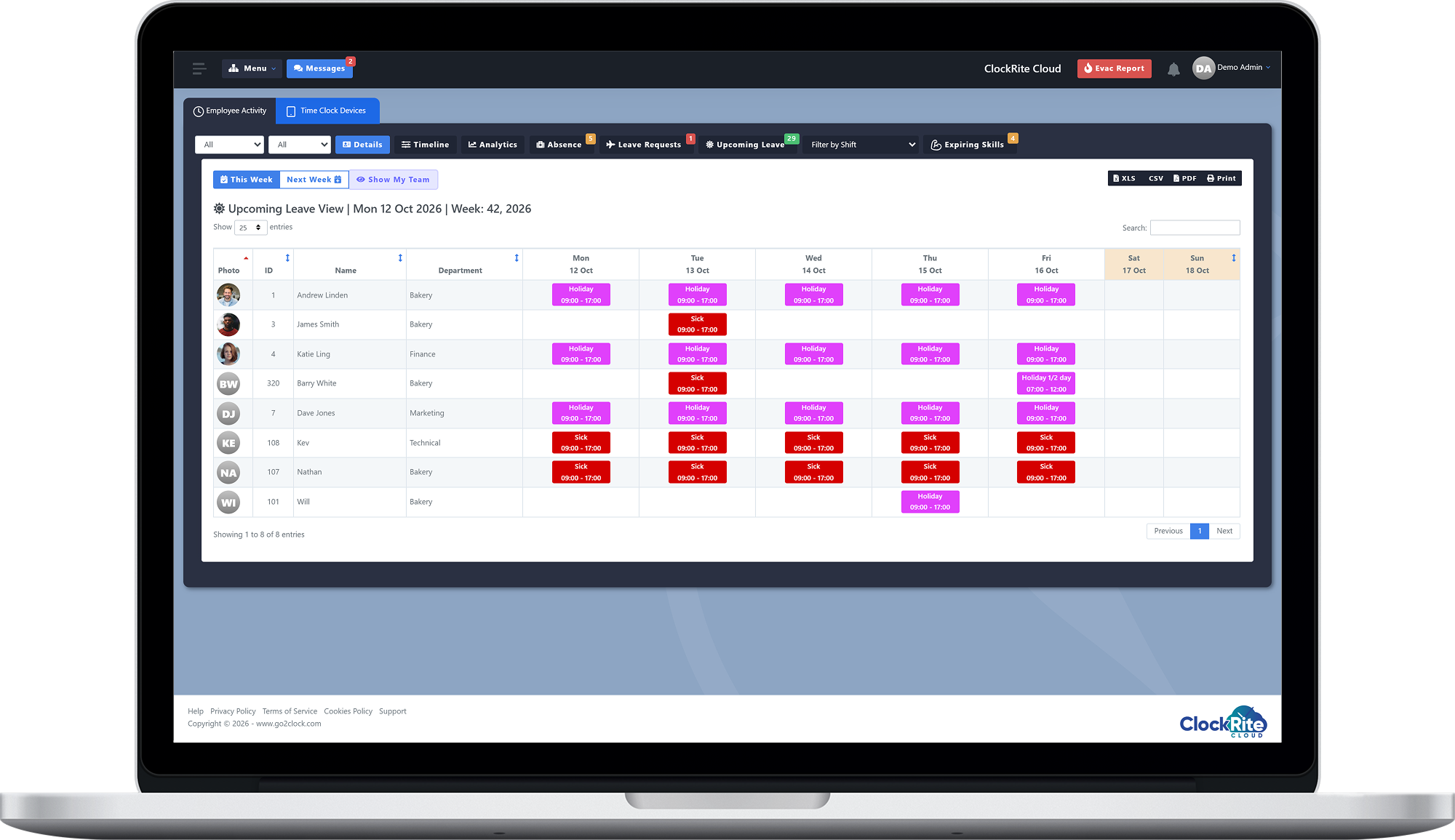
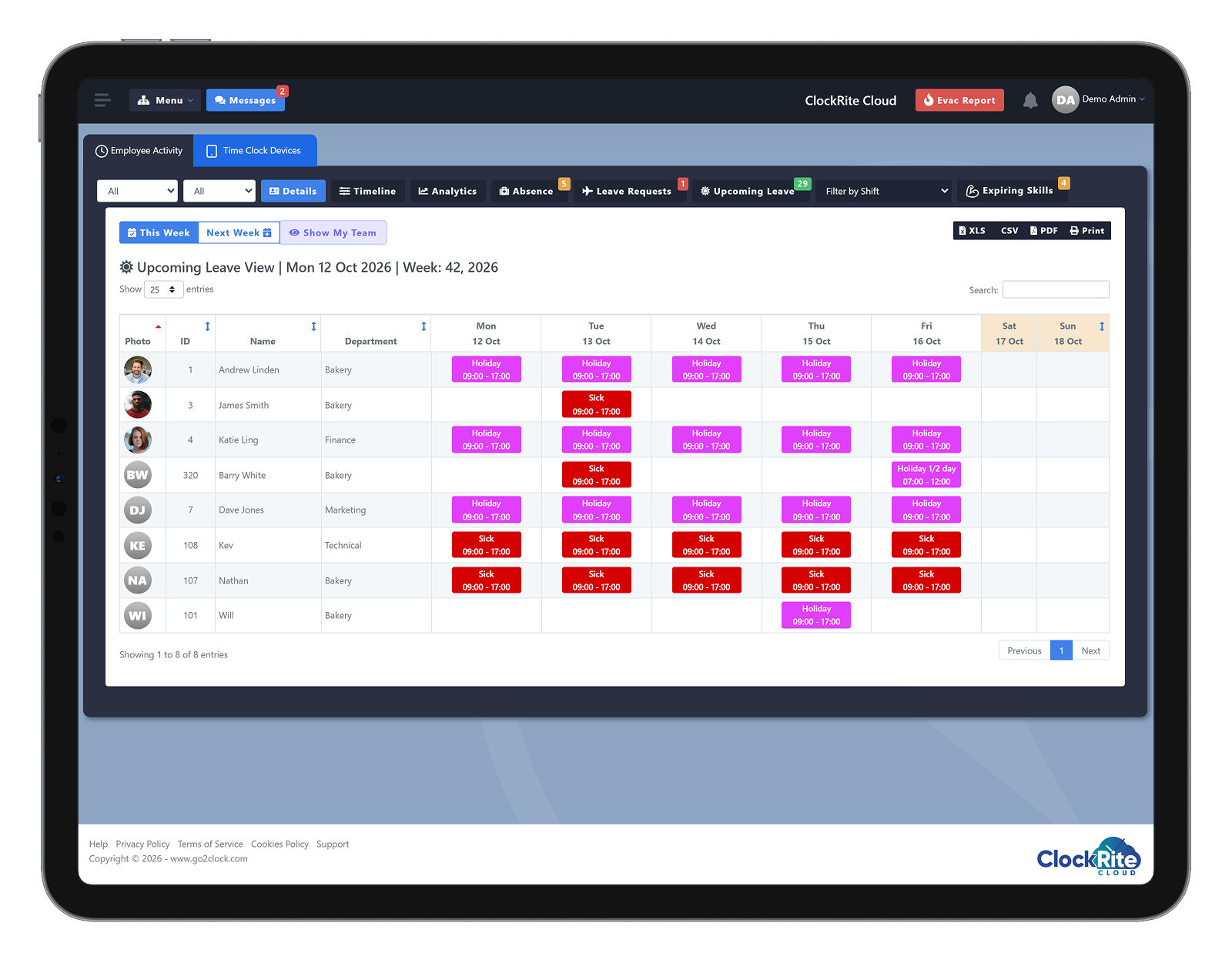
Holiday and sickness show on the rota, and the Upcoming Leave view lists who is off week by week. Approve requests knowing the shifts are covered.
Skills and roles
Know who can do the job
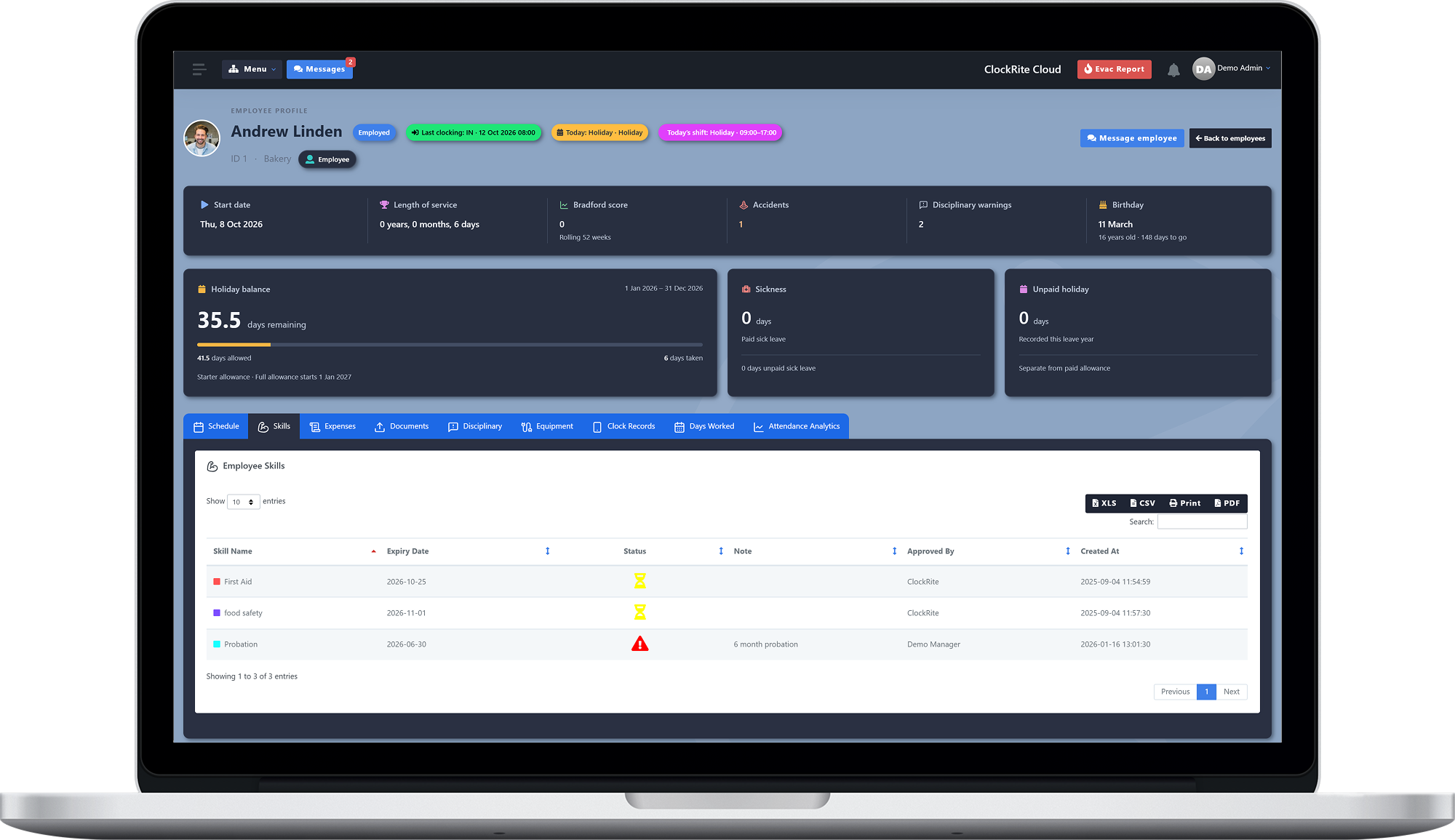
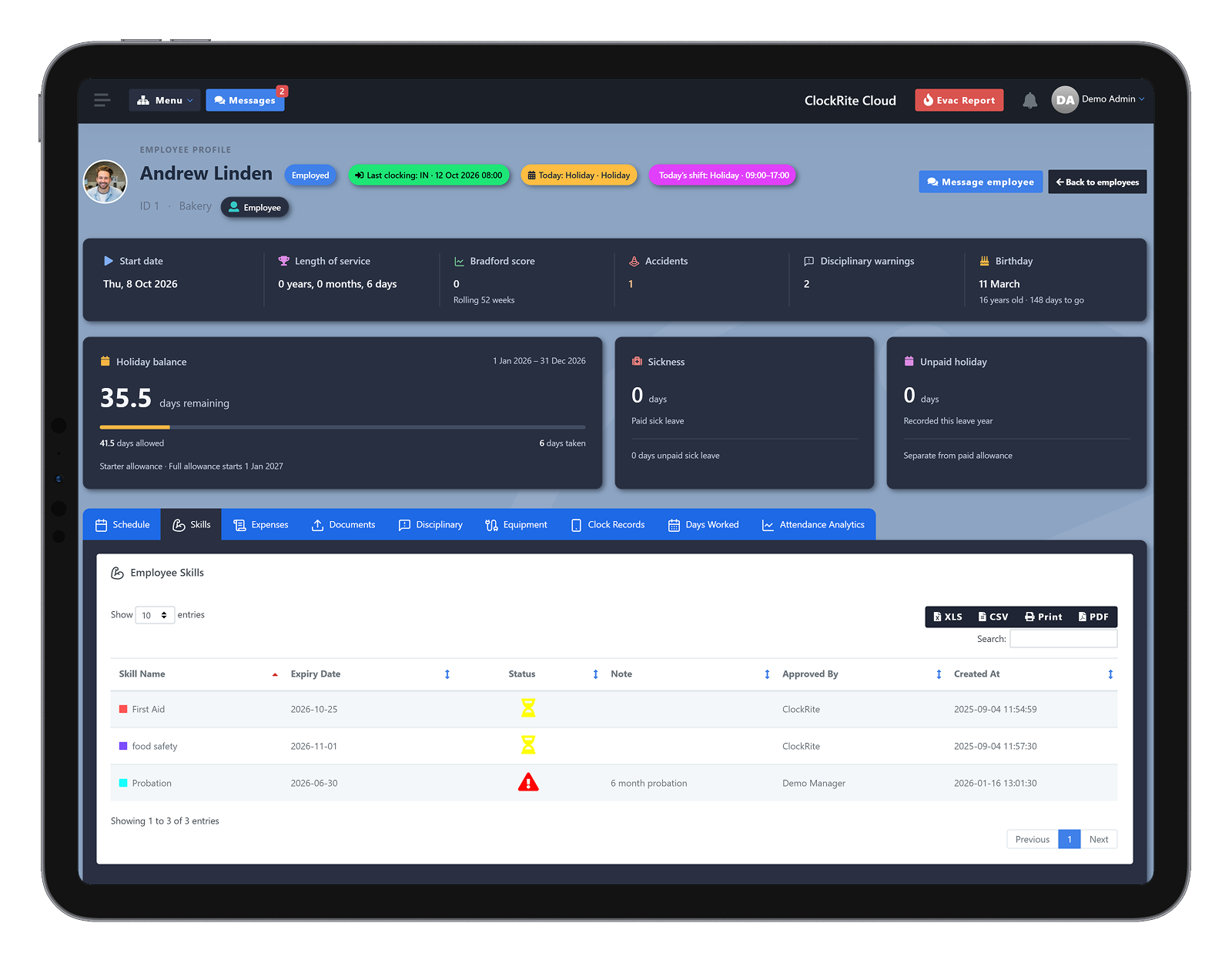
Each employee’s record holds their skills and qualifications with expiry dates, along with their role, department and trade, so you can check who is qualified before you fill a shift.
Beyond the rota
From shift planning to workforce insights
Scheduling is where the rest of ClockRite Cloud starts. Once your shifts are planned, attendance, absence, lateness and payroll reporting all work from the same plan.
Time and attendance
Compare scheduled shifts with the hours actually worked, and sort out differences before they become problems.
Absence and leave
See upcoming leave and pending requests next to the schedule, and approve with confidence.
Late and absence reporting
Tardy reports show late arrivals and missed starts against each shift, and email alerts tell managers when someone is absent.
Payroll reporting
Pay rates, time bands and overtime carry through from the shift to reports ready for payroll or your accounts team.
Spreadsheet or planner
Still planning rotas in a spreadsheet?
Spreadsheet rotas get rebuilt every week, passed between managers and never checked against who actually turned up. Here is what changes with ClockRite.
| Area | Without a system | With ClockRite |
|---|---|---|
| Building the week | Copy last week’s sheet and edit it cell by cell | Apply a week template to everyone you select |
| Rotating shifts | Someone has to remember whose turn it is on nights | Auto Switch moves teams on each week |
| Labour cost | Worked out afterwards, if at all | Shift hours and cost shown as you plan |
| Holiday and sickness | Kept on a separate calendar | Shown on the rota itself |
| Telling staff | Printed and pinned up, or sent round a group chat | Staff see their own schedule on their phone |
| Changes | A new version of the file for every change | Change the day on the rota and message the people affected |
| Plan against reality | Checked by hand against timesheets | Clockings matched to each shift automatically |
| Payroll | Hours typed in again from the rota | Shift rules and pay rates carry through to payroll reports |
Who uses it
Scheduling for every kind of shift
From a single site on fixed hours to round-the-clock teams across many locations.
Manufacturing and production
Coordinate shift patterns and cover to keep production running smoothly and within budget.
Hospitality
Adapt staffing to changing demand, with the right cover for busy and quiet periods.
Care
Organise rotas for consistent cover across day and night shifts and every role.
Logistics and warehousing
Earlies, lates and nights rotate automatically, so every shift on the floor is covered.
Retail
Plan each store’s week, with weekend and part-time shifts in the same planner.
Multi-site businesses
Manage schedules across locations and departments, with oversight of your whole workforce at any scale.
Why ClockRite
A scheduling partner, not just software
More than 5,000 businesses trust ClockRite, and we have helped UK businesses with time and attendance since 1999. Our UK-based support team is on hand while you set up your shifts and templates, so your rotas, clockings and payroll reports line up from the first week.
5,000+
Businesses trust ClockRite
55+ years
Combined experience of our current team
Since 1999
Helping UK businesses with time and attendance
UK based
Support team and UK hosted software
4.8
Average rating on Google reviews
Unlimited
Shifts and shift patterns to plan with
FAQs
Scheduling questions
Can’t see yours? Call our sales team on 01246 948451 or email [email protected].
Is there a limit on shifts or patterns?
No. Create as many shifts and week templates as you need, and assign them to every employee in your account.
Can we give lots of people the same week at once?
Yes. Select the employees in the Schedule Planner, choose a premade week template and update the selected rows. The template fills their week in one go.
Our shifts rotate every week. Can ClockRite cope?
Yes. Set up a week template for each week of the rotation and Auto Switch moves staff on to the next one each week, in a loop. For one-off changes, a shift on the rota overrides the usual pattern for that day.
What if someone’s shift changes for just one day?
Change that day on the rota. A rota shift overrides the person’s usual pattern for that day only, and the rest of their week stays as it was.
Can staff see their schedule?
Yes. Staff log in to the ClockRite web app on their phone or computer to see their own weekly schedule, alongside their clock records and leave requests. You choose what each person can see and do.
Are staff told when the rota changes?
Changes are not sent out automatically. Managers can message one employee, a department or the whole company from within ClockRite, so the right people hear about a change.
Can we see labour costs before the week starts?
Yes. The Schedule Planner shows each employee’s shift hours and labour cost for the week as you plan, with unpaid breaks left out. You can hide the labour cost column from roles that should not see it.
Can it handle night shifts and 24-hour cover?
Yes. Mark a shift as running over midnight and it uses the clock out from the next day, so the whole shift lands on one timesheet. Earlies, lates and nights can rotate through the week templates you set up.
How do holidays and sickness show on the rota?
Holiday and sickness appear on the rota on the days they fall, and you can set them on the rota directly. The Upcoming Leave view shows who is off, week by week.
Can we compare the plan with the hours worked?
Yes. Clockings are matched to each person’s shift, so timesheets and tardiness reports show late starts, missed shifts and overtime against the plan.
Can we export or print the rota?
Yes. Export the rota to XLS, CSV or PDF, or print it straight from the planner.
Can other systems read or update our schedules?
Yes. The ClockRite Cloud REST API lets other systems upload rota shifts for employees and download schedules for a date range. Each API key can have its own permissions.
Where is our data hosted?
On Amazon Web Services (AWS) servers in London, in the UK. Read our GDPR FAQ for more.