



Absence management
Less chasing, fewer surprises, fairer decisions
Absence management is how a business records, approves and tracks time off, planned or not. When it runs on paper calendars, spreadsheets and a wall planner, things get missed.
ClockRite Cloud keeps leave and absence for your whole workforce in one live record, whatever the job role, department or location, so managers and staff can see who is off, when and for how long.

Know who is off today
Holiday, sickness and upcoming leave on the live dashboard, by site and department.
Keep the rota covered
See who else is off on the same dates before you approve a request.
Holiday paid correctly
Allowances in days or hours, updated as leave is approved and taken.
Spot patterns early
A Bradford score on every profile shows repeated short absences.
A record you can stand behind
Every request, decision, note and approver kept, ready to export.
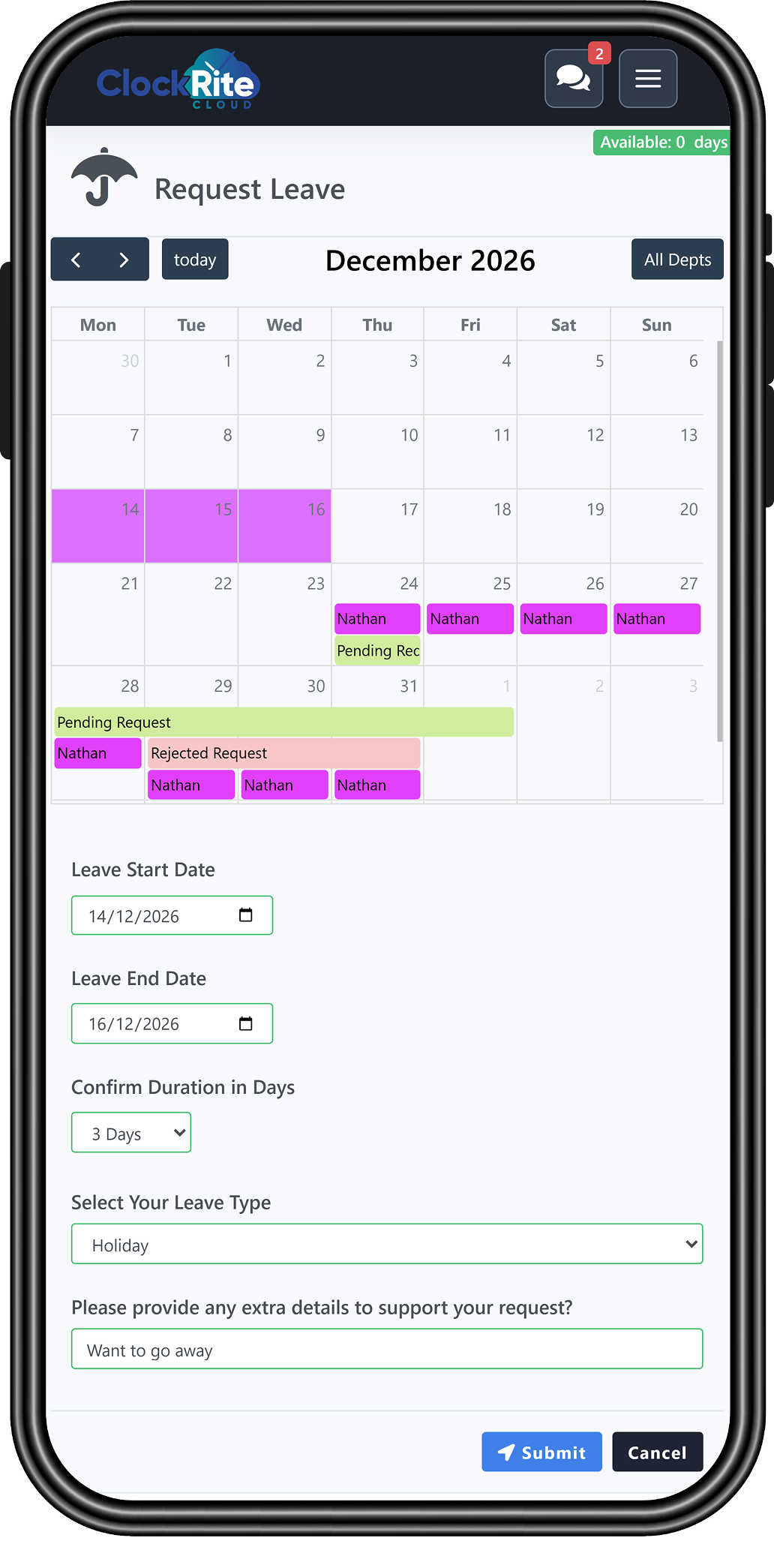
Staff self-service
Put leave in your employees’ hands
Every employee gets their own self-service portal. It runs in a web browser, so there is no app to download, and it works on any phone, tablet or computer, Apple or Android. Staff pick the dates on a calendar, choose the leave type, add any details and see what they have left before they ask.
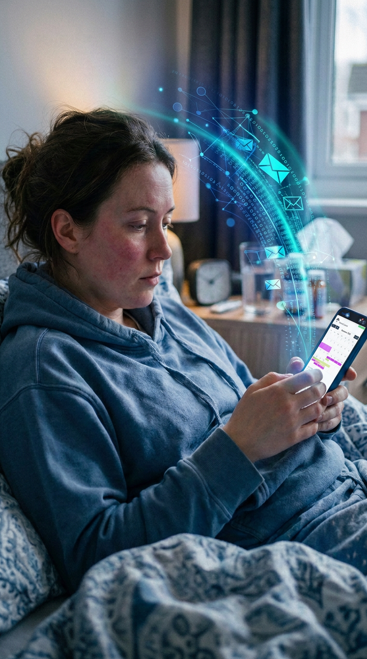
Sickness and absence
Absence reported as it happens
Employees tell their manager about an absence straight from the portal, with the reason and how long they expect to be off. The assigned manager is notified at once, so the record is up to date and cover can be planned with the real picture in front of them.
Features
Everything you need to run leave
From the first request to the year-end report, every step happens in ClockRite Cloud and lands on the same employee record.
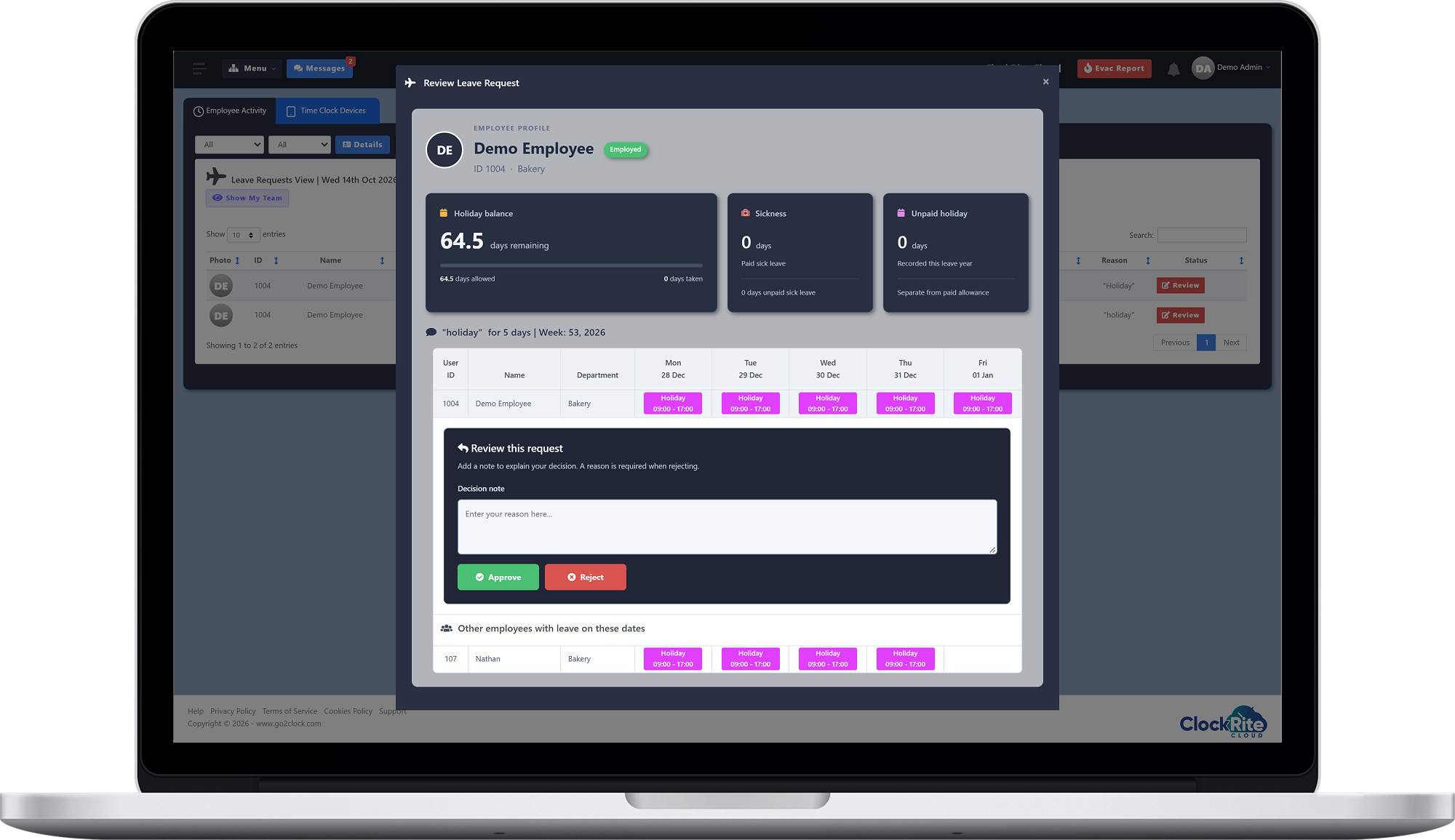
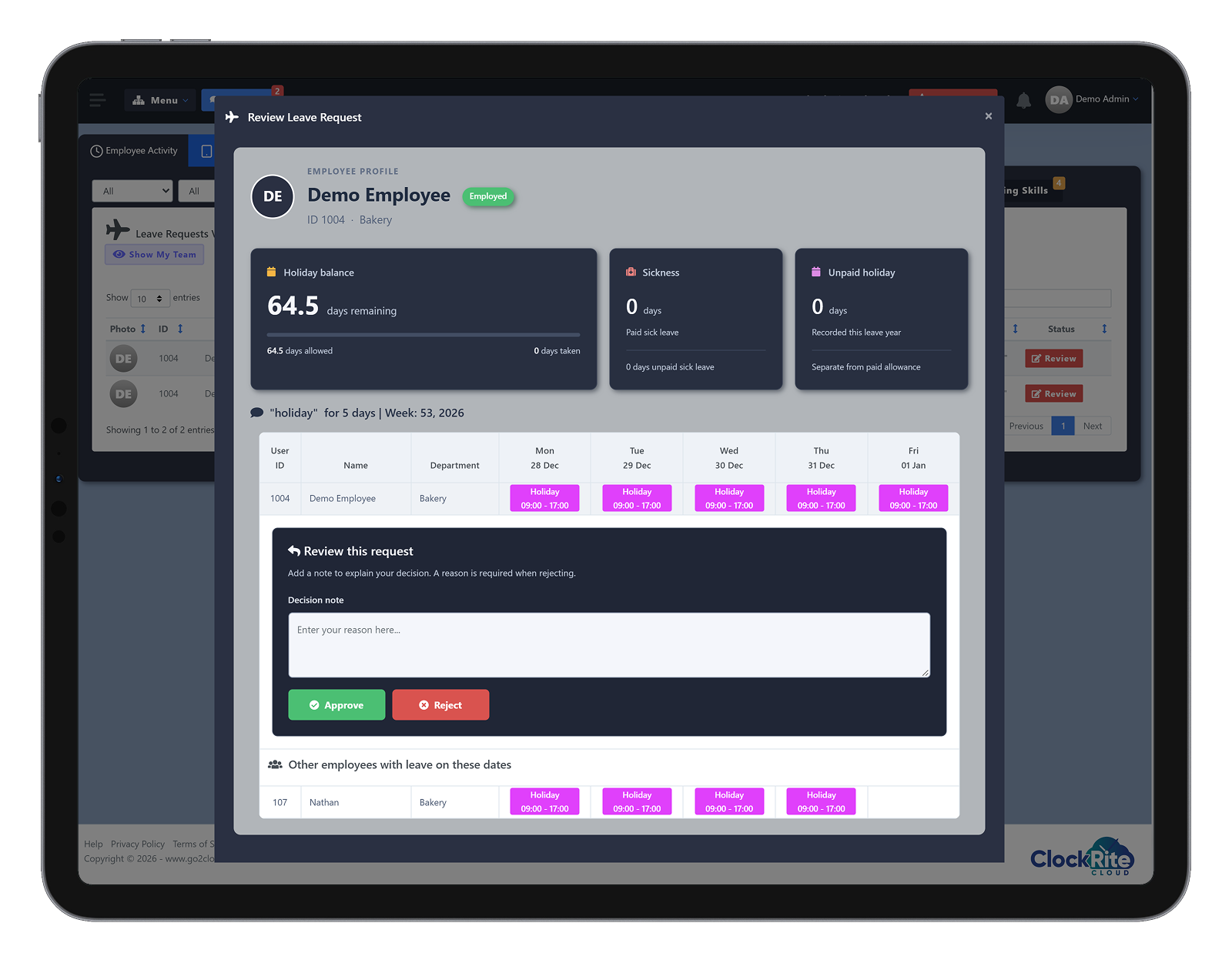
01 · Approvals
See the clash before you approve
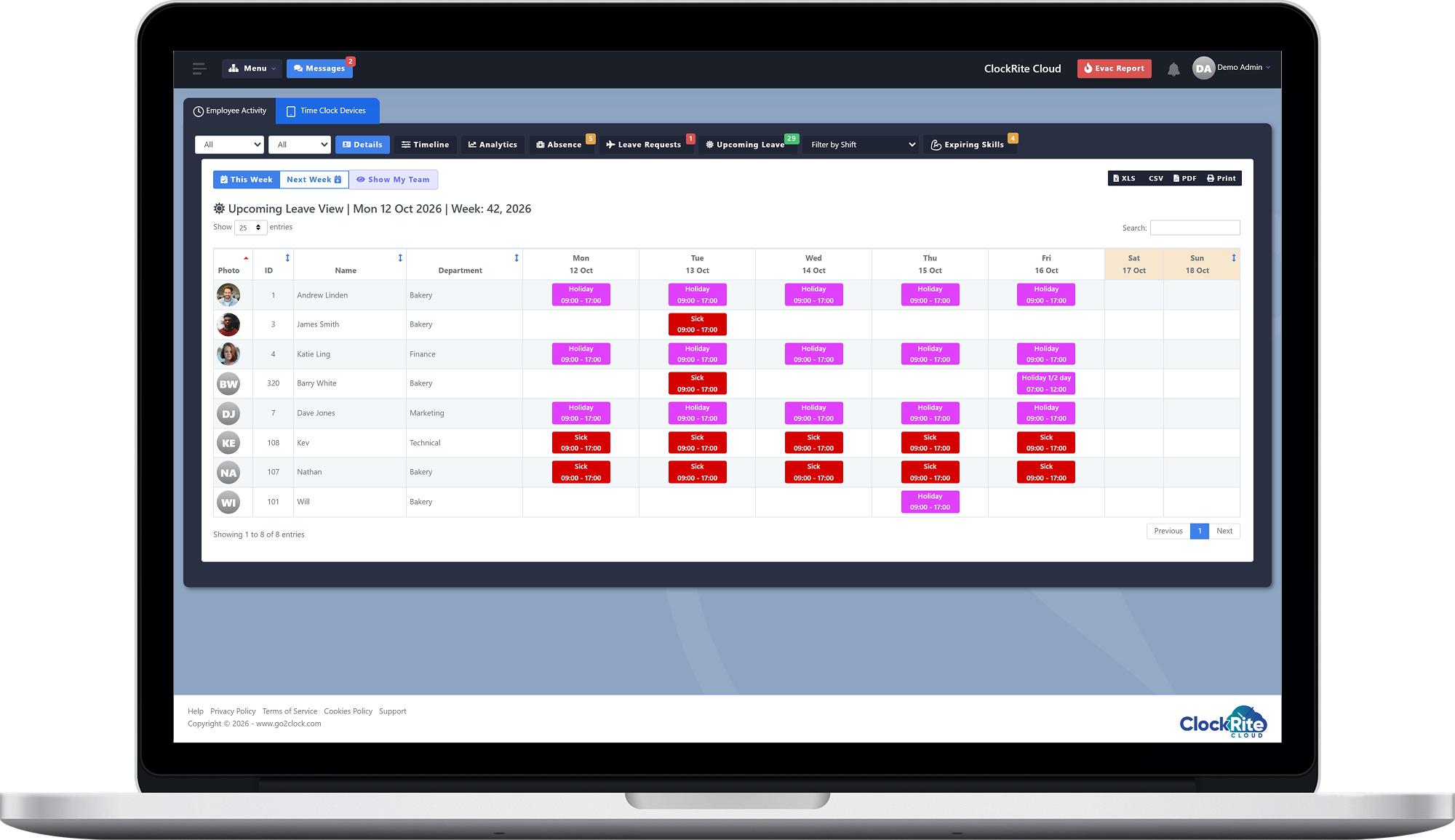
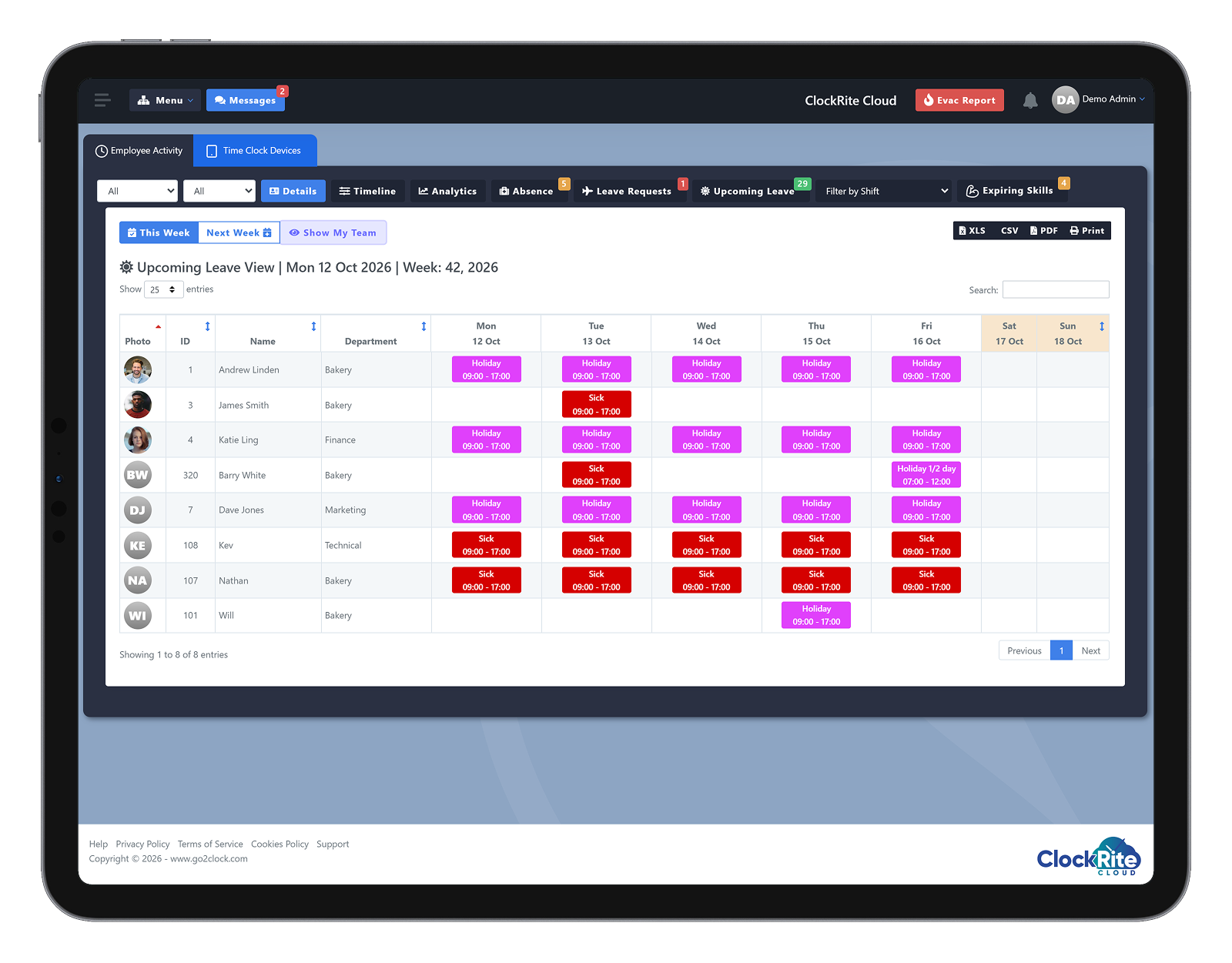
02 · Upcoming leave
See who is off this week and next
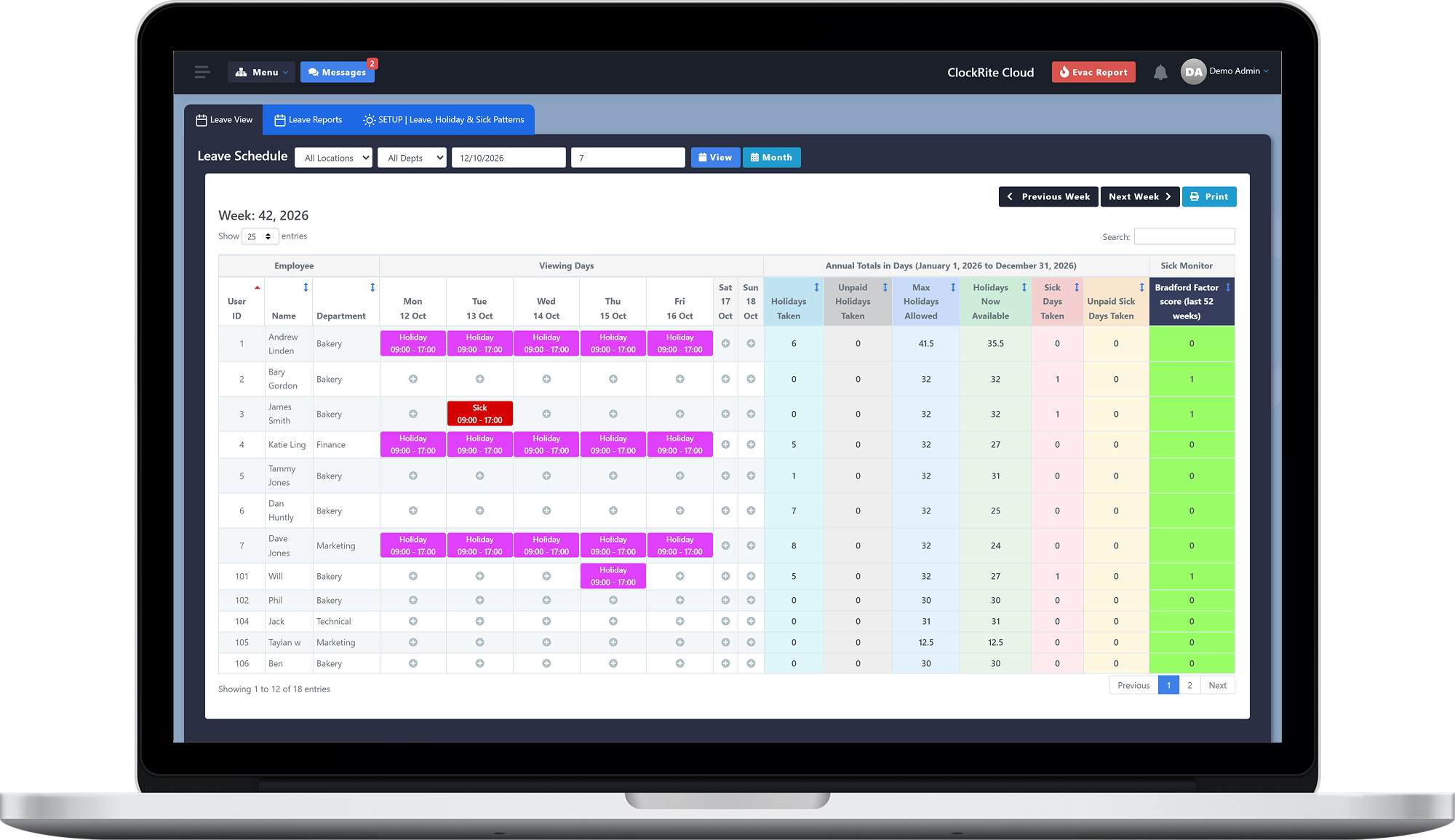
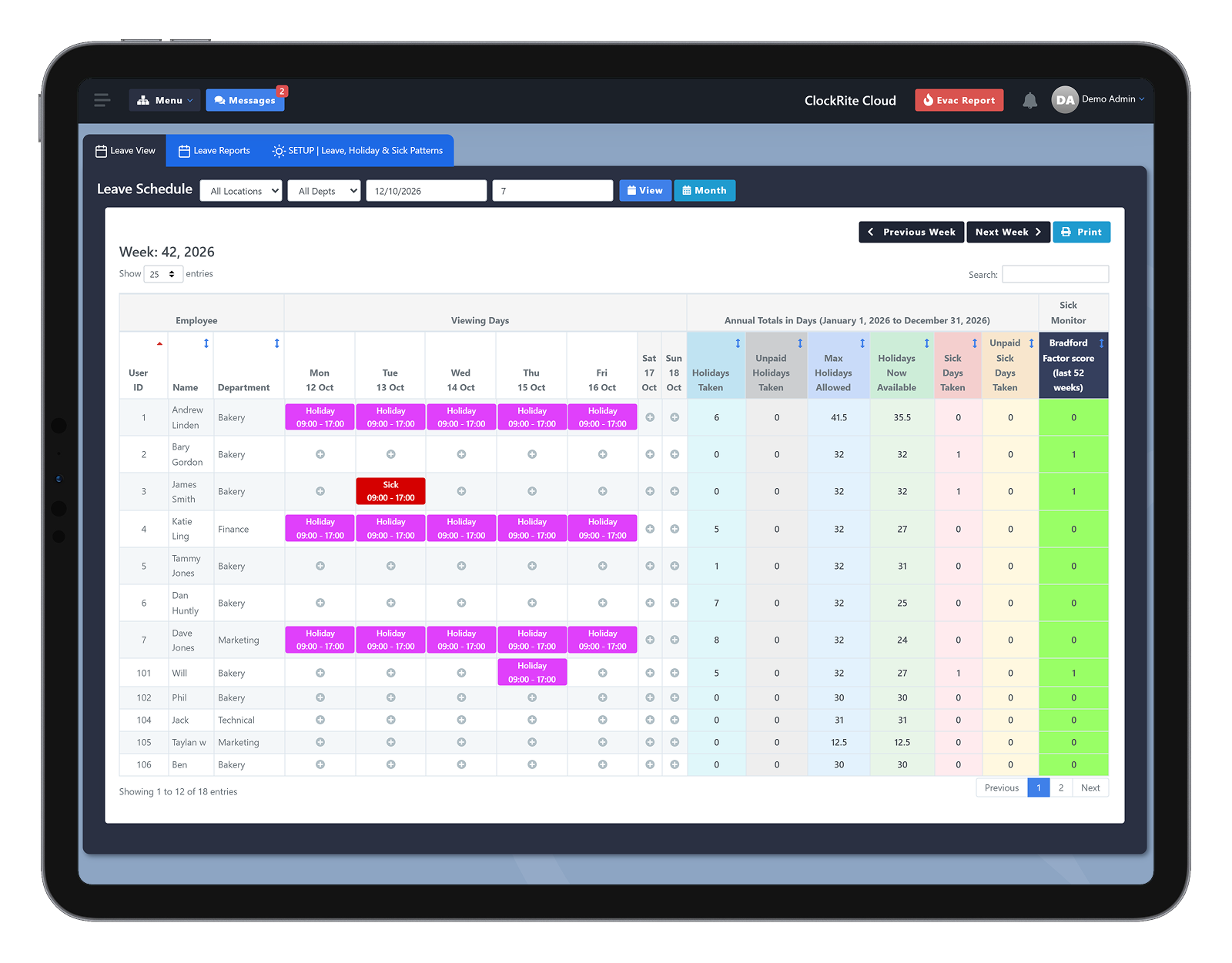
03 · Leave schedule
Every allowance, absence and score in one view
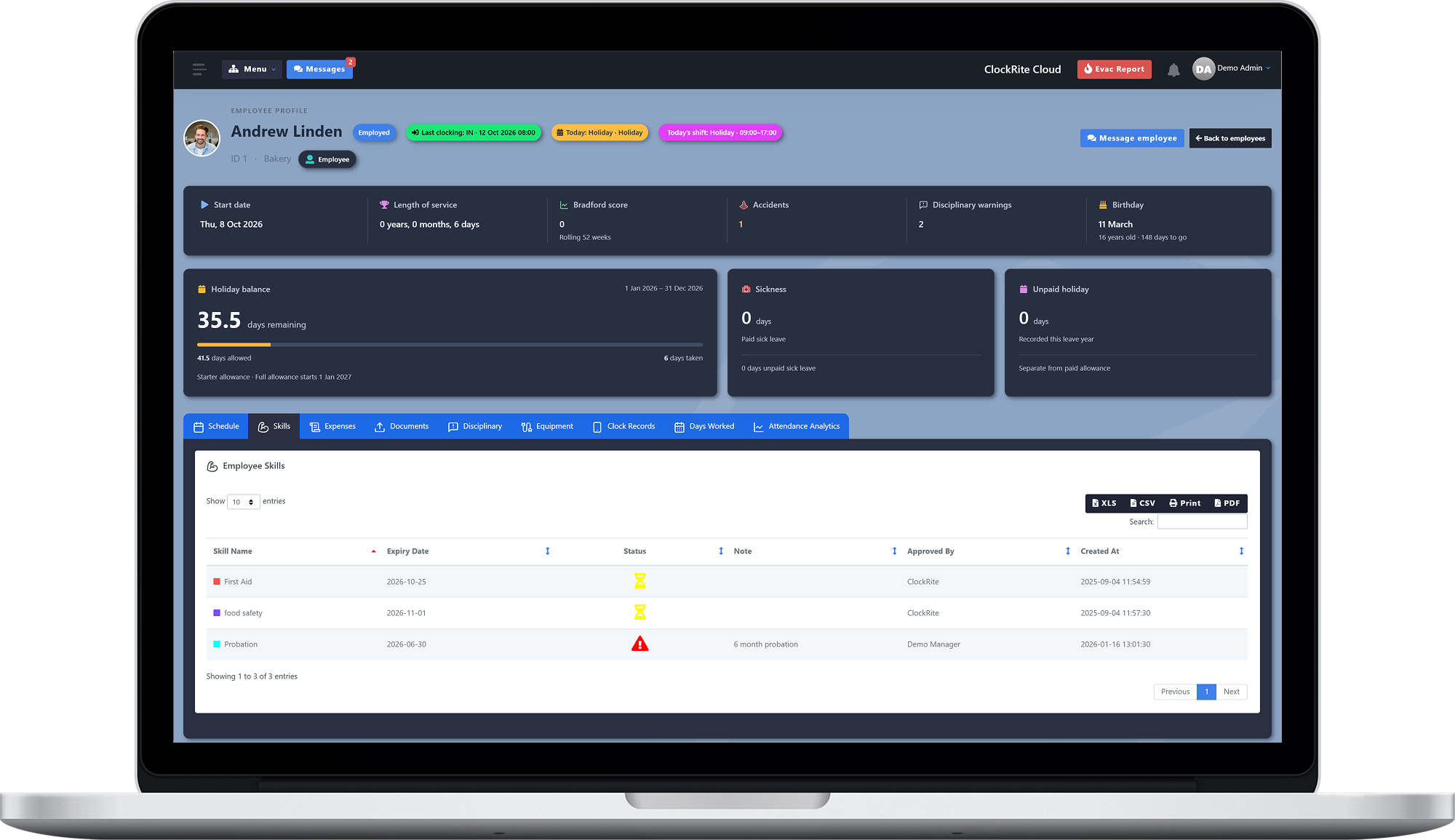
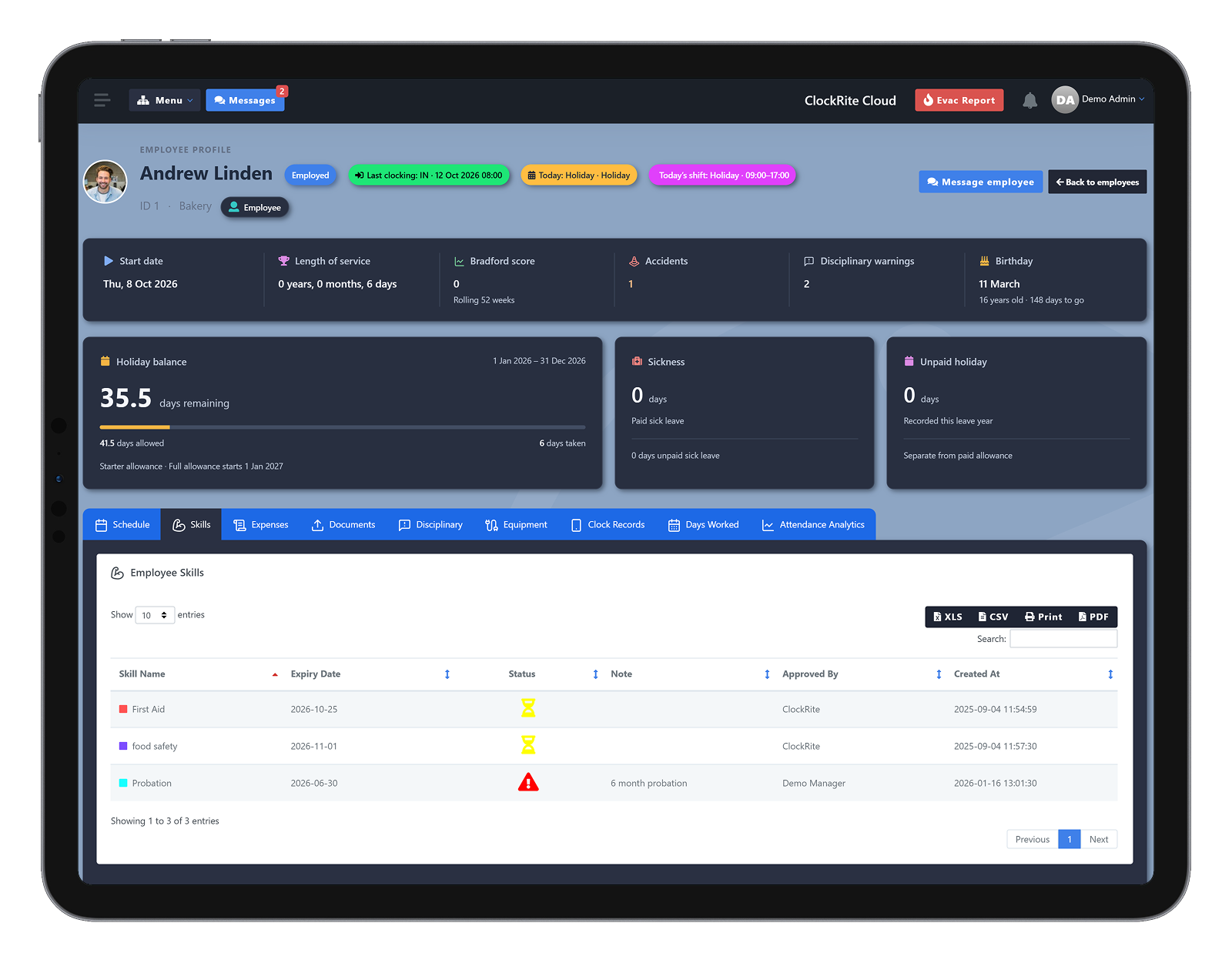
04 · Employee profile
Balances that keep themselves up to date
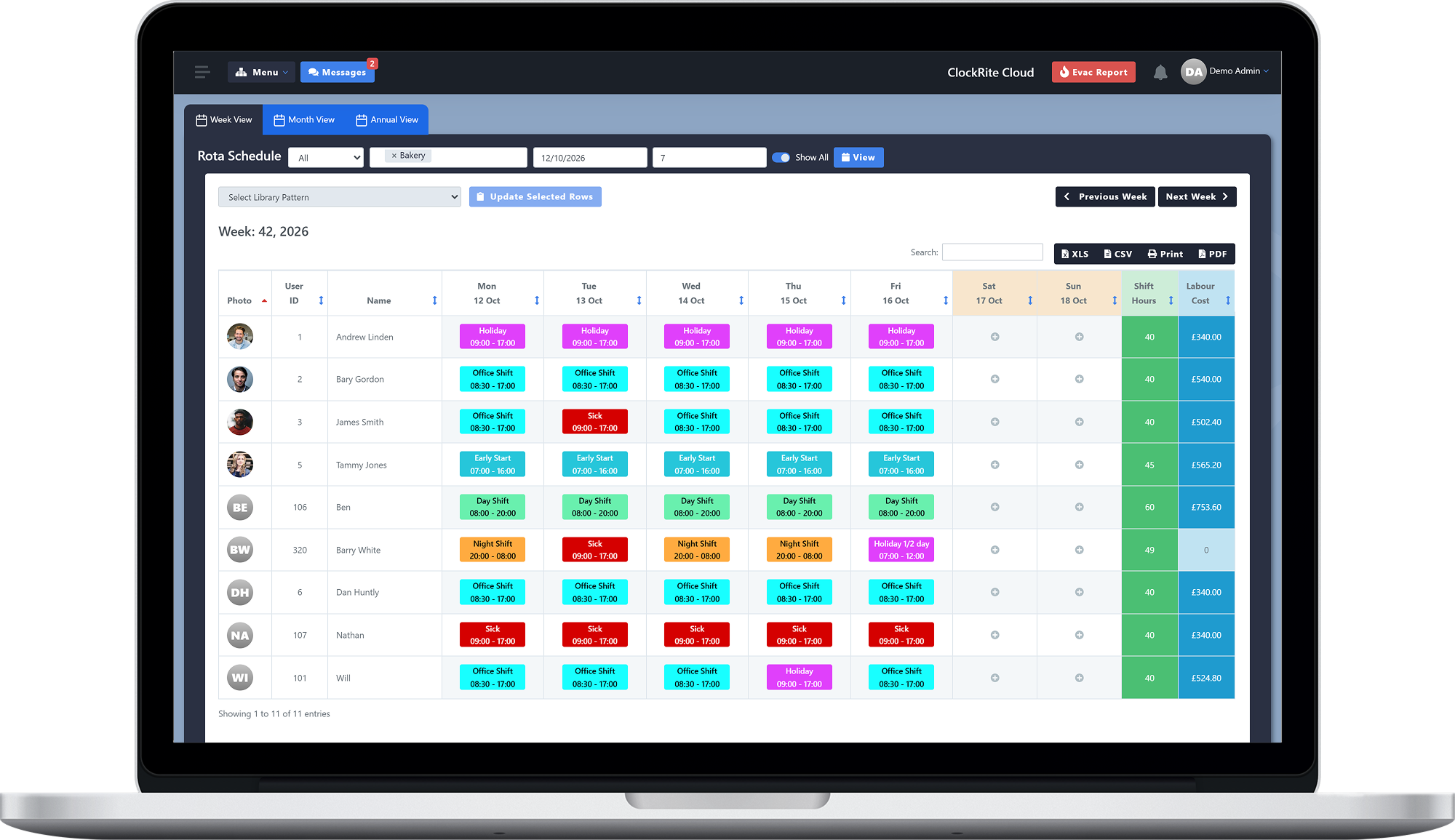
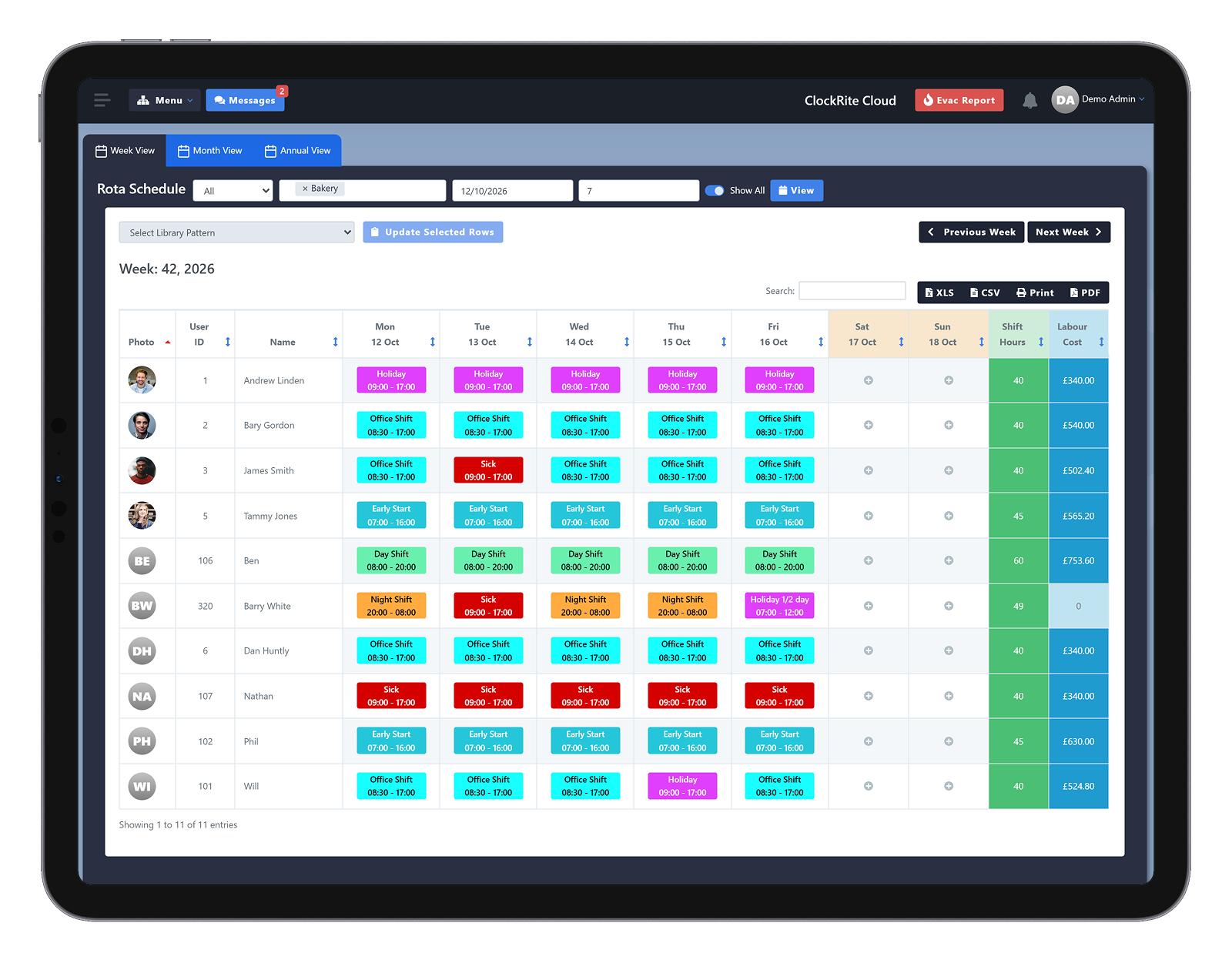
05 · Rota
Holiday and sickness on the same rota as shifts
Policies and control
Set it up once, and it runs the same way everywhere
Leave types, rules and who sees what are set centrally, so every department and location follows the same process without managers handling each request by hand.
Leave types and policies
Create your leave types and policies once. Staff pick the right type when they ask, whether it is annual leave, sickness or another absence.
Email notifications
Emails go out when leave or absence is requested, recorded, approved or rejected. Staff see the outcome, with the reason if a request is turned down.
Leave booked by managers
Managers can approve requests or add leave straight to an employee’s profile, all in the same system.
By department or location
Filter leave by department or location, and give each manager the employees they look after, so availability is clear at every level.
Your choice of self-service
Choose which self-service features your staff can use, and switch functions on or off as your business needs.
Exports and integrations
Export leave and absence records to other systems, such as Sage HR, or connect your own software with the ClockRite REST API.
Every business size
One leave system, from a single team to many sites
Small businesses
Replace spreadsheets, paper records and manual tracking with one leave system. Holiday requests, absences and remaining allowances sit in one place, so you spend less time on admin and more on the business.
Larger businesses
Keep leave policies consistent across the organisation. Filter by department or location, give each manager control of their own team, and keep clear approvals and accurate records for every request.
Multi-site businesses
See leave and absence across every location from one system. Site managers stay informed, staffing levels are easy to check, and the same process runs at every site.
Before and after
Still booking holiday on paper or in a spreadsheet?
Here is what changes when leave runs through ClockRite.
| Area | Without a system | With ClockRite |
|---|---|---|
| Requests | Paper forms, emails and texts | Requested from a phone, with a reason, in one queue |
| Approvals | A look at the wall planner, if there is time | Clashes shown on the request before you decide |
| Updates | Staff chasing managers for an answer | An email when leave is requested, approved or rejected |
| Balances | Worked out in a spreadsheet | Allowed, taken and remaining, always current |
| Sickness | A phone call, then notes in a diary | Paid and unpaid sickness on each profile, with a Bradford score |
| Rota | Holidays added by hand, if remembered | Holiday and sickness alongside everyone’s shifts |
| Records | Hard to show who approved what | Status, date and approver on every request, ready to export |
Part of ClockRite Cloud
Leave that works with the rest of your workforce data
Absence and leave share the same employee records as clocking, rotas and HR, so nothing is typed twice.
Time Tracking
Clockings from terminals, phones or a browser become timesheets, with breaks and overtime worked out.
Scheduling
Plan shifts and rotas, then see straight away who is late, missing or on leave.
HR Features
Skills, documents, accident and disciplinary records on the same profile as each person’s leave.
Fire Roll Call
Free with every ClockRite Cloud system. The roll call lists who is clocked in, so people on holiday or off sick are not searched for.
Why ClockRite
A partner for every part of your workforce
More than 5,000 businesses trust ClockRite, and we have helped UK businesses with time and attendance since 1999. Holiday and absence run in the same ClockRite Cloud system as clocking, rotas and fire roll call, with a UK-based team to set it up with you and support you after.
5,000+
Businesses trust ClockRite
55+ years
Combined experience of our current team
Since 1999
Helping UK businesses with time and attendance
UK based
Support team and UK hosted software
4.8
Average rating on Google reviews
Days or hours
Holiday allowances held the way your business works
FAQs
Questions about absence and leave
Can’t see yours? Call our sales team on 01246 948451 or email [email protected].
What is absence management software?
It records and reports on every kind of time off, planned or not: holiday, sickness and unpaid leave. Requests, approvals and balances live in one system instead of forms, spreadsheets and email chains, so everyone works from the same record.
Can staff request holiday from their phone?
Yes. Each employee has a self-service portal that runs in a web browser, so there is no app to download and it works on Apple and Android phones, tablets and computers. Staff request holiday, give a reason and check their balance there, and requests land in one queue for their manager to review.
Can staff report sickness through ClockRite?
Yes. Staff report an absence from the same portal, with the reason and how long they expect to be off. Their assigned manager is notified straight away and the absence is added to their record.
Are managers and staff told about requests?
Yes. Email notifications go out when leave or absence is requested, recorded, approved or rejected. Managers hear about new requests and recorded absences, and staff see the outcome of their requests, with the reason when one is rejected.
Can holiday be recorded in hours instead of days?
Yes. Leave can be requested and held in hours as well as days, which suits part-time staff and shifts of different lengths.
How do we stop too many people being off at once?
Each request shows the requested days on a mini rota, with anyone else who has leave on the same dates listed underneath. You see the clash before you approve or reject.
What is the Bradford Factor, and what is a good score?
It scores absence as the number of spells squared, multiplied by the total days absent, so frequent short absences score higher than one long one. There is no official threshold: each employer sets its own trigger points. Treat a score as a prompt for a conversation, and take health conditions and disability into account.
How are new starters handled?
A new starter’s profile shows a starter allowance, with the date their full allowance begins, so their balance is right from day one.
Can we export leave data to HR or payroll software?
Yes. Leave and absence records can be exported to other systems, such as Sage HR, and the ClockRite REST API connects ClockRite Cloud to your other business software. See integrations for more.
Where is our data kept?
ClockRite Cloud is hosted in the UK, on AWS servers in London. Read our GDPR FAQ for more.
What help do we get getting started?
Our systems come with 12 months of support from our UK-based team as standard, including remote support. Optional setup and training is available if you would like our team to get you running.