

Centralised data and tracking
HR and time and attendance, in one platform
ClockRite Cloud’s built-in HR features let you centralise employee information, manage skills and certificates, track rewards, record incidents and oversee recruitment, expenses and essential documents, all in one place. With a complete view of your workforce you can streamline HR processes, stay on top of important details and make better-informed decisions.
Bringing HR and workforce management together removes disconnected systems, cuts the time spent on manual admin and avoids paying for tools you don’t need, so your team can focus on growth and productivity.
One record per person
Skills, documents, cases and accidents on the same profile as their clockings and leave.
No missed renewals
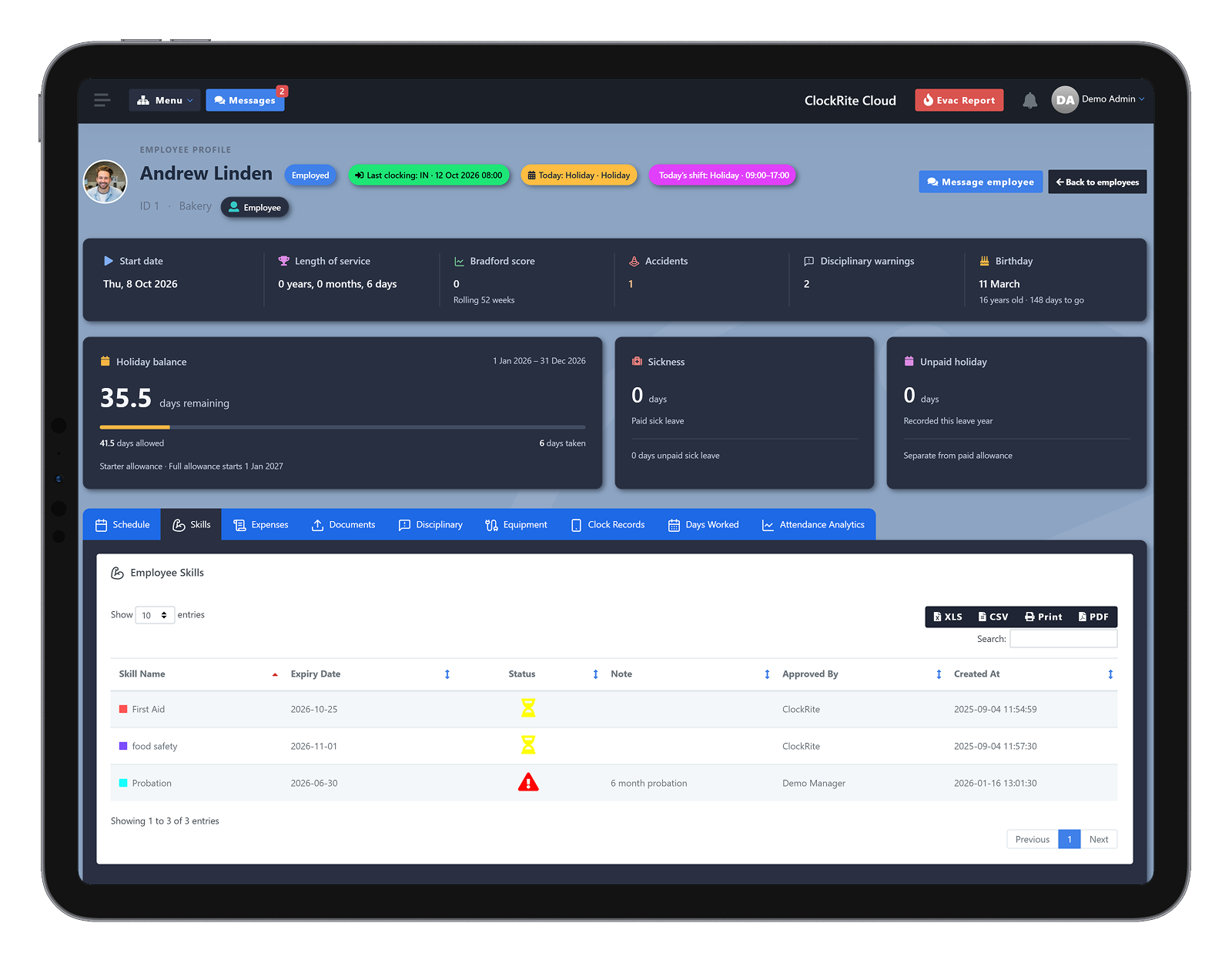
The dashboard lists skills that expired in the last 30 days and those due in the next 30.
Consistent case records
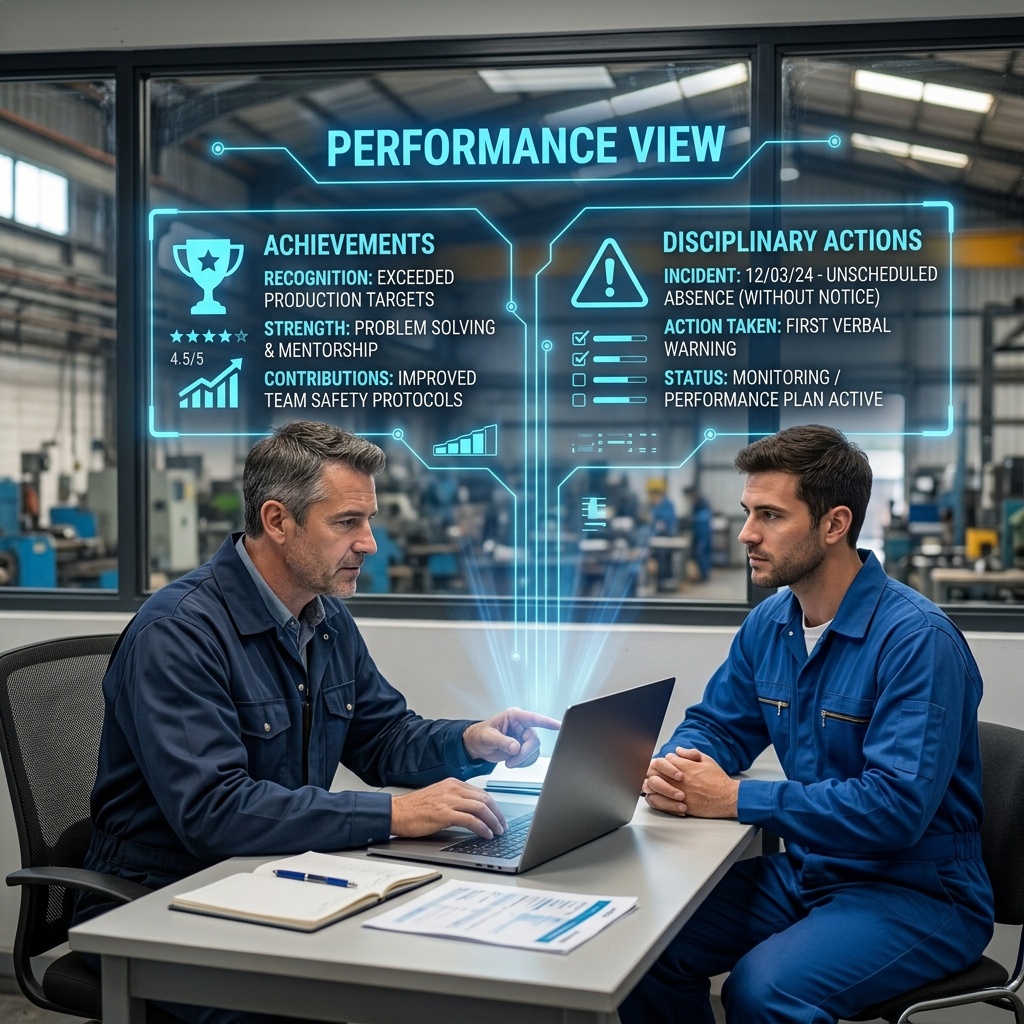
Disciplinary actions and outcomes recorded the same way, every time.
Managers find the history in one place, not in someone else’s files.
Less admin
One system in place of spreadsheets, paper files and separate HR tools.

HR essentials
Employee details, accurate and up to date
Keep personal, contact and employment information in one place. Bring every employee’s details together, from job role to skills and qualifications, and streamline approvals so the same data is never entered twice.
Less paperwork and less admin save time and cost, and you get a clearer view of your workforce.
Personal details
Employment details
Skills and certifications
Skills and qualifications
Know every expiry date before it passes
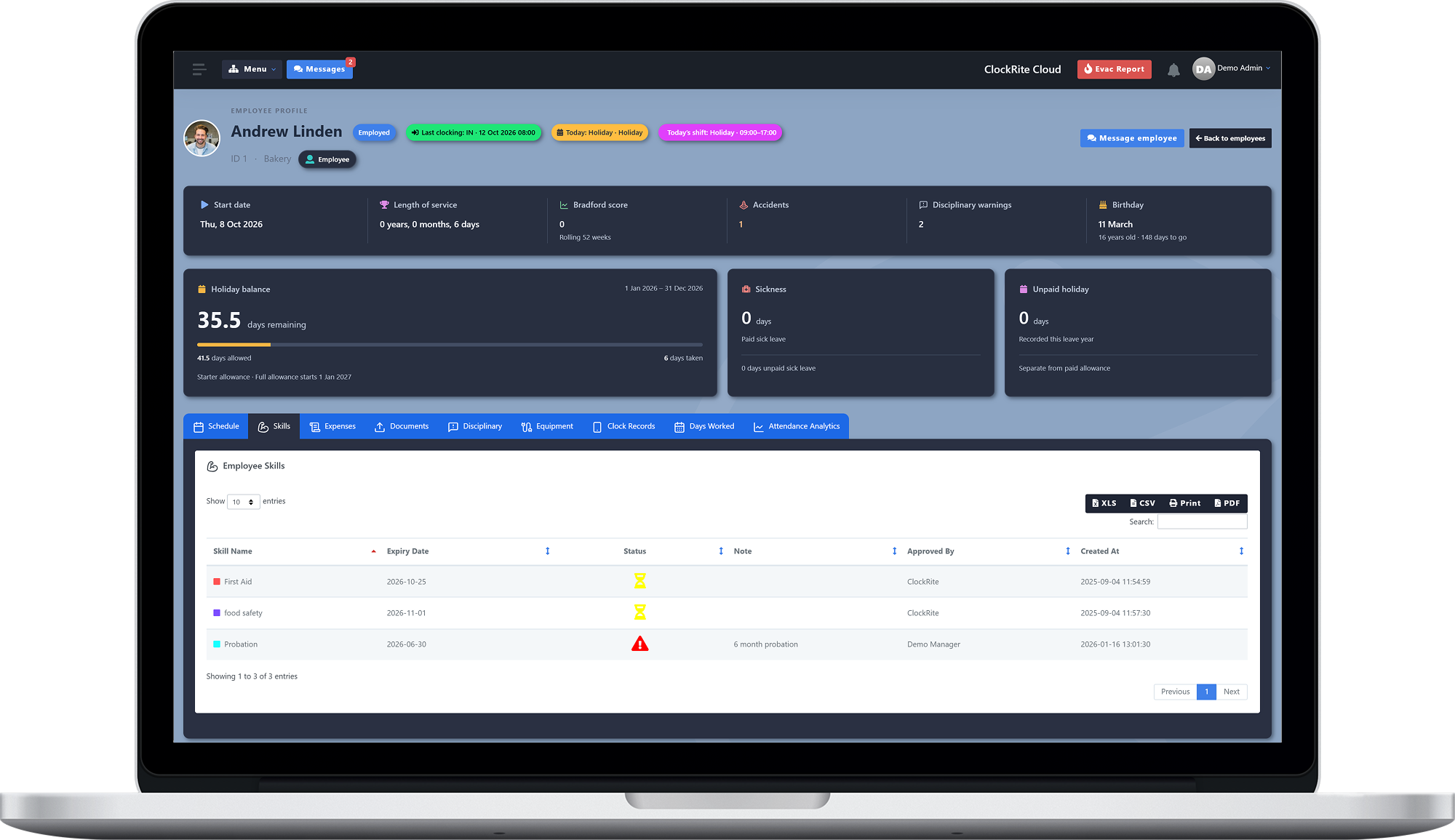
Enter employee skills and qualifications into ClockRite Cloud and track their expiry dates in one central portal. View the full list for a single employee, or check the reminder on the dashboard: skills that expired in the last 30 days and skills due to expire in the next 30 days, across all of your employees.
Disciplinary and rewards
A fair record of performance, good and bad
Track achievements, challenges and development over time. Recognise contributions, spot areas for improvement and go into performance reviews with the facts. When an employee falls short of their role or company policy, record the incident, the action taken and the outcome in its own disciplinary section, easy to share with other managers.
Equipment tracking
Know who has what, and when it is due back
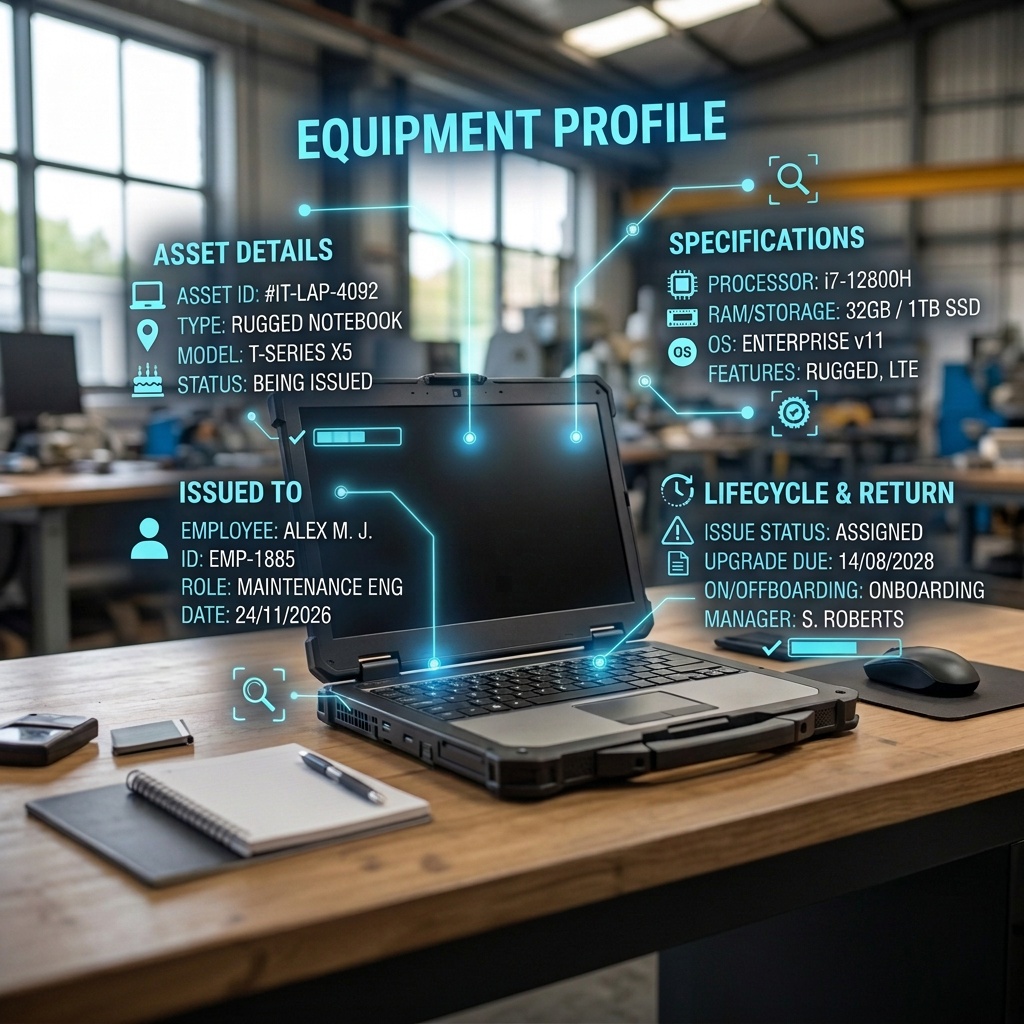
Keep accurate records of the equipment issued to each employee, so ownership, availability and responsibility are always clear. Monitor servicing and upgrades, control costs and make sure everyone has the equipment they need to work safely and efficiently.
Accident and incident logs
The right tools when things go wrong
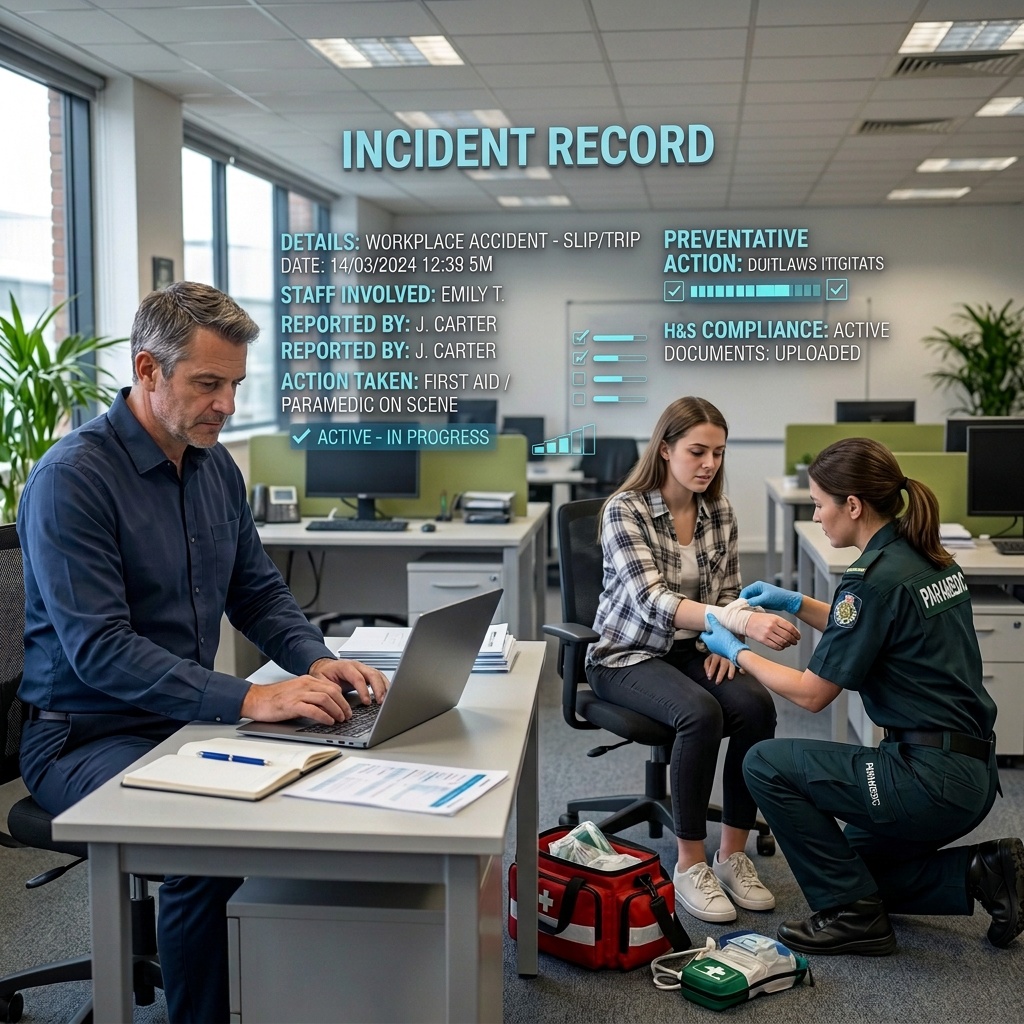
Record and review workplace accidents and incidents in one central, confidential system. Managers and administrators can submit, access and review incident records, keeping reports up to date and supporting your health and safety compliance.
Document storage
Every document, stored against the right employee
Store important documents directly within each employee’s profile, from induction records and contracts to certificates and qualifications. Internal company paperwork and external certificates are kept securely in one central location, and your own company templates are always to hand.
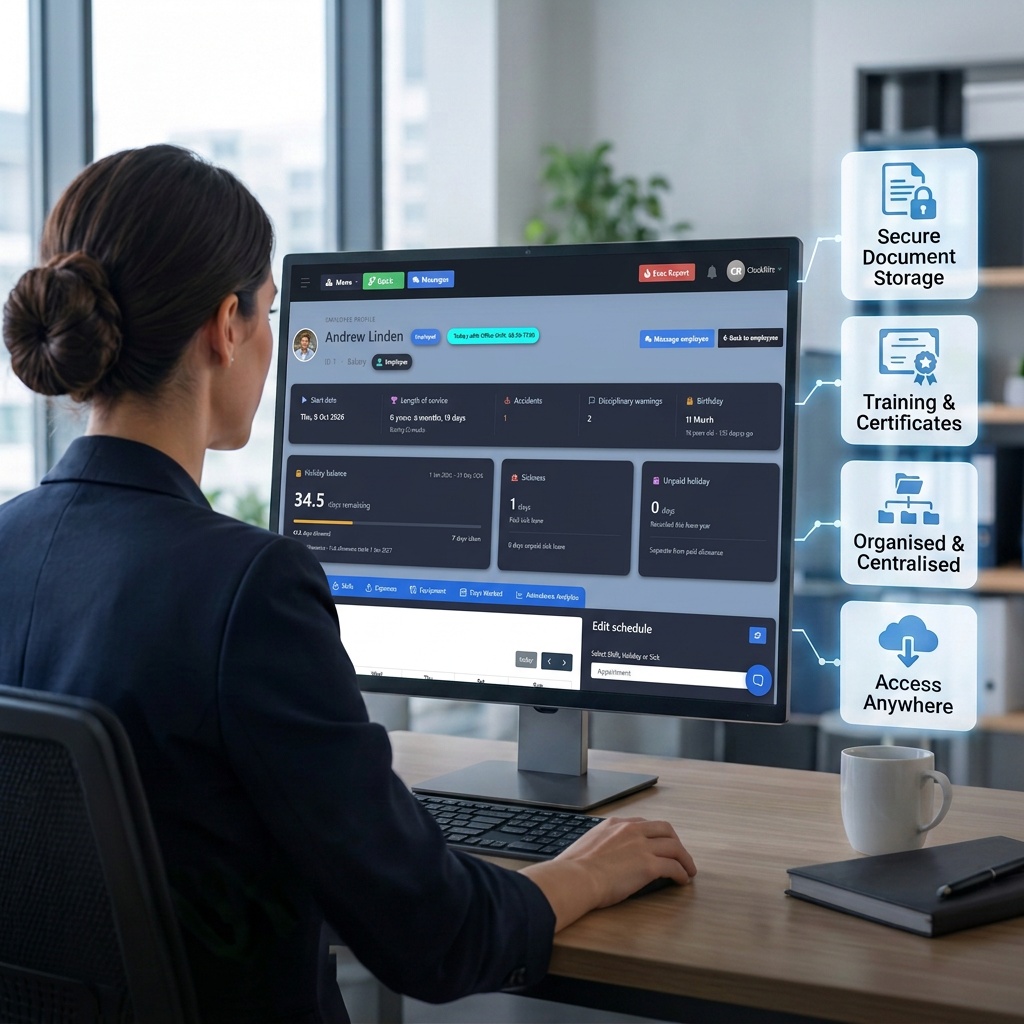
Upload to the profile
Add induction records, contracts, certificates and signed letters to an employee’s Documents tab.
Use your own templates
Keep your company’s warning letters, forms and policies in ClockRite, ready to use.
Room to grow
Choose 50GB or 100GB of storage as an add-on to your ClockRite Cloud system.
Expenses
Expense claims, submitted and approved in one place
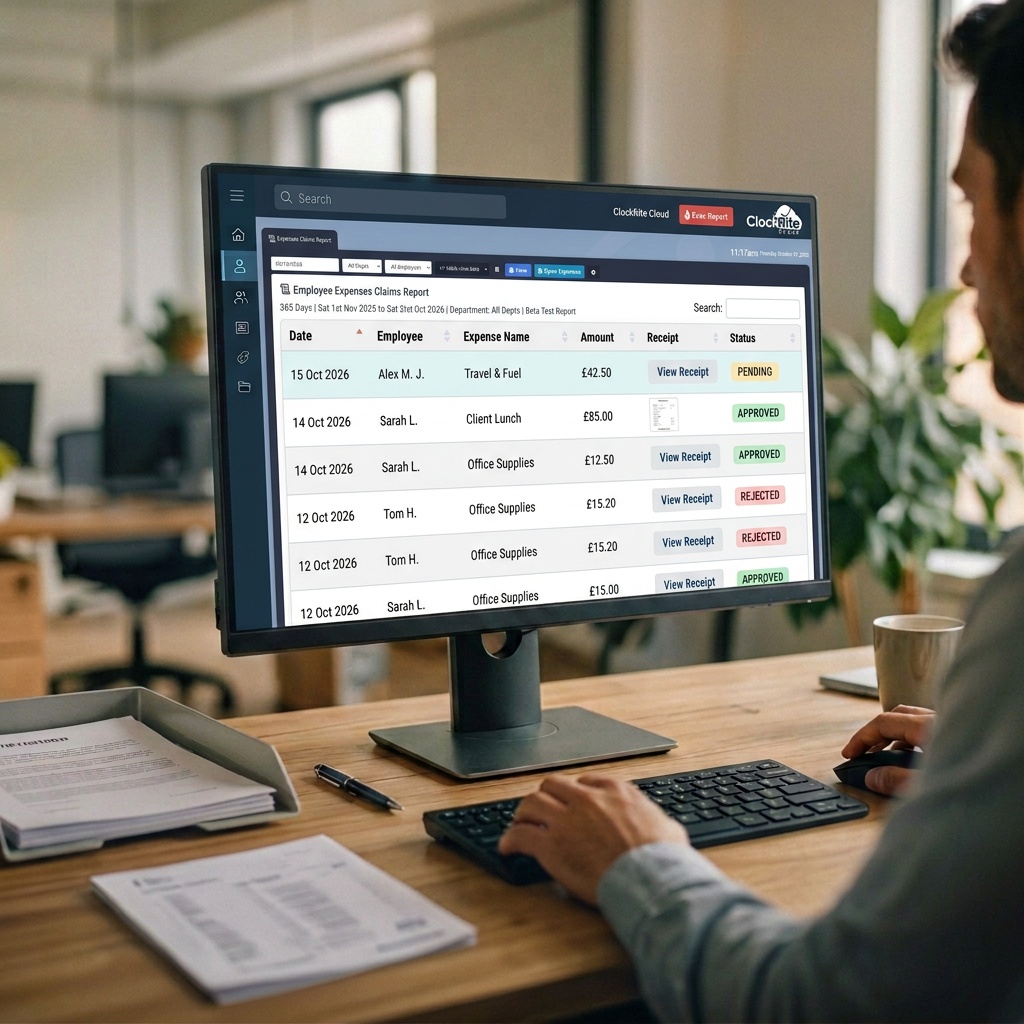
Employees submit expense claims for business spending through the platform, on site or off site. Each claim records the amount, expense type, payment method, date and time, with room for extra details and photo evidence. Managers and administrators then review, approve or reject every claim through a clear approval process.

Recruitment
From job advert to first day
Manage recruitment and onboarding in one platform. Create job vacancies and link them to application sites, customise application questions and gather the information and documents you need. Managers and department heads review candidates and support hiring decisions, while HR administrators coordinate onboarding, so every new starter has what they need from day one.
Employee lifecycle
Support your workforce with modern HR practices from day one
From the first application to the day someone leaves, every stage is recorded on the same employee profile.
Recruitment
Find and hire your team in one place.
Employee details
Onboard new hires easily, with every detail logged and easy to find.
Probation review
Use HR reports to see how new employees progress through their probation.
Disciplinary review
Flag when an employee has not met company standards or has broken a policy.
Annual review and bonuses
Track achievements and concerns to support annual reviews, recognise contributions and decide who to reward.
Tracking qualifications
See which employees hold the right skills and certificates, and when they need renewing.
Incidents
Log any incident involving an employee during their time with your company.
Leaving
When someone leaves, compile and archive their records with ease.
What HR features are there?
Everything HR needs, on one employee record
Discover how ClockRite Cloud’s HR features support your workforce.
User information
Personal, contact and employment details on one profile, from job role and line manager to start date and length of service.
Roles
Make sure every shift has the right people, skills and essential cover, from first aiders to fire wardens.
Rewards
Record awards and achievements on employee profiles, celebrating success and recognising contributions.
Disciplinary
Keep confidential records of disciplinary cases, actions taken and outcomes, for consistent and traceable case management.
Skills and certificates
Track employee skills, qualifications and certificate expiry dates, with reminders on the dashboard to keep your workforce qualified and compliant.
Recruitment
Create and manage job vacancies in one platform, streamlining recruitment, onboarding and employee enrolment.
Add-on module
Accident logs
Keep up-to-date records of workplace accidents and incidents involving employees and managers, supporting compliance and safer working.
Document storage
Securely store documents against employee profiles, from induction records and contracts to certificates and qualifications.
Add-on module
Expenses
Log and track employee expenses in one place, with an approval process to review, approve or reject each claim.
Add-on module
Roles and cover
See who is in to cover first aid and fire safety
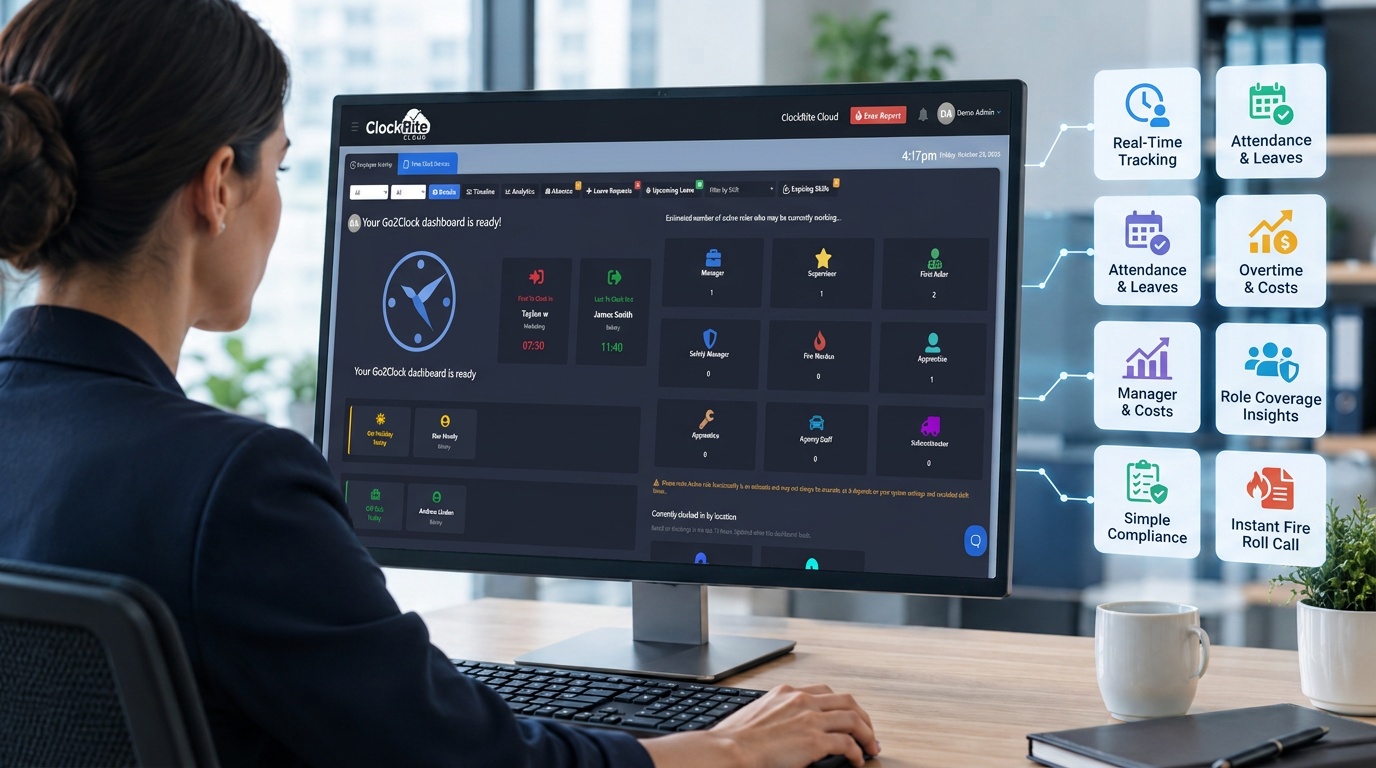
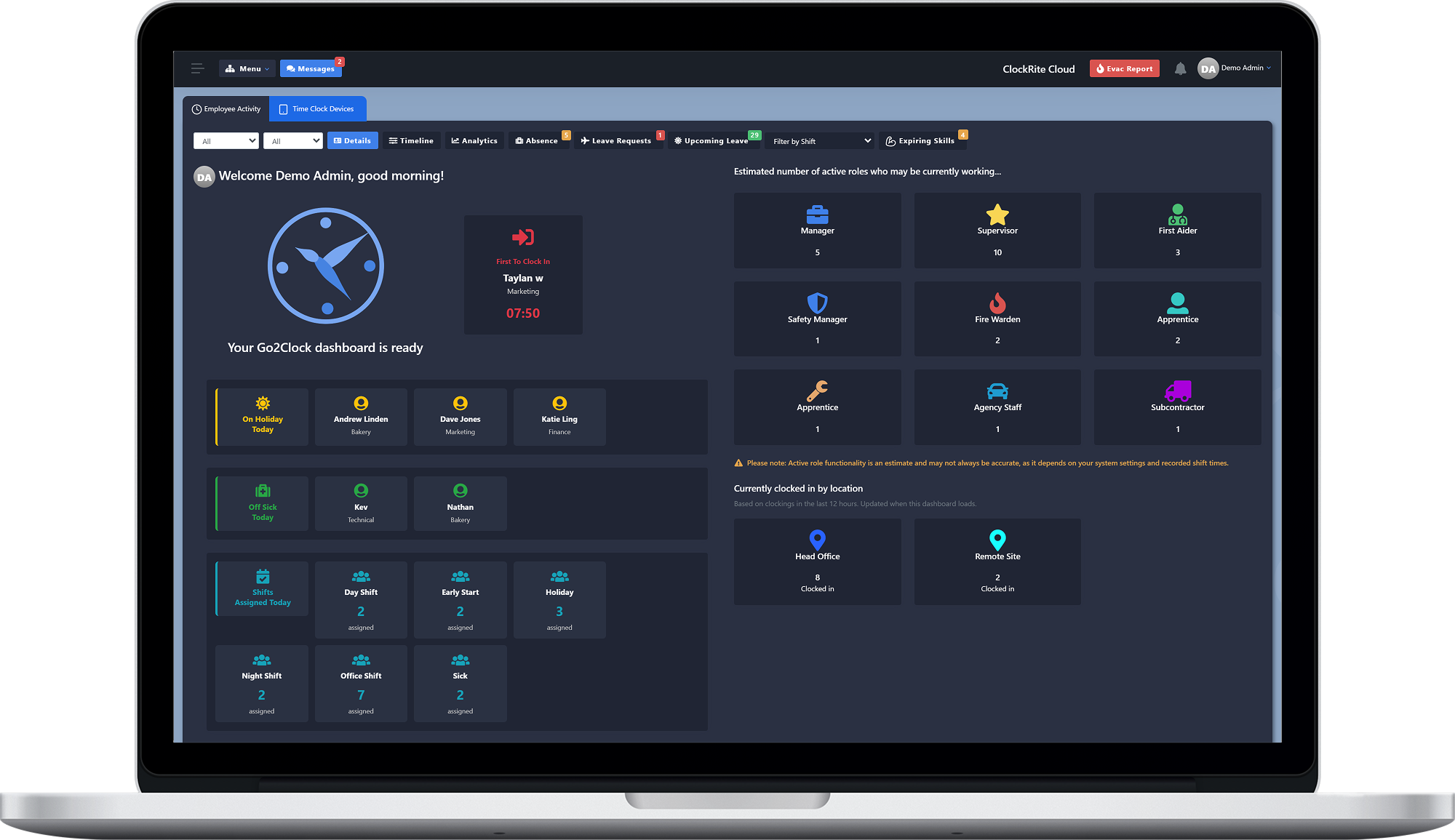
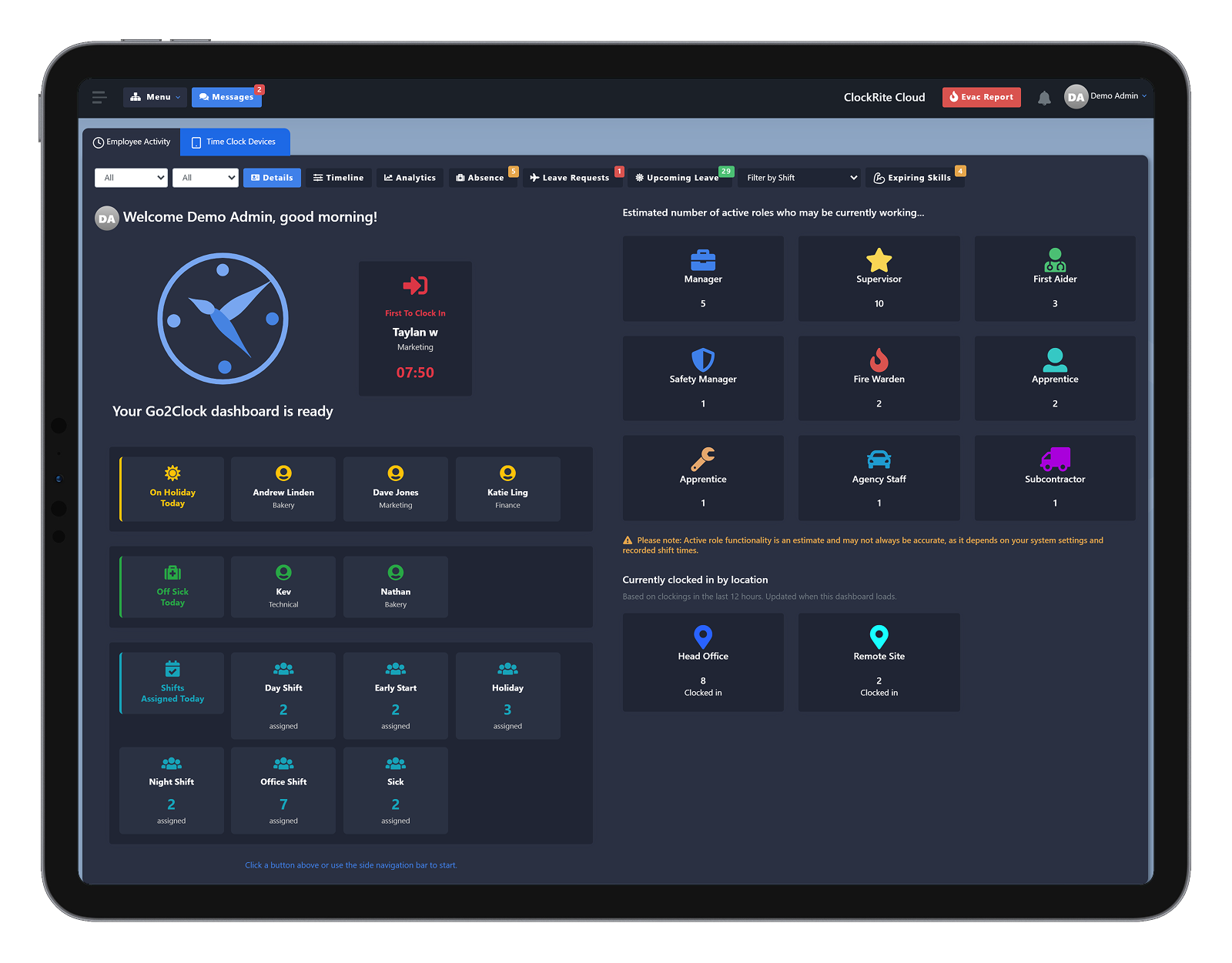
Give each employee their roles, such as manager, supervisor, first aider or fire warden. The dashboard then estimates how many people in each role may be working right now, from their clockings and shift times, so gaps in essential cover are easy to spot.
Before and after
Still keeping HR records in folders and spreadsheets?
Here is what changes when your HR records live in ClockRite Cloud.
| Area | Without a system | With ClockRite |
|---|---|---|
| Skills and certificates | A spreadsheet someone has to remember to check | An expiry date on every skill, and a dashboard reminder of what has expired or is due |
| Certificates | Paper copies in a filing cabinet | Stored on the employee’s profile |
| Disciplinary records | Notes kept in different managers’ files | Its own section on each profile, easy to share with other managers |
| Accidents | An accident book on a shelf | Logged against the people involved and counted on their profile |
| Letters and forms | Templates saved on someone’s computer | Your company templates stored in ClockRite |
| Employee details | Spread across HR, payroll and site files | One profile with role, department, location and length of service |
| Equipment | A spreadsheet of who has which laptop, if anyone updates it | Issued to each employee, with servicing and returns tracked |
| Expenses | Paper receipts and email chains | Claims with photo evidence, approved or rejected in one list |
| First aid and fire cover | Guesswork on the day | Estimated role cover on the live dashboard |
| Leavers | Files boxed up and hard to find | Records compiled and archived when someone leaves |
Part of ClockRite Cloud
HR records that work with the rest of your workforce data
HR features share the same employee records as clocking, rotas and leave, so nothing is typed twice.
Time Tracking
Clockings from terminals, phones or a browser become timesheets, with breaks and overtime worked out.
Absence & Leave
Holiday requests, approvals, balances and sickness records, with a Bradford score on every profile.
Scheduling
Plan shifts and rotas, and check who holds the right skills before you fill a shift.
Fire Roll Call
Free with every ClockRite Cloud system. Fire wardens see who is on site and mark people safe.
Why ClockRite
A partner for every part of your workforce
More than 5,000 businesses trust ClockRite, and we have helped UK businesses with time and attendance since 1999. HR records run in the same ClockRite Cloud system as clocking, rotas, leave and fire roll call, with a UK-based team to set it up with you and support you after.
5,000+
Businesses trust ClockRite
55+ years
Combined experience of our current team
Since 1999
Helping UK businesses with time and attendance
UK based
Support team and UK hosted software
4.8
Average rating on Google reviews
One profile
Skills, documents, cases and accidents for each employee
FAQs
Questions about HR tracking
Can’t see yours? Call our sales team on 01246 948451 or email [email protected].
What HR features does ClockRite Cloud include?
User information, roles, skills and certificates, rewards, disciplinary records, accident and incident logs and equipment tracking, all built around each employee’s profile. Document storage, expenses and recruitment are available as add-on modules.
How does skills and qualification tracking work?
Enter each employee’s skills and qualifications with their expiry dates. Each one shows a status, so you can see at a glance what is expiring or has expired. View the list for one employee on their profile, or the reminder on the dashboard for all employees.
How do we know when a certificate is about to expire?
The dashboard shows a reminder for your whole workforce, with two lists: skills that expired in the last 30 days and skills due to expire in the next 30 days. On each profile, every skill shows its expiry date and status.
Can we keep disciplinary records in ClockRite?
Yes. Disciplinary information has its own section on each employee’s profile, with the actions taken and outcomes, so records are consistent, traceable and easy to share with other managers. The number of disciplinary warnings shows at the top of the profile.
Can we use our own company letters and templates?
Yes. Skills and disciplinary tracking are backed by file and document storage, so you can keep your own company templates in ClockRite and store certificates and letters on each employee’s profile.
How much does document storage cost?
Document Storage is an add-on: 50GB is £180 a year and 100GB is £300 a year, both plus VAT. See pricing for the full system.
Can we record accidents at work?
Yes. Accident and incident logs record workplace accidents and incidents involving employees and managers in one confidential system. Managers and administrators can submit, access and review the records, and the number of accidents shows on each person’s profile.
Can we track equipment issued to staff?
Yes. Record the equipment issued to each employee, so ownership, availability and responsibility are clear. Track servicing and upgrades, issue equipment to new starters and make sure it comes back when someone leaves.
What does the roles feature do?
You give each employee their roles, such as manager, supervisor, first aider or fire warden. The dashboard then estimates how many people in each role may be working, based on clockings and shift times. It is an estimate, so its accuracy depends on your settings and recorded shifts.
Is recruitment included?
Recruitment is a paid add-on module. Create job vacancies and link them to application sites, set the requirements for each role and customise application questions, with full-time, part-time and temporary positions kept in one place. Managers review candidates, and HR administrators coordinate onboarding for the people you hire.
Can employees submit expense claims?
Yes, with the Expenses add-on, which is £300 a year plus VAT. Employees submit claims with the amount, expense type, payment method, date and time, extra details and photo evidence. Managers and administrators then approve or reject each claim, and every expense is kept in one list.
Where is our data kept?
ClockRite Cloud is hosted in the UK, on AWS servers in London. Read our GDPR FAQ for more.
What help do we get getting started?
Our systems come with 12 months of support from our UK-based team as standard, including remote support. Optional setup and training is available if you would like our team to get you running.