


The whole recruitment journey
One connected solution, from vacancy to new starter
Manage the entire recruitment journey with one connected solution. Create tailored job vacancies, design your own application process, and bring every stage of recruitment together in one central cloud-based platform.
Give managers greater visibility of potential candidates, streamline collaboration, and make more informed hiring decisions to build the right team for your business.

Step 1
Create a job vacancy
Set the skills, qualifications and requirements for the role, and the questions applicants answer.
Step 2
Collect applications
Applicants apply through your application portal, and every application lands in one place.
Step 3
Review and interview
Managers compare applicants, share their views and record notes at every stage.
Step 4
Hire and begin onboarding
Bring your new starter into the same system you use for HR, clocking and rotas.

Job vacancies
Tailored vacancies for every role
Simplify recruitment by creating tailored job vacancies and customised application processes for each role. Define the skills, qualifications and requirements needed to succeed, helping you identify candidates with the right experience and qualities for your business. Make more informed hiring decisions and build a workforce that supports your business goals.
Review applicants
Decide together, with a clear record of why
Enable admins and managers to collaborate on applicant reviews, sharing insights and discussing potential hires to identify the best fit for each role. Record confidential notes directly against each application, visible only to authorised HR staff, with every note linked to the relevant stage of the recruitment process for a clear, consistent and traceable recruitment journey.
Hire and begin onboarding
From new hire to first shift, in one system
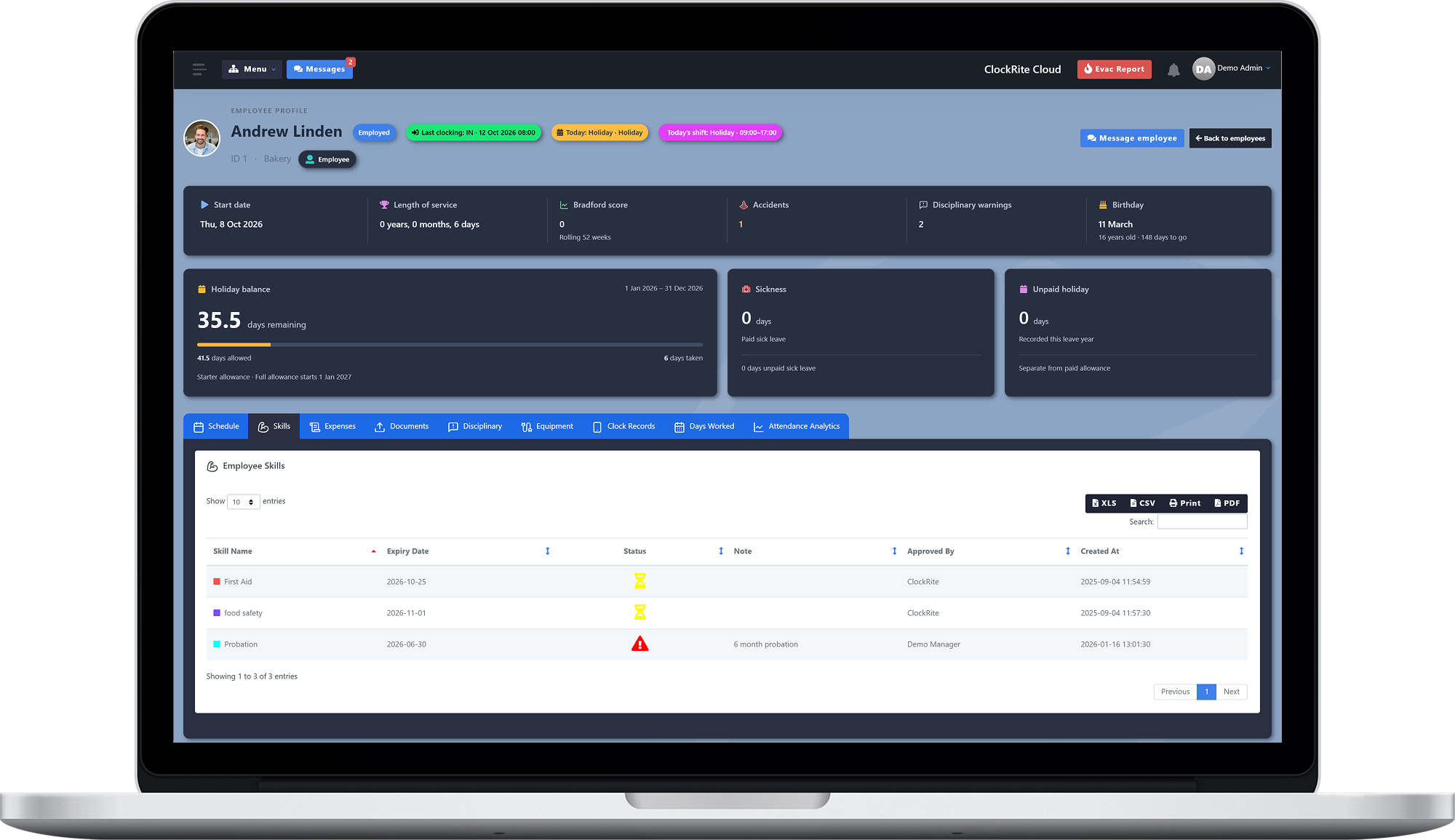
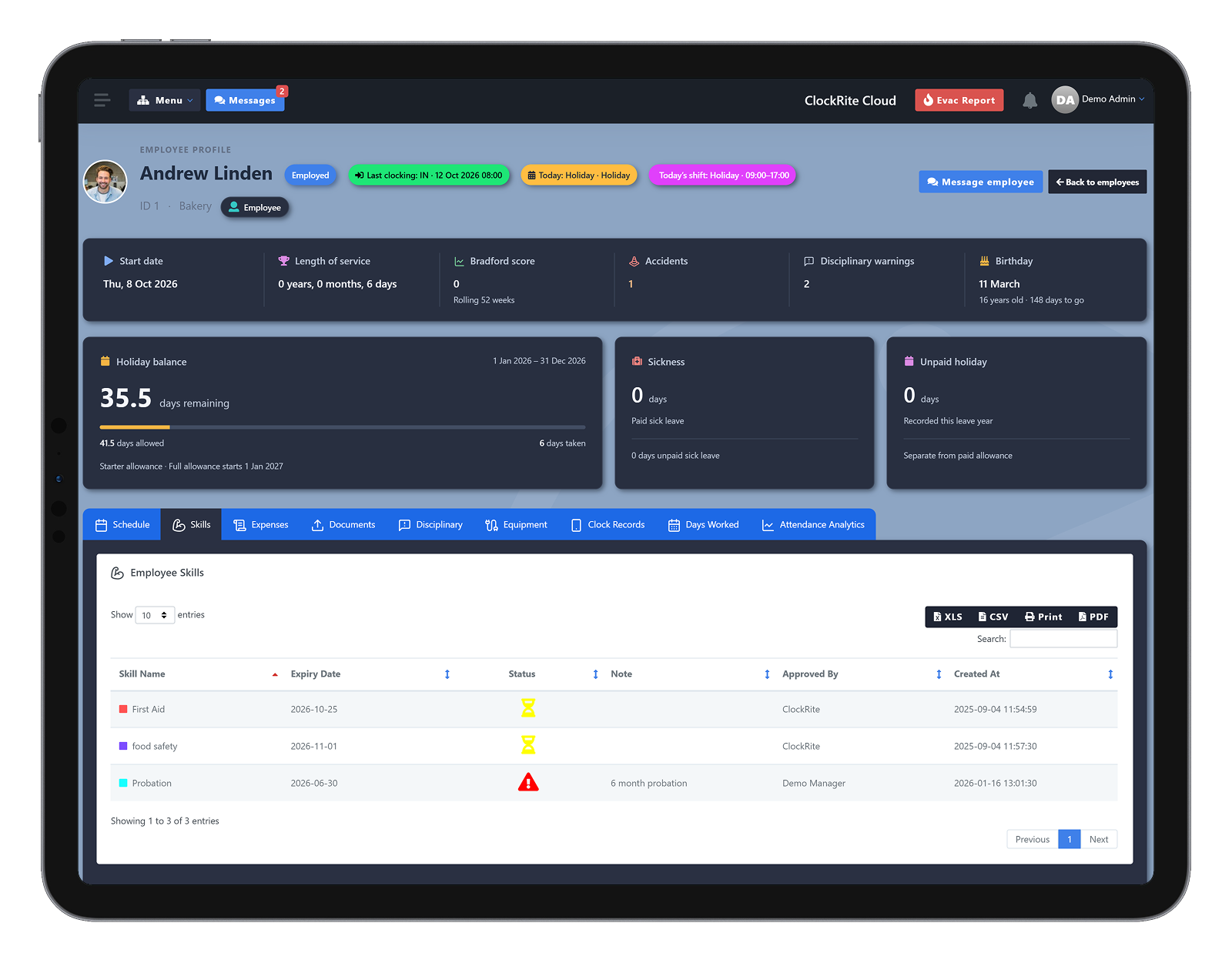
Once you have found the right person, begin onboarding in the same platform. ClockRite Cloud’s HR features keep their employee details, skills and qualifications, documents and the equipment you issue on one profile, and they clock in, book leave and appear on rotas in the same system.
Before and after
Still hiring from inboxes and spreadsheets?
Here is what changes when recruitment runs in ClockRite Cloud.
| Area | Without a system | With ClockRite |
|---|---|---|
| Job vacancies | A new document written for every role | Tailored vacancies with the skills, qualifications and requirements for each role |
| Applications | CVs spread across inboxes and paper forms | Every application in one place, through your own application portal |
| Screening | The same questions asked again on the phone | Job-specific questions answered when they apply |
| Comparing applicants | Printouts passed between managers | All applicants for a vacancy in one list |
| Interview feedback | Notes in emails and notebooks | Confidential notes on each application, linked to the recruitment stage |
| Who sees the notes | Anyone with access to the shared folder | Only authorised HR staff |
| Types of role | Separate processes for permanent and temporary staff | Full-time, part-time and temporary roles managed in one place |
| New starters | Onboarding started in yet another system | Onboarding begun in the same platform as HR, clocking and rotas |
Part of ClockRite Cloud
Recruitment that joins up with the rest of your workforce
Recruitment is a paid add-on to ClockRite Cloud, so the people you hire go straight into the system that runs your workforce.
HR Tracking
Employee details, skills and certificates, documents, equipment and disciplinary records on one profile.
Visitor Management
Interview candidates sign in at the kiosk as an interview visit, and their host is emailed when they arrive.
Time Tracking
New starters clock in from terminals, phones or a browser, and their hours become timesheets.
Scheduling
Add new starters to shifts and rotas, and check who holds the right skills before you fill a shift.
Why ClockRite
A partner for every part of your workforce
We provide the tools to simplify your recruitment process, improve collaboration between managers and help you identify the right people for every role. By bringing every stage of recruitment together in one central platform, we empower your business to make informed hiring decisions, build stronger teams and create a workforce equipped to achieve your business goals.
5,000+
Businesses trust ClockRite
55+ years
Combined experience of our current team
Since 1999
Helping UK businesses with time and attendance
UK based
Support team and UK hosted software
4.8
Average rating on Google reviews
One platform
From job advert to onboarding, beside HR, clocking and rotas
FAQs
Questions about recruitment
Can’t see yours? Call our sales team on 01246 948451 or email [email protected].
What does the Recruitment module do?
It brings every stage of recruitment into ClockRite Cloud. Create job vacancies with the requirements for each role, collect applications through your own application portal, review applicants with your managers and record confidential notes at each stage, then begin onboarding the people you hire.
Is recruitment included with ClockRite Cloud?
Recruitment is a paid add-on module for ClockRite Cloud. Call our sales team on 01246 948451 or book a demo for a price.
What types of role can we recruit for?
Full-time, part-time and temporary positions, all managed in one place.
Can we set the requirements for each role?
Yes. Define the skills, qualifications and requirements needed for each vacancy, so you can identify candidates with the right experience for the role.
Can we ask applicants our own questions?
Yes. Build a questionnaire for applicants and attach it to the job advert, so everyone who applies answers the questions that matter for that role.
How do candidates apply?
Through a dedicated application portal, where they submit their details and their answers to the job-specific questions. Every application is centralised in one place, ready to review and compare.
Can managers help review applicants?
Yes. Admins and managers can collaborate on applicant reviews, sharing their views and discussing potential hires to find the best fit for each role.
Who can see the notes on an application?
Notes recorded against an application are confidential and visible only to authorised HR staff. Each note is linked to the stage of the recruitment process it was written at, so the recruitment journey is clear and traceable.
What happens when we hire someone?
You begin onboarding in the same platform. ClockRite Cloud’s HR features keep each employee’s details, skills and qualifications, documents and issued equipment on one profile, beside their clocking, leave and rotas.
Can interview candidates sign in at reception?
Yes, with the Visitor Management add-on. Candidates check in at the kiosk and choose an interview visit, their host is emailed as soon as they check in, and they are included on the fire roll call until they check out.
Where is our data kept?
ClockRite Cloud is hosted in the UK, on AWS servers in London. Read our GDPR FAQ for more.
What help do we get getting started?
Our systems come with 12 months of support from our UK-based team as standard, including remote support. Optional setup and training is available if you would like our team to get you running.